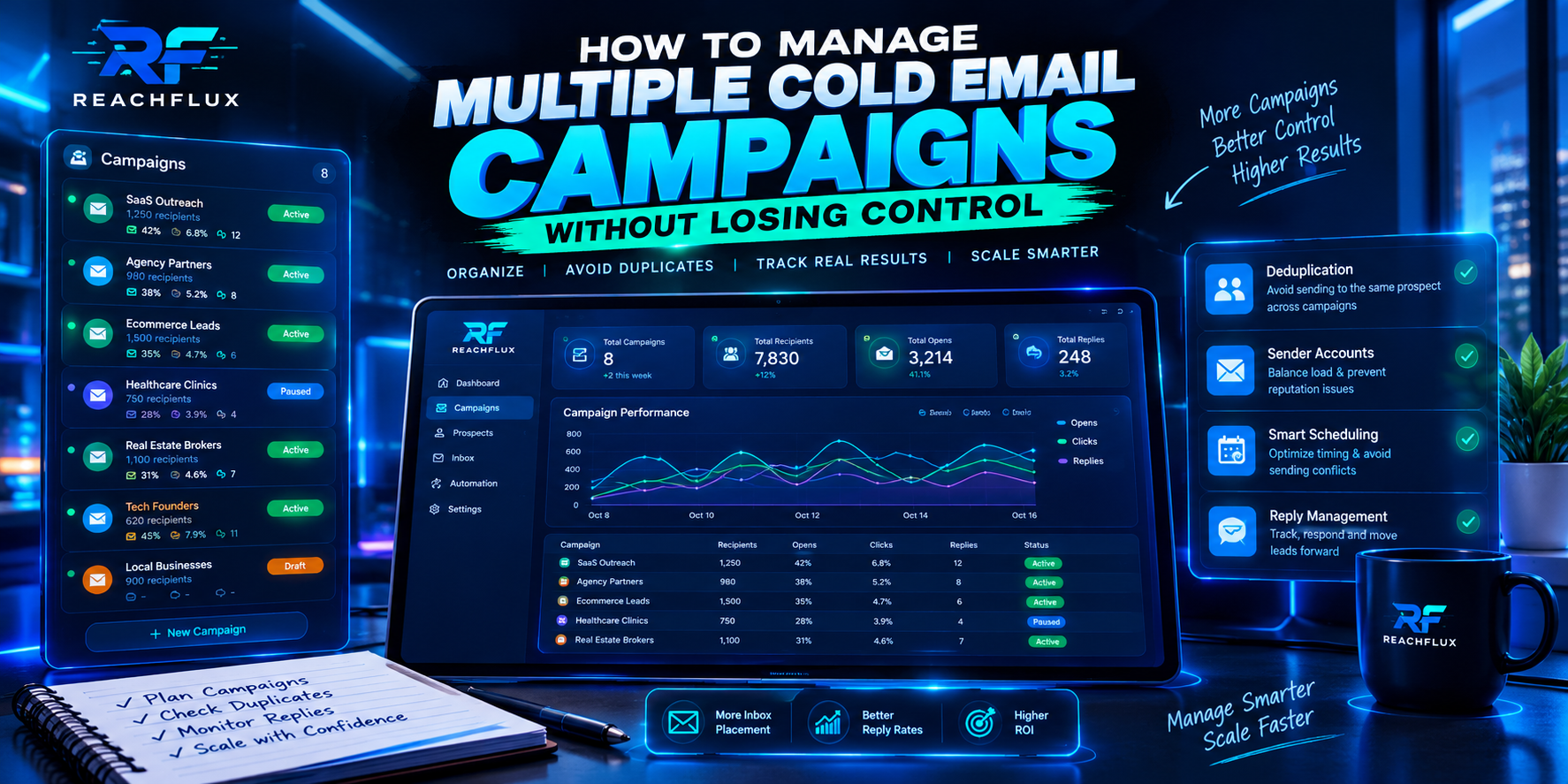
How do you manage multiple cold email campaigns without losing control?
Centralize operations; keep targeting and messaging specific. Maintain one campaign register, one set of suppression rules, a clear owner for every campaign, a documented sender-account map, and a single place to review delivery signals and replies. Give every campaign its own audience definition, offer, sequence and success criteria.
Do not rely on memory, separate spreadsheets with conflicting statuses, or one campaign-wide “sent” number. You need to know which audience received which message, which sender account handled it, what happened at the receiving provider, and who owns the next action.
More campaigns multiply coordination risk before they multiply results.
A single campaign can be easy to understand because its audience, offer, schedule and owner are visible in one place. Add several campaigns and the hidden dependencies become harder to see: the same prospect may appear in two imports, two sequences may compete for the same sender, and one campaign’s delivery problem can be buried inside an account-wide average.
The same person enters multiple sequences or receives conflicting offers.
Campaigns compete for accounts without a clear workload plan.
Bounces or deferrals are averaged away across campaigns.
Positive, negative and opt-out responses do not reach an owner.
Results cannot be traced to the audience, message or sender.
The fix is not necessarily more dashboards. It is a small, consistent operating model that records the decisions your team must make every day.
Create one campaign register before adding more volume.
The campaign register is the source of truth for what is running, who owns it, who should receive it, and what “success” means. It can live in a CRM, spreadsheet or campaign platform, provided the team updates it consistently and can see the same current status.
| Field | What to record | Why it matters |
|---|---|---|
| Campaign ID and name | A stable identifier, audience and offer | Prevents ambiguous references and naming collisions. |
| Owner and backup | One accountable person plus a cover | Stops replies and incidents from sitting unclaimed. |
| Audience rules | Industry, role, geography, exclusions and data source | Makes targeting reviewable and repeatable. |
| Sequence version | Copy version, follow-up timing and last edit date | Lets you connect changes to outcome shifts. |
| Sender assignment | Accounts and domains approved for this campaign | Prevents unplanned overlap and sender confusion. |
| Launch status | Draft, QA, active, paused, completed or retired | Reduces accidental sends from stale campaigns. |
| Stop conditions | Complaint, bounce, provider error or data-quality triggers | Defines when to pause and investigate. |
| Success definition | Qualified replies, meetings or another business outcome | Stops open rate from becoming the only goal. |
Use a predictable naming convention, such as region–segment–offer–version–month. For example, “UK–IT-agencies–API-integration–V2–Oct”. Avoid putting private customer details or sensitive personal data into campaign names.
Every campaign should also have a short launch note: the hypothesis, audience source, message angle, owner, planned review date and what would cause a pause. This small record makes later diagnosis much faster.
Deduplicate prospects across the entire workspace—not just inside each import.
Duplicate checking within a single CSV is not enough when multiple people build lists or campaigns run at the same time. A prospect can be unique in Campaign A and still already be active in Campaign B. Decide the rules centrally before importing or activating records.
Use a repeatable eligibility check
Trim whitespace, standardize casing for matching, and reject malformed values. Preserve the original source value when you need to audit imports.
Exclude unsubscribes, hard bounces, explicit do-not-contact requests and any other contacts your policy says must not be emailed.
Decide whether the same person can be active in more than one campaign. If not, block them at the workspace level, not just in one list.
Check customer status, existing opportunities, account ownership, geographic restrictions and the relevance of the offer.
Eligibility can change after import. Apply suppression and reply-state updates at send time where your system supports it.
Define how you match people and companies. Email address is usually a practical person-level key, while company-domain matching can support account-level exclusions. Do not merge two people merely because they work at the same company; use the matching rules your workflow actually needs.
For the infrastructure side of the workflow, see Cold Email Infrastructure: Domains, Inboxes, DNS and Sending Limits.
Maintain a sender-account map and assign workloads deliberately.
When multiple campaigns share sending accounts, the account becomes a shared dependency. If one campaign suddenly changes its workload, other campaigns using the same account can be affected. A sender-account map makes those dependencies visible.
| Sender field | Record | Review trigger |
|---|---|---|
| Account identity | Mailbox, provider, sending domain and owner | Any credential, ownership or provider change. |
| Assigned campaigns | Current campaign IDs and intended audience | A new campaign is assigned or one is retired. |
| Workload | Planned messages and follow-up obligations over time | Schedule changes or a new sequence step is added. |
| Health signals | Bounces, deferrals, rejection codes and restrictions | Any sudden shift or repeated provider response. |
| Authentication | SPF, DKIM and DMARC status where applicable | DNS, mailbox, platform or domain changes. |
| Pause status | Active, reduced, paused or under investigation | An incident or stop condition is triggered. |
Do not treat account rotation as a way to escape a problem. Moving a campaign to another sender without diagnosing repeated bounces, complaints, authentication failures or policy restrictions can spread the same failure pattern across more accounts.
Where campaigns share a domain, IP, provider or audience source, record that relationship. A campaign-level dashboard alone can hide a sender-level problem; an account-level dashboard alone can hide which campaign introduced the change. You need both views.
Use the domains and inboxes planning guide to think through account capacity without relying on a universal “safe” number.
Schedule by workload and health—not by the number of campaigns.
Five campaigns do not automatically mean five times the workload. One campaign may have a small, well-defined audience; another may create follow-ups for weeks. Plan total obligations across all active sequences, not just the number of first-touch messages queued today.
Count the full sequence workload
For each campaign, estimate new first-touch messages, scheduled follow-ups already owed, retries, and any replies that need a human response. Add the workloads that share the same sender account. The total gives a more realistic picture than each campaign’s daily target viewed in isolation.
Estimate how many eligible prospects remain after deduplication and suppression—not how many rows were imported.
Existing sequences create future obligations. Leave room for them before adding new first-touch volume.
Aggregate workload by account and provider. Avoid allowing several campaign schedules to independently consume the same capacity.
Keep sending behavior consistent and avoid abrupt spikes. Provider responses and reputation signals should influence whether workload increases.
Repeated deferrals, rising hard bounces, restrictions or a sudden reputation change are reasons to investigate before scaling.
Google recommends consistent sending, gradual volume increases, monitoring server responses and reducing volume when bounces or deferrals appear. Microsoft documents sending limits and outbound-spam controls for Exchange Online. These are provider-specific controls, not a universal cold-email quota.
Microsoft also states that Exchange Online is not designed for bulk-mailing scenarios. Do not interpret its technical limits as a recommendation to run prospecting campaigns through the service at those limits.
Build a monitoring view that explains what happened—not just how much was sent.
“Sent” is a process count. It does not tell you whether the recipient server accepted the message, whether the message bounced, whether the provider deferred it, whether the recipient replied, or whether the conversation produced a qualified opportunity.
| Signal | What it can tell you | What it cannot prove |
|---|---|---|
| Submitted/sent | Your platform attempted or submitted the message according to its event definition. | Inbox placement or that a human saw it. |
| Accepted by recipient server | The next mail system accepted the message at that stage. | That it reached the inbox rather than junk or quarantine. |
| Hard bounce / permanent rejection | A specific delivery attempt failed permanently or was rejected. | The cause without the full response and context. |
| Deferral / temporary failure | The receiving system did not accept the message at that moment. | A permanent block or a single universal root cause. |
| Complaint or spam feedback | Recipients or provider feedback indicate a problem, where the data is available. | A complete view of every recipient’s reaction. |
| Open tracking | An image or tracking event was recorded. | Reliable human attention or inbox placement. |
| Reply / positive reply | A recipient responded; classification may require review. | Qualified pipeline unless the reply is reviewed against your criteria. |
| Meeting / opportunity | A downstream business outcome occurred, if tracked consistently. | Which single campaign variable caused it without further analysis. |
Segment these metrics by campaign, sender account, provider, list source, audience segment, message version and date. If you only view campaign totals, a small group of failing accounts can disappear inside a healthy average.
Do not treat open rate as the source of truth. Google explicitly says it does not track open rates and cannot verify the accuracy of third-party open-rate reporting. Open tracking may still provide a rough event signal, but it should not be used to declare that mail reached the inbox.
Change one major variable at a time when diagnosing a campaign.
If performance changes, avoid simultaneously replacing domains, rewriting every email, changing the list, doubling volume and modifying follow-up timing. That creates a new system before you know what failed.
Use a change log
- Record the date, campaign, owner and reason for the change.
- State exactly what changed: audience, source, sender, authentication, schedule, sequence step, content or tracking.
- Capture the baseline and the signal you expect to change.
- Define a review window that accounts for the campaign’s volume and response lag.
- Roll back or pause if the change produces a clear delivery or data-quality problem.
Separate deliverability incidents from conversion experiments. A provider rejection or sudden increase in deferrals calls for technical diagnosis. A campaign with stable delivery but few relevant replies calls for an audience, offer or message review. The two situations can coexist, but they should not be treated as the same problem.
When delivery signals change suddenly, use the sudden deliverability drop diagnostic before changing every part of the campaign.
Run a short weekly review with clear decisions.
A useful review is not a meeting to admire a dashboard. It should end with a small number of decisions: continue, reduce, pause, fix, test or retire. Review campaigns using the same definitions every week so that changes are comparable.
Check new imports, suppression coverage, duplicate risk, upcoming follow-ups and sender workload.
Review permanent failures, repeated deferrals, account restrictions, complaints where available, and replies waiting for action.
Compare qualified replies and downstream outcomes alongside delivery failures. Segment before comparing.
Assign an owner, document the hypothesis and change one major variable where practical.
Stop sends, preserve reporting, apply exclusions and document what should or should not be reused.
For teams with many campaigns, a 20-minute daily triage and a deeper weekly review may be enough. Smaller teams can combine them. What matters is that delivery incidents and replies are checked frequently, while strategic changes are made deliberately.
Multi-campaign launch checklist
Use this checklist whenever a new campaign joins an already-running outbound operation.
- Campaign owner and backup are assigned.
- Audience, offer and exclusions are documented.
- Prospects are deduplicated across active campaigns.
- Unsubscribes and do-not-contact records are suppressed centrally.
- Sender accounts and domains are explicitly assigned.
- Authentication is checked after relevant infrastructure changes.
- Follow-up workload is included in capacity planning.
- Sending pace is controlled and provider responses are monitored.
- Hard bounces and repeated failures trigger investigation.
- Reply categories have owners and next actions.
- Success metrics include qualified outcomes, not only opens.
- Change log, pause rules and review date are recorded.
Seven mistakes that make a multi-campaign operation fragile
1. Treating every campaign as an isolated island
Shared senders, contacts and suppression rules create dependencies. Centralize the controls that need a workspace-wide view.
2. Using one “sent” number as the performance report
Separate submission, server acceptance, permanent failure, temporary deferral, reply and qualified outcome.
3. Letting campaigns independently control shared account workload
Aggregate planned first touches and follow-ups by sender account before activating schedules.
4. Keeping opt-outs in a local spreadsheet
A do-not-contact request must be applied consistently wherever that prospect might otherwise be selected.
5. Scaling while a delivery incident is unresolved
More campaigns increase exposure to the same underlying failure. Diagnose before adding workload.
6. Changing every variable at once
Without a change log and controlled tests, the team cannot learn which change helped or hurt.
7. Automating replies without clear boundaries
Automation should respect opt-outs, stop conditions and human handoffs. Keep a person accountable for ambiguous or high-value conversations.
Managing multiple cold email campaigns: common questions
How do you manage multiple cold email campaigns at once?
Use a central campaign register, clear ownership, shared suppression rules, a sender-account map, provider-aware monitoring and a reply queue. Keep each campaign’s audience and offer specific.
Should multiple campaigns share the same sender inboxes?
There is no universal answer. Map shared accounts, calculate total workload including follow-ups, and monitor account-level health. Do not use account rotation to conceal a delivery problem.
How do I stop duplicate outreach?
Deduplicate imports, check a central suppression list, inspect active sequences and recheck eligibility before sending. Decide centrally whether a prospect can belong to multiple campaigns.
Which metrics matter most?
Track server responses, hard bounces, deferrals, complaints where available, replies, positive replies and qualified outcomes. Segment by campaign, sender, provider and data source. Opens alone cannot prove inbox placement.
How many campaigns should run at once?
There is no universal safe count. Add campaigns only when your team can maintain list quality, relevant messaging, sender monitoring, reply handling and consistent reporting.
Can software guarantee inbox placement?
No. Software can make workflows and monitoring more consistent, but receiving-provider decisions depend on many signals outside any campaign platform’s control.
Scale the operating system before scaling the campaign count.
Managing multiple cold email campaigns is mostly a coordination problem. The team needs to know which campaign owns each prospect, which sender carries the workload, what the provider returned, who owns each reply, and what changed before performance moved.
Centralize ownership, suppression, sender mapping and monitoring. Keep audience and messaging specific. Record changes, investigate delivery signals before scaling, and measure qualified conversations rather than treating sending volume as success.
Keep campaigns, sender workloads and reply workflows visible in one operating process.
ReachFlux helps teams coordinate campaign sending, multi-account distribution, validation, activity tracking and reply management. It supports process control; it does not guarantee inbox placement.
Provider guidance worth keeping in your operating notes
- Google: Email sender guidelines — authentication, consistent sending, Postmaster Tools, volume changes and response monitoring.
- Google: Email sender guidelines FAQ — bulk-sender classification, enforcement and spam-rate guidance.
- Microsoft: Troubleshoot outbound sending limits in Exchange Online — restrictions, sending controls and bulk-mailing caveats.
- Microsoft: Outbound delivery pools — high-risk delivery pools and why sending acceptance is not a delivery guarantee.