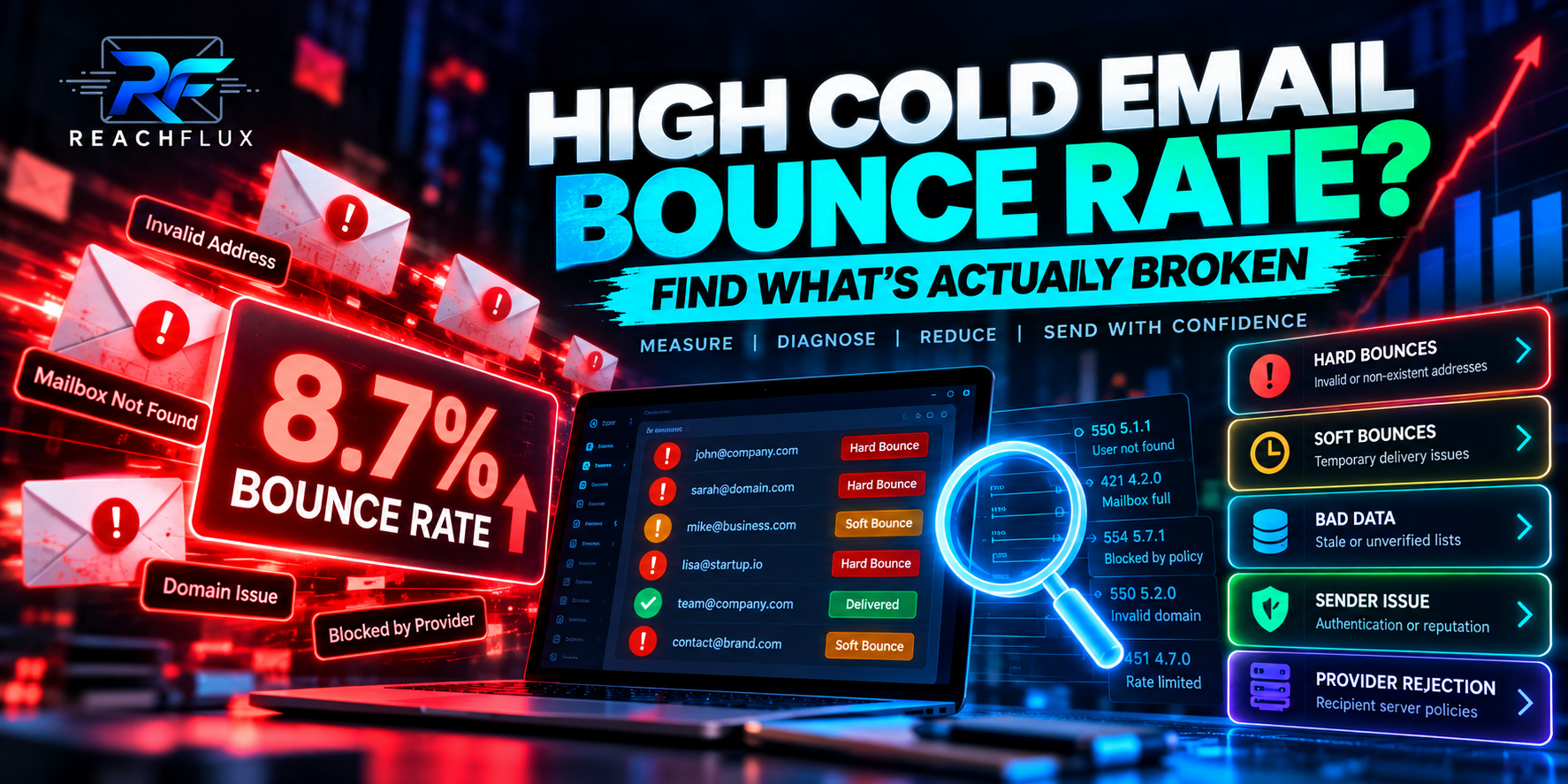
A high cold email bounce rate means too many attempted deliveries are failing, but the percentage alone does not tell you why. Start by separating permanent recipient failures from temporary delivery problems. Then group failures by recipient source, sending account, domain and mailbox provider. Check the SMTP response before changing your copy or replacing infrastructure. A rising bounce rate is most useful as a diagnostic signal when you know which type of failure is increasing.
What should you do when your cold email bounce rate is high?
Stop treating every bounce as the same problem. Calculate the rate, separate hard and soft failures, read the SMTP responses, compare failures by lead source and sender, verify your email authentication, and check whether the increase started after a volume or infrastructure change. Remove permanently invalid recipients and investigate temporary failures before increasing sending again.
One of the easiest mistakes in outbound is looking at a dashboard that says:
Bounce rate: 4.2%
...and immediately deciding the list is bad.
Maybe it is.
But that number can contain several completely different problems.
Some addresses may not exist.
Some mailboxes may be temporarily unavailable.
One recipient provider may be deferring your traffic.
One sender may have an authentication problem.
Or your infrastructure may have changed shortly before the failures started.
Same dashboard metric.
Very different fixes.
What is cold email bounce rate?
Cold email bounce rate measures the share of attempted email deliveries that could not be delivered successfully.
It is useful because it tells you that something in the delivery path needs attention.
It does not tell you what failed.
The percentage of attempted cold email deliveries that receive a delivery failure instead of being accepted by the recipient's mail system.
That distinction matters.
A bounce is about delivery.
A spam-folder placement is about what happens after a receiving system accepts the message.
A non-reply is about recipient behavior after delivery.
The receiving system did not accept the delivery.
The receiving system accepted the message.
The recipient received enough value to respond.
Those are different stages of the funnel.
How do you calculate cold email bounce rate?
The basic formula is simple:
Example
Suppose a campaign attempts 1,000 deliveries.
Twenty are returned as delivery failures.
That example explains the mathematics.
It does not mean 2% is a universal target, safe limit or guarantee of healthy deliverability.
The useful question is not only “What is my bounce rate?” It is “Which failures make up that rate, and what changed before they increased?”
What is a good cold email bounce rate?
There is no universal cold email bounce-rate percentage that guarantees healthy deliverability across every provider, sender, industry and recipient list. Lower permanent-failure rates are better. More importantly, investigate meaningful increases from your normal baseline and understand why messages are failing instead of relying on one benchmark.
I prefer this answer to publishing an arbitrary table saying:
“Under X% = perfect. X–Y% = okay. Above Y% = disaster.”
Email systems are not that clean.
Consider two campaigns with the same 3% bounce rate.
Campaign A has mostly stale addresses that no longer exist.
Campaign B has temporary deferrals concentrated around one recipient provider.
The percentage is identical.
The diagnosis is not.
Hard bounce vs soft bounce: the distinction that matters
The receiving system indicates that delivery cannot be completed as addressed. An invalid or nonexistent recipient is a common example.
The receiving system temporarily refuses or delays delivery. Capacity, rate limits, temporary mailbox conditions or policy decisions can be involved.
SMTP responses commonly make the distinction clearer.
Responses in the 4xx family generally indicate a temporary condition. Responses in the 5xx family generally indicate a permanent failure.
But the numeric family alone is not enough.
Read the actual response text.
A server often gives you a much better clue than the word “bounced” in your campaign interface.
Why is my cold email bounce rate so high?
I would investigate these causes before blaming the email copy.
1. Your recipient data is stale
People change jobs.
Companies change systems.
Mailboxes are removed.
Domains expire.
An address collected months ago may no longer behave the way it did when the data was created.
2. Your lead source changed
This is one of the first things I would compare.
Suppose your campaign normally uses carefully reviewed contacts.
Then you import 4,000 records from a different source.
Bounce rate rises immediately.
Before changing domains, segment the failures by source.
3. Addresses were never validated
Recipient validation can catch many obvious problems before a campaign attempts delivery.
It should happen before large-scale sending, not after hundreds of failures reveal the problem.
4. Validation happened too long ago
Validation is not permanent.
It tells you something about an address at a particular point in time.
The mailbox can change afterward.
5. Your sender authentication is broken
A campaign can have perfect recipient data and still encounter delivery problems if sender identity is not configured correctly.
Verify SPF, DKIM and DMARC rather than assuming configuration from six months ago is still correct.
6. One sending account is producing most failures
Campaign-level averages hide sender-level problems.
If you use multiple inboxes, compare them.
Ten senders with a combined bounce rate of 3% tells you less than discovering that nine senders are stable while one sender produces most failures.
7. One sending domain is behaving differently
Apply the same logic at domain level.
Do not replace an entire infrastructure because one domain appears unhealthy.
Isolate the pattern first.
8. One recipient provider is rejecting your traffic
Group delivery failures by recipient domain or provider.
If failures cluster around one provider, that tells a different story from invalid addresses spread randomly across the list.
9. You increased sending volume too quickly
Volume changes sender behavior.
If bounces or deferrals rise after a major increase, compare traffic before and after the change.
Do not keep increasing volume simply because the campaign technically still sends.
10. Follow-ups increased your real sender load
Teams often count only first-touch emails.
Your mailbox does not.
11. The recipient mailbox is full or unavailable
Not every failure means your list is fake.
Temporary mailbox conditions can interrupt otherwise valid delivery.
This is another reason to preserve the provider response.
12. The recipient domain has changed
Companies migrate domains, merge, close, rebrand and restructure their email systems.
Old contact records do not automatically update themselves.
13. Recipient servers are temporarily deferring traffic
A temporary deferral is not the same thing as a nonexistent user.
Your sending system should preserve that difference.
14. Sender reputation deteriorated
A sender can become less trusted over time because of traffic patterns, recipient feedback or other reputation signals.
Look at when the change happened and whether it affects every sender equally.
15. You are hiding useful errors behind one “bounced” status
This is partly an application-design problem.
If your system stores:
status = bounced
but throws away the provider response, you lose valuable diagnostic information.
A useful outbound system should preserve enough failure context to answer:
- Which recipient failed?
- Which sender attempted it?
- When did it fail?
- Was the failure temporary or permanent?
- What did the receiving server return?
- Which provider or domain was involved?
Why do verified cold email addresses still bounce?
A verified email can still bounce because verification cannot guarantee future acceptance. The mailbox can change after validation, the recipient server can temporarily defer traffic, sender authentication or reputation can affect acceptance, and some mail systems deliberately limit how much information they reveal during validation.
Think of validation as risk reduction.
Not a delivery guarantee.
Address checked before sending.
Mailbox or domain conditions can change.
Recipient server evaluates the actual message.
Final outcome depends on current conditions.
How to diagnose a high cold email bounce rate
This is the process I would use.
Compare a healthy sending period with the period where failures increased.
Do not mix invalid recipients with temporary deferrals.
Similar responses often reveal a common underlying cause.
Check whether one imported list creates a disproportionate share of permanent failures.
Find senders that behave differently from the rest.
Determine whether the problem is isolated to one domain.
Look for provider-specific rejection or deferral patterns.
Confirm SPF, DKIM and DMARC behavior rather than relying on old configuration assumptions.
Include first touches, follow-ups and other campaigns.
Change one meaningful layer rather than rebuilding the entire campaign at once.
High bounce rate diagnostic table
| What you see | Possible explanation | Check first |
|---|---|---|
| Many nonexistent recipients | Stale or poor-quality data | Lead source and validation |
| One sender has most failures | Sender-specific problem | Account configuration and responses |
| One domain has most failures | Domain-specific issue | Authentication and domain behavior |
| One provider defers messages | Provider-specific traffic issue | SMTP responses and sending pattern |
| Failures rise after scaling | Volume or infrastructure change | Total sender load |
| Verified addresses still fail | Post-validation change or sender-side issue | Exact failure response |
| Temporary failures dominate | Deferral, rate or transient conditions | 4xx response details |
| Permanent failures dominate | Recipient or policy rejection | 5xx response details |
How to reduce cold email bounce rate
Once you know what is failing, prevention becomes much more straightforward.
Validate before sending
Catch obvious invalid recipient data before it reaches your sending queue.
Remove permanent failures
Do not repeatedly attempt addresses that have clearly returned permanent recipient failures.
Keep lead data fresh
Older prospect data deserves more scrutiny because employment, domains and mailboxes change.
Preserve provider responses
“Failed” is not enough information for serious diagnosis.
Monitor sender accounts separately
Multi-account sending becomes much easier to debug when you can see which account produced each outcome.
Monitor recipient providers separately
Provider-level patterns can expose problems hidden by an overall campaign average.
Verify authentication
Correct recipient data cannot compensate for broken sending identity.
Avoid uncontrolled volume jumps
When increasing outbound capacity, change traffic gradually enough that you can see when behavior starts deteriorating.
Pause scaling when failure patterns change
Scaling through a delivery problem creates more failed attempts and makes diagnosis harder.
Track the baseline
Your own historical behavior is valuable.
If permanent failures suddenly double after changing a lead source, that change matters even if someone on the internet says your total percentage is still “acceptable.”
Why bounce rate matters even more when you scale cold email
Small percentages become large numbers at volume.
Consider the mathematics.
2% means 20 failed deliveries.
The same 2% means 200 failures.
The same 2% means 1,000 failures.
Again, 2% here is only a mathematical example.
The point is that scaling multiplies whatever quality already exists in the system.
Scaling does not repair weak recipient data. It distributes the weakness across more sending activity.CONTINUE READING How to Scale Cold Email Campaigns Without Hurting Deliverability → Learn how to increase outbound capacity without treating sending volume as the only variable that matters.
Where ReachFlux fits into this
Bounce-rate diagnosis is one reason I think outbound software should preserve operational context rather than showing only vanity metrics.
ReachFlux includes email validation, multi-account sending, recipient activity, campaign processing and lead workflows so outbound activity can be managed as a system.
That does not mean software can guarantee delivery.
It cannot.
The useful part is reducing preventable mistakes and keeping enough context around sending activity to understand what happened when results change.
Cold email bounce rate FAQ
What is cold email bounce rate?
Cold email bounce rate is the percentage of attempted email deliveries that fail. Divide bounced emails by attempted deliveries and multiply by 100.
What is a good bounce rate for cold email?
There is no universal percentage that guarantees healthy deliverability. Lower permanent-failure rates are better. Focus on the types of failures, changes from your baseline and the actual provider responses.
Why is my cold email bounce rate suddenly high?
Check for changes in lead source, data age, validation, sending accounts, domains, authentication, volume, recipient providers and sender reputation.
Can verified emails still bounce?
Yes. Validation is a point-in-time check. A mailbox can change afterward, or delivery can fail because of temporary conditions, policy decisions or sender-side problems.
Is a hard bounce worse than a soft bounce?
They indicate different conditions. A hard bounce usually represents a permanent failure, while a soft or temporary failure may be retried depending on the specific SMTP response and sending system.
Can sending too many cold emails cause bounces?
Sending-pattern changes can contribute to deferrals or rejections. When failures increase after scaling, inspect total traffic, sender behavior and provider responses before continuing to raise volume.
Should I retry bounced cold emails?
It depends on the failure. Do not repeatedly retry clearly permanent recipient failures. Temporary failures may be retried according to the provider response and your sending system's retry policy.
Can bad email authentication increase delivery failures?
Yes. Authentication problems can cause messages to be rejected or treated differently by receiving systems. Verify SPF, DKIM and DMARC as part of the diagnosis.
How do I reduce cold email bounce rate?
Validate addresses, keep prospect data current, remove permanent failures, inspect SMTP responses, monitor senders separately, verify authentication and investigate sudden changes before scaling further.
Does a low bounce rate guarantee inbox placement?
No. Bounce rate measures delivery failures. A message can be accepted by the receiving system and still be filtered into spam. Bounce rate and inbox placement are related to deliverability but they are not the same metric.
Your bounce rate is the warning light. The SMTP response is the clue.
Calculate the percentage, but do not stop there. Separate permanent and temporary failures. Compare lead sources, senders, domains and recipient providers. Find what changed before the rate increased. Then correct that layer instead of replacing your entire outbound system based on one number.
Don't wait for failed sends to tell you the list has problems.
ReachFlux combines recipient validation, multi-account campaign sending, activity tracking, replies and lead workflows in one outbound system.