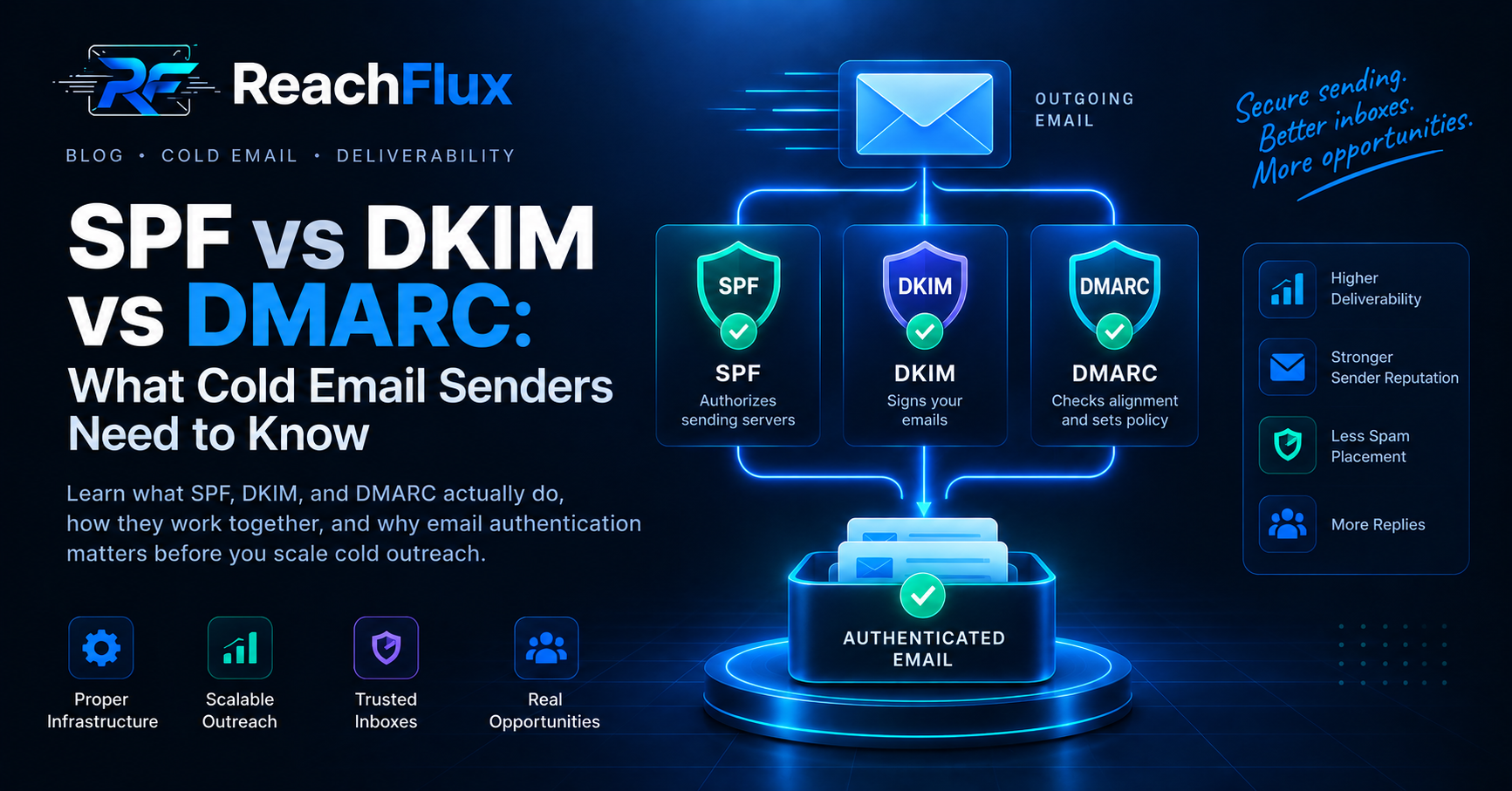
SPF authorizes servers to send email for your domain. DKIM adds a verifiable signature to each message. DMARC checks domain alignment and tells receiving servers how to handle authentication failures. Cold email senders should configure all three.
SPF, DKIM, and DMARC are often discussed together, but they solve different email authentication problems.
Setting one record does not make the other two unnecessary. They work best as a coordinated authentication system.
That matters when your outbound infrastructure grows. More domains, mailboxes, and sending services create more opportunities for configuration mistakes.
SPF vs DKIM vs DMARC: The Simple Difference
| Protocol | Main job | Checks | Published in DNS? |
|---|---|---|---|
| SPF | Authorizes sending infrastructure | Whether a server can send for the domain | Yes |
| DKIM | Signs outgoing messages | Whether the signature can be verified | Public key is published in DNS |
| DMARC | Adds policy and alignment | Whether SPF or DKIM aligns with From | Yes |
A simple way to remember the difference is:
Is this sending infrastructure authorized?
Can this message signature be verified?
Does authentication align with the visible sender?
What Is SPF?
SPF stands for Sender Policy Framework.
It lets a domain publish which mail servers are allowed to send email on its behalf.
The SPF policy is stored as a TXT record in DNS.
When a receiving server gets a message, it can evaluate whether the sending infrastructure is authorized by the relevant SPF policy.
Why SPF Matters for Cold Email
Outreach setups often use third-party email providers or several sending systems.
Your SPF configuration needs to account for legitimate infrastructure that sends mail for the domain.
Google states that all senders to personal Gmail accounts must configure SPF or DKIM.
Its bulk-sender requirements are stricter and require both SPF and DKIM.
What Is DKIM?
DKIM stands for DomainKeys Identified Mail.
DKIM uses cryptographic signing to help receiving servers verify an outgoing message.
The sending system signs the email using a private key. A corresponding public key is published in DNS.
The receiver can use that public key to verify the DKIM signature.
SPF and DKIM Are Not the Same
SPF focuses on authorized sending infrastructure.
DKIM focuses on the cryptographic signature attached to the message.
That is why configuring SPF does not replace DKIM.
DKIM Key Length
Google currently requires DKIM keys of at least 1,024 bits when sending to personal Gmail accounts.
Google recommends 2,048-bit keys when the domain provider supports them.
What Is DMARC?
DMARC stands for Domain-based Message Authentication, Reporting, and Conformance.
DMARC works on top of SPF and DKIM.
It checks whether authenticated domains align with the domain visible in the From address.
It also lets the domain owner publish a policy for handling messages that fail DMARC checks.
DMARC Policies
You will commonly see three DMARC policy values:
- p=none: monitor authentication without requesting quarantine or rejection.
- p=quarantine: ask receivers to treat failing messages suspiciously.
- p=reject: ask receivers to reject messages that fail the policy.
Do not move to stricter enforcement blindly. First confirm your legitimate sending sources authenticate and align correctly.
What Is DMARC Alignment?
Authentication passing by itself is not the complete DMARC check.
DMARC also considers whether the authenticated domain aligns with the domain users see in the From header.
Google requires qualifying bulk senders to align the From domain with either the SPF or DKIM domain.
How SPF, DKIM, and DMARC Work Together
Imagine an email sent from:
The receiving provider can perform several checks.
- SPF evaluates the relevant sending authorization.
- DKIM verifies the message's cryptographic signature.
- DMARC evaluates authentication and domain alignment.
- The receiver also considers other signals before deciding how to handle the message.
Passing authentication does not guarantee inbox placement.
It establishes an important foundation for legitimate sending and protects against some forms of impersonation.
Why Cold Email Senders Need All Three
Cold outreach creates a difficult environment for sender reputation.
Recipients did not necessarily expect your message. Relevance, targeting, complaints, and sending behavior therefore matter heavily.
Weak authentication adds another avoidable problem.
Google explicitly warns that messages which do not meet authentication requirements can be rejected or placed in spam.
Authentication Does Not Replace Good Sending
SPF, DKIM, and DMARC cannot rescue an irrelevant campaign.
You still need accurate leads, controlled volume, relevant messages, low complaints, and healthy sending infrastructure.
Google recommends keeping Postmaster Tools spam rates below 0.1% and avoiding 0.3% or higher.
Yahoo requires senders to keep complaint rates below 0.3%.
A Practical Authentication Setup Order
Configure authentication before launching meaningful outreach volume.
Step 1: Identify Every Legitimate Sender
List every service that sends email using your domain.
That might include your mailbox provider, transactional system, marketing platform, or outbound infrastructure.
Step 2: Configure SPF
Make sure legitimate sending infrastructure is represented correctly in your SPF configuration.
Verify the final DNS record after publishing it.
Step 3: Enable DKIM
Generate or obtain the DKIM configuration from your sending provider.
Publish the required public key in DNS. Then confirm outgoing messages pass DKIM verification.
Step 4: Publish DMARC
Add a DMARC record after understanding your legitimate sending sources.
A monitoring policy can help you observe authentication before considering stricter enforcement.
Step 5: Verify Alignment
Do not stop after seeing SPF and DKIM marked as passing.
Check whether the authentication aligns correctly with your visible From domain.
Step 6: Monitor After Launch
DNS configuration is not a one-time deliverability strategy.
Monitor authentication results, delivery errors, spam complaints, and domain reputation.
Google Postmaster Tools provides authentication, spam-rate, reputation, and delivery information for eligible Gmail traffic.
Common SPF, DKIM, and DMARC Mistakes
Mistake 1: Configuring SPF Only
SPF is only one part of modern email authentication.
Configure DKIM and DMARC rather than treating SPF as the complete setup.
Mistake 2: Forgetting a Sending Provider
Infrastructure changes over time.
Adding a new sender without updating the relevant authentication configuration can create failures.
Mistake 3: Assuming DKIM Passing Means DMARC Passes
DMARC considers domain alignment.
A DKIM signature can validate while still failing to provide the alignment needed for DMARC.
Mistake 4: Moving to p=reject Too Quickly
A strict DMARC policy can affect legitimate mail when your sending sources are not configured correctly.
Understand your traffic before increasing enforcement.
Mistake 5: Assuming Authentication Guarantees the Inbox
Authentication is necessary infrastructure. It is not an inbox guarantee.
Mailbox providers still evaluate reputation, complaints, sending behavior, and other signals.
Mistake 6: Scaling Immediately After Setup
DNS authentication does not make sudden volume spikes safe.
Increase sending volume gradually and monitor results.
Where ReachFlux Fits
Authentication happens at the domain and email-provider level, while campaign execution happens after that foundation is ready.
ReachFlux helps manage outbound campaigns across sending accounts, verify lead addresses, distribute recipients, control sending delays, and track campaign activity.
That helps keep campaign execution organized as your outbound infrastructure grows.
Cold Email Authentication Checklist
Frequently Asked Questions
Do I Need SPF, DKIM, and DMARC for Cold Email?
Configure all three when possible. They perform different authentication functions and work together as a stronger setup.
Is SPF the Same as DKIM?
No. SPF evaluates sending authorization. DKIM uses a cryptographic signature that receivers can verify.
Does DMARC Replace SPF and DKIM?
No. DMARC builds on SPF and DKIM. It uses their authentication results and checks domain alignment.
Does DMARC Improve Email Deliverability?
Correct authentication supports legitimate sending and helps providers verify your messages. It does not guarantee inbox placement.
What DMARC Policy Should I Start With?
The correct policy depends on your sending setup. A monitoring policy is commonly used while legitimate sources and alignment are being verified.
Can SPF, DKIM, and DMARC Stop Emails Going to Spam?
They address authentication problems. Spam placement can still result from poor reputation, complaints, bad targeting, unsafe volume changes, or other signals.
Sender requirements used in this guide
Authentication requirements change over time. Check current mailbox-provider documentation before changing production email infrastructure.
Authentication is the foundation. Sending behavior comes next.
Once SPF, DKIM, and DMARC are configured correctly, build a controlled outbound system around healthy sending accounts and verified leads.
Read the cold email scaling guide →