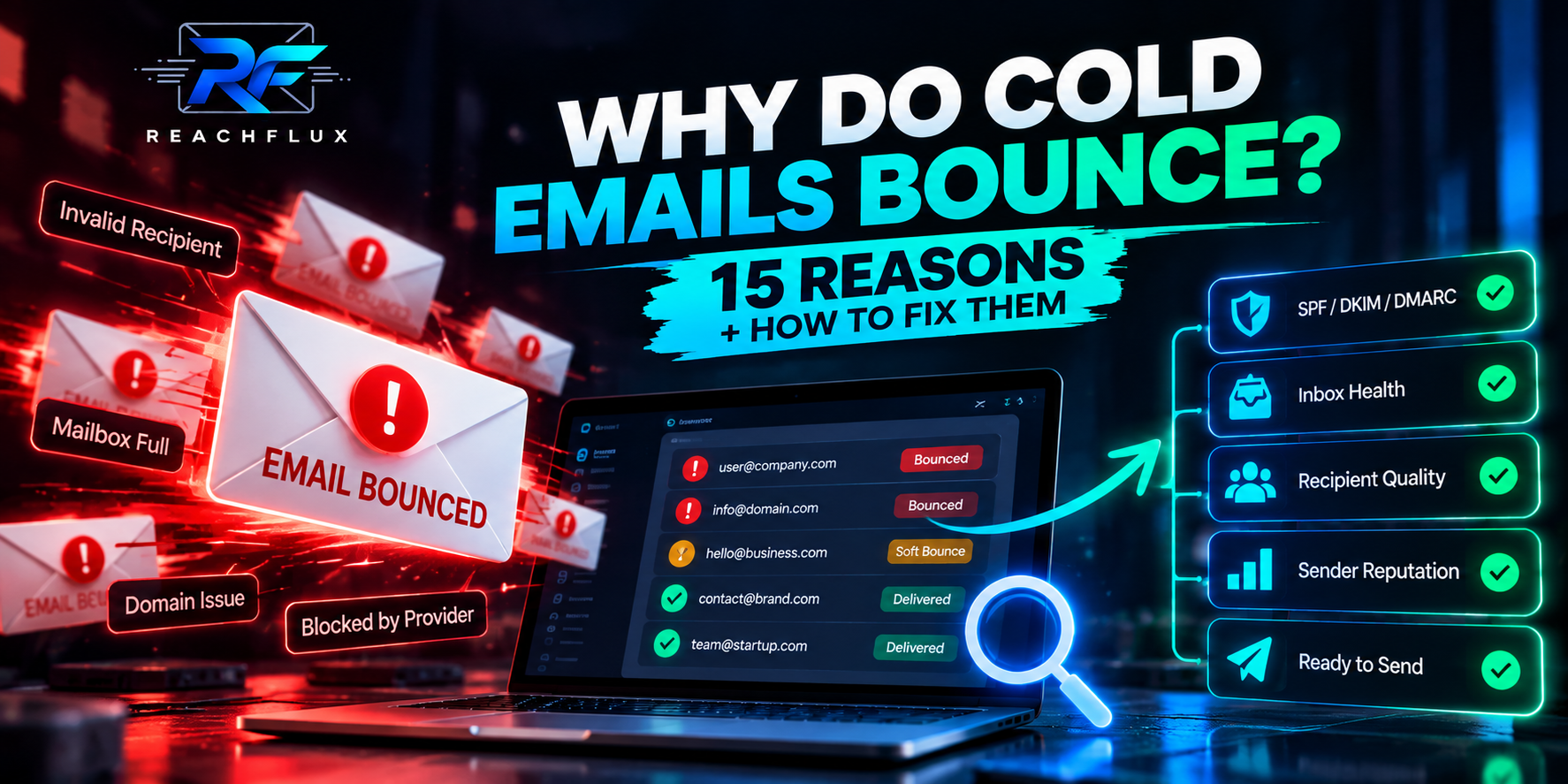
Cold emails bounce when the receiving mail system cannot or will not accept the message. The cause might be a nonexistent address, a full mailbox, a temporary server problem, a policy rejection, sender reputation, authentication, rate limiting, or another provider-specific decision. The fastest way to diagnose the issue is not to stare at the campaign's bounce percentage. Start with the recipient, the SMTP response, the affected sender and the pattern across similar failures.
One of the easiest mistakes in outbound is treating every bounce as the same event.
It isn't.
Consider three messages marked as failed by your application.
Retrying the same address is unlikely to solve anything.
The address may be valid, but delivery cannot happen now.
The recipient exists, but the receiving system refused the mail.
Your dashboard might call all three “bounced.”
Your response to each should be different.
Why do cold emails bounce?
Cold emails commonly bounce because the recipient address does not exist, the mailbox is unavailable, the recipient server has temporarily deferred mail, the sender has been rate limited, authentication or DNS is incorrect, the receiving provider rejects the message, or sender reputation has deteriorated. Start by reading the SMTP response and determining whether the failure is permanent, temporary, recipient-specific, or sender-wide.
Notice what is missing from that answer:
“Your email list wasn't verified.”
Poor recipient data is certainly a major source of bounces. But validation is only one layer.
That is why people sometimes ask:
“Why are my cold emails bouncing when I already verified the list?”
Because validation reduces uncertainty about recipient addresses. It does not control everything the receiving server may decide later.
What does an email bounce actually mean?
At a practical level, a bounce means delivery failed and the sending side received information indicating that failure.
The important part is the information attached to it.
A useful outbound system should preserve enough of the provider response to help answer:
- Was the rejection permanent or temporary?
- Was the problem tied to the recipient?
- Was the sending account restricted?
- Was the message rejected because of policy?
- Was authentication involved?
- Was the sender sending too quickly?
- Did several failures begin at the same time?
That is much more useful than a red badge saying “failed.”
When debugging outbound infrastructure, I want to preserve the original failure message whenever possible. Converting every response into a generic “bounce” status throws away some of the best evidence you have.
Hard bounce vs soft bounce: the practical difference
You'll commonly see email failures divided into hard bounces and soft bounces.
The distinction is useful, but don't let the label replace the actual provider response.
The message cannot be delivered in its current state and repeatedly retrying the same recipient is usually not the right response.
Delivery could not happen at that moment. Depending on the reason, a later attempt may succeed.
Examples of permanent failures
A nonexistent recipient is the easiest example.
If the receiving system tells you that the mailbox does not exist, repeatedly sending to it creates no value.
Examples of temporary failures
A server may temporarily defer mail because of capacity, rate controls, policy checks, or another condition.
The important word is temporary.
A temporary failure should not automatically be treated like an invalid prospect.
15 reasons cold emails bounce
These are the failure categories I would investigate before assuming the entire domain is damaged.
1. The email address does not exist
This is the obvious one.
People change jobs. Companies restructure. Mailboxes are deleted. Data providers become stale. Somebody can also mistype an address during collection or import.
If the recipient does not exist, changing your subject line will not fix the problem.
Suppress confirmed nonexistent recipients and review where the address entered your prospect database.
2. The address was valid when you verified it, but changed later
Email verification is a point-in-time signal.
It does not freeze the mailbox forever.
If you validate a list and leave it untouched for months, some records can become stale before the campaign starts.
This matters especially with job-based B2B data.
3. The domain no longer accepts mail
Sometimes the local part of the address is not the real issue.
The organization's domain or mail routing may have changed. The business may have rebranded, shut down, migrated providers, or altered its email infrastructure.
A prospect record can look perfectly normal while the domain behind it is no longer functioning the way your data source expects.
4. The mailbox is full or temporarily unavailable
A recipient can exist and still be unable to accept your message.
This is one reason “bounce = bad email address” is too simplistic.
Look at the provider response before deciding whether the prospect should be permanently removed.
5. The receiving server temporarily defers your message
Not every rejection is final.
Receiving systems can defer messages and effectively tell the sender to try again later.
Your mail provider or queueing layer may handle some retry behavior automatically.
That is different from repeatedly launching the same prospect through another campaign yourself.
6. You are hitting sending or recipient-rate controls
Mail providers operate with limits and anti-abuse controls.
If traffic rises sharply, you may begin seeing throttling, deferrals, or other provider responses.
This is why I would never interpret a provider's documented maximum as a recommended cold-email operating volume.
7. SPF is incorrect
SPF helps receiving systems determine whether the sending infrastructure is authorized for the relevant domain.
A broken SPF setup can contribute to authentication problems.
But don't diagnose SPF from the DNS record alone.
Inspect the authentication result on an actual message.
8. DKIM signing is missing or failing
DKIM gives the receiving server a way to verify a cryptographic signature associated with a domain.
Again, a DKIM record existing in DNS does not prove that every message is being signed correctly.
Test the real sending path.
9. DMARC alignment or sender identity is wrong
Authentication is not just three records that need green icons.
DMARC introduces alignment between the domain visible in the From header and authenticated domains.
If you're unsure what is being aligned, inspect the headers from a real message before changing policies.
10. Your sending domain has a reputation problem
A message can come from a real mailbox, pass authentication and still face poor treatment.
Reputation is one reason deliverability cannot be reduced to DNS.
If failures increase alongside other negative signals, investigate the domain's history and recent sending changes.
11. One sender account is unhealthy
This becomes easy to miss when a campaign uses several inboxes.
Suppose six accounts send a campaign.
Five behave normally. One starts producing far more failures.
The campaign-wide bounce rate averages those results together.
Looking only at the campaign can hide the account that actually needs investigation.
12. The recipient organization has stricter filtering
Corporate email environments are not identical.
A campaign may behave differently across recipient domains because different organizations use different providers, gateways, filtering policies and internal controls.
If failures cluster around one recipient organization or provider, that pattern matters.
13. The message is being rejected for policy reasons
Sometimes the receiving server tells you explicitly that the message violates a policy or has been blocked.
Do not translate that into “invalid email.”
The recipient can be completely valid while the message is refused.
14. You scaled faster than the system could absorb
This is particularly relevant when a campaign moves from a small test to significantly higher traffic.
A sudden increase can change provider responses.
It also makes debugging harder because several things may change simultaneously:
- more recipients,
- more recipient domains,
- more sender accounts,
- more follow-up traffic,
- and more opportunities for poor data to surface.
Scaling is not simply “send the same campaign ten times harder.”
15. Your list source is producing bad data
This is the one I would investigate when bounces suddenly rise after importing a new batch of prospects.
Compare the new source with older sources.
If one source consistently creates more permanent recipient failures, the problem may be upstream from the campaign entirely.
Instead of asking “Why is my bounce rate high?”, ask “Which recipients, sender accounts, domains, providers, or lead sources are producing the failures?”
Why do verified cold email addresses still bounce?
This question deserves its own section because it causes a lot of confusion.
Verification is valuable.
ReachFlux itself includes email validation because preventing obviously bad recipients from entering the sending workflow is better than discovering them through delivery failures.
But validation is not a promise that every future message will be accepted.
Validator returns a usable result.
The real recipient server evaluates the message.
Based on conditions that exist at send time.
Between validation and delivery, several things can happen.
The mailbox can be disabled. The receiving server can defer traffic. Your sender can be restricted. Authentication can fail. Policy can change. The provider can reject the message for reasons unrelated to whether the mailbox exists.
So when a verified email bounces, don't immediately conclude that the validator failed.
First read the reason.
How to read a cold email bounce without guessing
SMTP response codes and enhanced status information give you a starting point for diagnosis.
At a high level, responses beginning with 4xx generally indicate a temporary condition, while 5xx generally indicate a permanent failure.
But the accompanying text matters.
| Signal | General meaning | What I would do next |
|---|---|---|
| 4xx | Temporary failure or deferral | Read the response and determine whether retrying is appropriate. |
| 5xx | Permanent rejection | Identify whether it is recipient, authentication, policy or sender related. |
| User unknown | Recipient likely does not exist | Suppress the address and inspect the data source. |
| Temporarily deferred | Receiving side is not accepting the message now | Inspect rate, reputation and provider guidance before forcing more traffic. |
| Authentication failure | Sender identity could not be authenticated as expected | Inspect SPF, DKIM, DMARC and actual message headers. |
| Policy rejection | Receiving system refused the message | Read the provider-specific reason instead of treating the address as invalid. |
The table is deliberately general.
Provider-specific response text should take priority over a generic label in your application.
My diagnostic workflow for a sudden increase in cold email bounces
Suppose yesterday's outbound looked normal.
Today the campaign starts producing significantly more failures.
I would not immediately swap domains.
I would work through the problem in this order.
Make sure this is a real pattern rather than a handful of isolated failures.
Do not mix nonexistent recipients with temporary deferrals.
Check whether one inbox is responsible for most failures.
See whether the issue is broad or concentrated.
Determine whether a new list introduced poor recipient data.
Look at volume, DNS, senders, copy, tracking and follow-ups.
Use evidence from the failure instead of assuming the cause.
Change the smallest useful variable, then observe the result.
Example: half of your LinkedIn-sourced contacts bounce
Imagine you collected 200 B2B contacts.
The names and companies came from LinkedIn, while email addresses were sourced separately.
A large percentage bounce.
LinkedIn being accurate about where someone works does not prove that a guessed or externally sourced mailbox is valid.
I would first isolate permanent recipient failures.
If those are unusually high, investigate how the addresses were generated or sourced.
If instead the responses show provider deferrals or policy rejections, the investigation moves toward sending infrastructure and provider behavior.
Same symptom. Different root cause.
How to prevent bounced emails in cold outreach
You cannot guarantee that no message will ever bounce.
You can build the system so preventable failures are removed early and unexpected failures become easier to diagnose.
Keep obvious bad addresses out of the campaign.
Recipient data becomes stale as people and companies change.
Do not rediscover the same bad address every week.
Test authentication using real messages from the production path.
Campaign averages can hide a single problematic inbox.
Do not throw away the evidence needed for diagnosis.
Bad prospect data often enters the system in batches.
Large jumps can make sender-side problems harder to isolate.
Why bounce problems become more visible when cold email scales
At low volume, bad data can look like random noise.
At higher volume, patterns become obvious.
Suppose 2% of a prospect source contains bad addresses.
I am using 2% only as a simple mathematical example here, not as a recommended bounce-rate target.
The underlying data-quality problem did not change.
Its operational impact did.
This is why outbound infrastructure has to mature as volume grows.
You need suppression. You need account-level monitoring. You need usable failure data. You need to know where prospects came from. And you need to stop assuming every failure has the same cause.
CONTINUE READING How to Scale Cold Email Campaigns Without Hurting Deliverability → Once recipient quality and failure handling are under control, learn how to increase outbound capacity without changing every variable at once.What I would not do after seeing a high bounce rate
Some reactions make the investigation worse.
You may throw away healthy infrastructure while keeping the same bad recipient source.
Permanent recipient failures should not be treated like temporary deferrals.
A nonexistent mailbox does not care how good your opening line is.
If performance improves, you will not know which change actually mattered.
A bounce is not merely a failed marketing metric. It is an event produced by a distributed mail system. Store enough context to understand the event: sender, recipient, provider response, timestamp, campaign, source and whether the failure was temporary or permanent.
Where ReachFlux fits into this workflow
ReachFlux includes email validation before sending and supports campaigns across multiple connected sender accounts. That makes it possible to reduce obviously bad recipient data before launch and distribute campaign traffic instead of forcing every recipient through one mailbox.
Those controls are useful, but they do not make email failures impossible.
The operating principle remains the same: validate what you can, preserve failure information, monitor sender behavior, and diagnose the affected layer before adding more traffic.
Cold email bounce FAQ
Why do most of my cold outreach emails bounce?
If a large share of cold emails bounce, first separate permanent recipient failures from temporary or policy rejections. A high concentration of nonexistent recipients can point to poor or stale prospect data, while deferrals, authentication errors and policy rejections point toward different parts of the sending system.
Why do verified email addresses still bounce?
Email validation is a point-in-time assessment and cannot guarantee future acceptance. A mailbox can change after verification, while receiving servers can also reject mail because of temporary conditions, policy, authentication, sender reputation or rate controls.
What is a hard bounce in cold email?
A hard bounce generally describes a permanent delivery failure. A nonexistent recipient is a common example. Confirm the provider's actual response before deciding how the address should be handled.
What is a soft bounce?
A soft bounce generally describes a temporary delivery problem. The mailbox or receiving system may be temporarily unable or unwilling to accept the message. The exact server response should determine what happens next.
Should I retry a bounced cold email?
It depends on the failure. Retrying a confirmed nonexistent recipient is not useful, while some temporary failures may be retried by the mail delivery system. Use the provider response rather than treating every bounce identically.
Can bad SPF, DKIM or DMARC cause email delivery problems?
Yes. Authentication failures can cause rejection or other delivery problems, and major mailbox providers publish authentication requirements for senders. Test the actual messages leaving your sending infrastructure rather than assuming a DNS record is working because it exists.
Can cold emails bounce even if the recipient exists?
Yes. An existing recipient can still experience temporary mailbox issues, policy rejection, provider filtering, authentication-related problems or other conditions that prevent the message from being accepted.
How can I prevent cold email bounces?
Validate addresses before sending, keep prospect data fresh, suppress confirmed permanent failures, maintain email authentication, monitor individual sender accounts, preserve SMTP responses and investigate changes by recipient provider and lead source.
Why do LinkedIn contacts bounce when their job information is correct?
Correct employment information does not prove that an email address guessed or sourced elsewhere is valid. Treat the professional profile and the mailbox address as separate pieces of data and validate the email independently.
Does a high bounce rate damage cold email deliverability?
Repeatedly sending to invalid or poor-quality recipients is an unhealthy sending pattern and should be corrected. Instead of focusing only on one percentage, identify the type and source of failures and stop preventable permanent bounces from recurring.
Don't debug the bounce rate. Debug the bounce.
The percentage tells you that something happened. The recipient, sender account, SMTP response, lead source and timing tell you what to investigate. Once you preserve that context, cold email bounce problems become much easier to separate into data, infrastructure, reputation and temporary provider issues.
Catch bad recipient data before it becomes a campaign problem.
ReachFlux combines recipient validation, multi-account campaign sending, replies and lead activity in one outbound workflow.