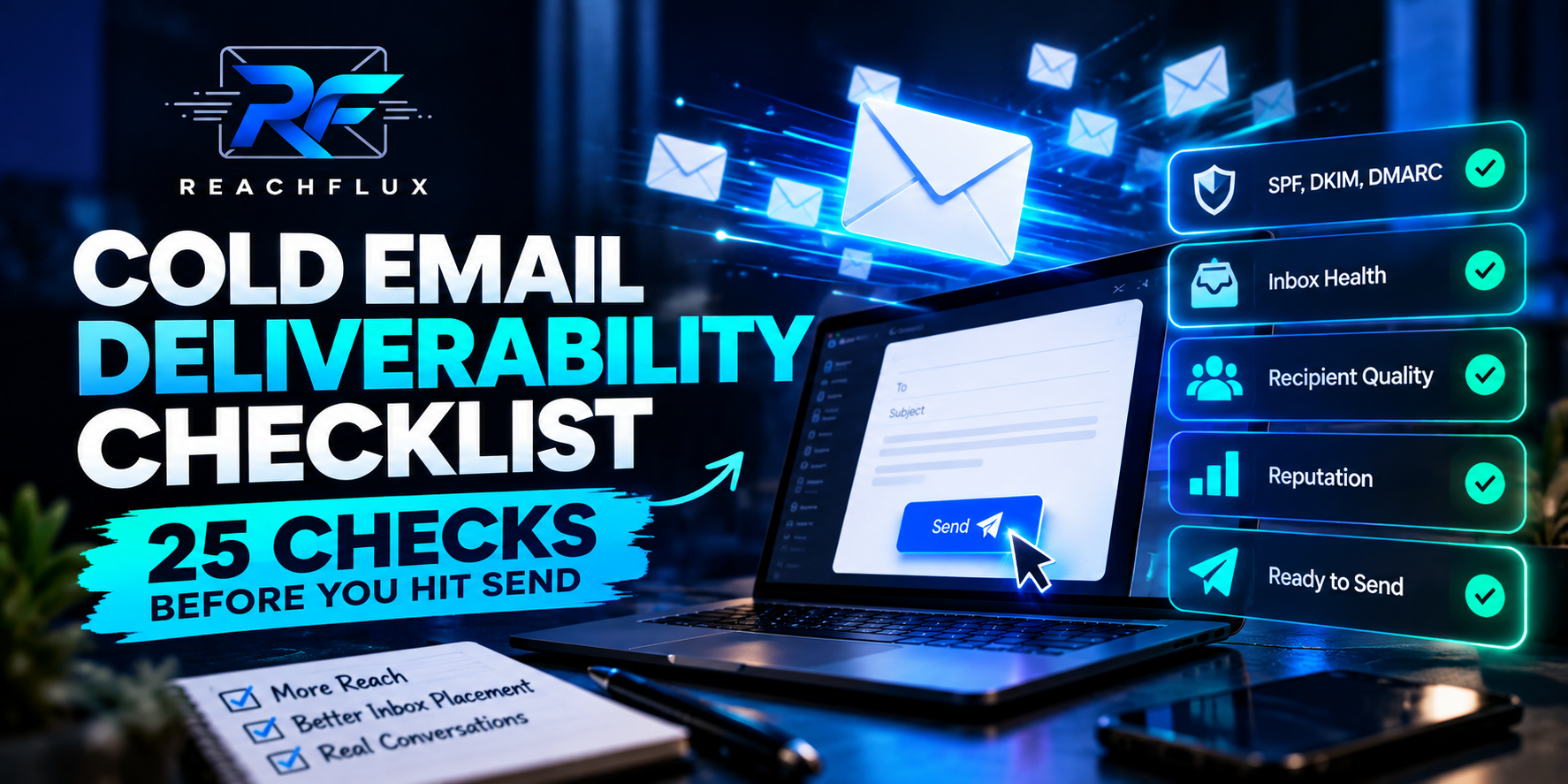
A useful cold email deliverability checklist should answer more than “Is SPF configured?” Before sending, verify authentication, DNS, sender identity, domain and inbox health, recipient quality, bounce handling, message structure, sending patterns, complaint signals and monitoring. If any of those layers are weak, increasing volume usually makes diagnosis harder rather than easier.
I would not approve a campaign for higher volume just because SPF, DKIM and DMARC show green checks.
Authentication matters. A lot.
But authentication answers only part of the deliverability question.
It does not tell you whether your prospect list is stale, whether one sender is producing unusual failures, whether your domain reputation has deteriorated, whether recipients are complaining, or whether you doubled traffic too quickly.
That distinction becomes more important as outbound grows.
What should you check before sending cold emails?
Before sending cold emails, verify your sending domain, SPF, DKIM, DMARC, DNS, sender accounts, recipient addresses, bounce handling, message content, sending frequency, complaint signals and domain reputation. Keep traffic controlled, monitor provider responses, and investigate problems before increasing volume.
Think of deliverability as a system rather than one DNS record.
A failure at any one of those stages can affect the result you see at the end.
The 25-point cold email deliverability checklist
If you need the checklist without the explanation first, use this. The rest of the guide explains what each check means and what I would investigate when something looks wrong.
Do not treat this as 25 independent switches. The value comes from looking at how the pieces interact. A technically authenticated domain can still perform badly when recipient quality, reputation or sending behavior is poor.
Checks 1–5: Get email authentication right first
Authentication is the obvious starting point because receiving providers need a reliable way to evaluate who is sending the message.
Google currently requires senders to Gmail accounts to use SPF or DKIM. Senders crossing Google's bulk-sender threshold must use SPF, DKIM and DMARC, along with additional requirements.
That makes authentication a requirement.
It does not make authentication an inbox-placement guarantee.
1. Check your SPF record
SPF tells a receiving server which systems are authorized to send mail on behalf of a domain.
The common mistake is thinking that the presence of an SPF TXT record means SPF is automatically correct.
What matters is whether the actual sending infrastructure is authorized and whether the record itself is valid.
Confirm that every legitimate service sending mail for the relevant domain is accounted for. Do not add providers to SPF simply because they exist somewhere in your stack.
2. Verify DKIM signing
DKIM adds a cryptographic signature to a message so the receiving system can verify that an authorized domain signed it and that relevant signed content was not altered in transit.
Don't stop at “the DKIM record exists.”
Send a real test message and inspect the authentication result. You want to know whether DKIM actually passes on the message that leaves your production sending path.
3. Publish DMARC and understand alignment
DMARC builds on SPF and DKIM and introduces domain alignment.
This is where configuration gets misunderstood.
SPF can pass. DKIM can pass. Yet the domain identity visible to the recipient can still matter when DMARC alignment is evaluated.
For Google's bulk-sender requirements, the organizational domain in the From header must align with either the SPF domain or DKIM domain for direct mail.
Authorizes sending infrastructure for a domain.
Provides a domain-backed cryptographic message signature.
Uses authentication and alignment to apply domain policy.
4. Verify the identity recipients actually see
Deliverability debugging gets confusing when people look only at technical domains and ignore the visible sender identity.
Inspect an actual delivered message.
Look at the From address, authentication results and signing domains together.
That is much more useful than checking DNS records in isolation.
5. Check DNS as a system
SPF, DKIM and DMARC are not the only DNS-related details providers may care about.
Google also documents valid forward and reverse DNS as part of its sender requirements for the relevant sending infrastructure.
If your mail provider manages the underlying IP infrastructure, some of this work sits with that provider rather than inside your own DNS panel.
Know which layer you actually control before changing records.
Checks 6–10: Inspect domains and sending accounts separately
Once authentication is correct, I would move down one layer and inspect the actual sending infrastructure.
One mistake I see in outbound systems is evaluating everything at campaign level.
Imagine a campaign using six sender accounts.
Aggregate campaign statistics can hide Sender 05.
That is why scaling outbound requires visibility below the campaign.
6. Give the sending domain a clear role
Know which domain is responsible for which type of mail.
Mixing unrelated traffic makes debugging harder because a change in one traffic source can affect what you observe elsewhere.
7. Monitor sender accounts individually
Multiple accounts increase capacity and distribution options. They also increase the number of things that can fail.
Watch failures, bounces, replies and unusual changes by sender rather than looking only at the campaign total.
8. Distribute traffic deliberately
If one account handles most of the traffic while five accounts remain nearly idle, simply having six connected accounts has not solved your distribution problem.
The workload should reflect the strategy you intended.
9. Separate provider limits from your sending strategy
Mailbox-provider limits are ceilings or service rules.
They are not universal recommendations for how many cold emails you should send every day.
A provider allowing a certain amount of mail does not mean a new sender should immediately use all of that capacity.
10. Watch domain reputation before adding more traffic
Reputation is one reason a technically correct setup can still experience poor results.
If performance deteriorates after a change in traffic, do not automatically add another domain and continue.
First determine whether the issue is reputation, recipient quality, configuration, message behavior or something else.
Checks 11–15: Your prospect data is part of deliverability
This is the part technical teams sometimes underestimate.
You can build a clean sending stack and still feed it bad recipients.
The infrastructure cannot turn poor prospect data into healthy sending behavior.
11. Validate addresses before they enter the campaign
Validation is cheaper than discovering bad data through repeated delivery failures.
It also gives you a decision point before the campaign begins.
Validation is not magic, though.
Mailbox states can change. Some domains behave differently during verification. Catch-all configurations create uncertainty.
Treat validation as risk reduction, not perfect knowledge.
12. Remove obvious invalid and risky records
If an address is clearly invalid, there is little value in repeatedly attempting it.
More send attempts do not make bad data better.
13. Check audience relevance, not just email validity
An email address can be technically valid and commercially useless.
That difference matters.
Says something about the address.
Says something about the outreach.
Poor targeting can create unwanted mail even when every address passes validation.
14. Stop repeatedly sending to hard failures
Your system should know what happened after a send.
A failed recipient should not blindly return to another campaign because the CSV was imported again next week.
15. Respect suppression and opt-out signals
If someone has clearly indicated they do not want further outreach, continuing to contact them is not a deliverability strategy.
It creates unnecessary complaint risk and a poor recipient experience.
Checks 16–19: Inspect the email itself
There is no reliable “magic word list” that determines whether a cold email reaches the inbox.
I would spend less time hunting for individual forbidden words and more time asking whether the message looks like something a real sender would reasonably send to this recipient.
16. Keep the subject accurate
The subject should set an honest expectation for the email.
Tricks may win attention once. They can also create distrust immediately after the message opens.
17. Give the recipient a clear reason for the email
Relevance begins in the first few lines.
A prospect should not have to read four paragraphs before learning why you contacted them.
18. Use links and tracking intentionally
Tracking is useful when the information actually helps you make decisions.
But every additional layer in the message should have a purpose.
Do not turn a simple first-touch email into a collection of links, images, badges and tracking elements simply because the tooling supports them.
19. Make follow-ups progress the conversation
“Just following up” is not automatically useful.
A later touch should ideally introduce another reason to respond, clarify the original point, reduce the size of the ask, or add relevant context.
If every follow-up repeats the same pitch, you are increasing frequency without increasing value.
Check 20: Look at how the campaign sends, not only what it sends
Sending behavior matters because providers see traffic over time, not as isolated screenshots from your campaign dashboard.
Google explicitly advises large-volume senders to send at a consistent rate, avoid bursts, begin with lower volume and increase gradually while monitoring server responses, spam rate and domain reputation.
That does not create a universal warm-up formula or fixed daily number.
It gives you a better operating principle: avoid making traffic changes faster than you can observe their effect.
Checks 21–23: Treat provider feedback as evidence
Once a campaign is live, the most useful information often comes from what happens after the send.
21. Read SMTP failures and deferrals
Do not reduce every failed email to “bounce.”
Provider responses can tell you whether a message was rejected, temporarily deferred, rate limited, or failed for another reason.
Keep the original response available when possible.
“Failed” is a status. The server response is evidence.
22. Monitor bounce patterns, not only the total
One isolated failure tells you little.
A pattern is more interesting.
Ask:
- Did failures increase after importing a new lead source?
- Are failures concentrated on one sending account?
- Are they concentrated at one recipient provider?
- Did they begin after increasing volume?
- Are the same recipients being attempted repeatedly?
That turns a bounce count into something you can investigate.
23. Watch complaint and reputation signals
For Gmail traffic, Postmaster Tools can provide information about user-reported spam, authentication, domain reputation and IP reputation when enough data is available.
Google recommends keeping its user-reported spam rate below 0.1% and avoiding 0.3% or higher.
Yahoo's sender guidance tells bulk senders to keep spam complaint rates below 0.3%.
Google's recommended user-reported spam rate.
Google says to prevent spam rate reaching this level.
Yahoo's stated complaint-rate requirement.
Those are provider-specific thresholds and guidance.
They are not targets you should try to approach. Lower unwanted-mail signals are better.
Check 24: Monitor below campaign level
A campaign can look healthy in aggregate while one sender, one domain or one prospect source is creating most of the problem.
I would compare at least these layers:
This matters when somebody says:
“Our cold email deliverability suddenly dropped.”
The next question should be: where did it drop?
Across every domain? One sender? Gmail recipients? A newly imported list? Only after volume increased?
Those are different incidents.
Check 25: Do this before increasing cold email volume
Scaling should be the last check, not the first response to weak campaign performance.
Before adding more traffic, I would want answers to these questions:
Is authentication passing?
Is recipient data reasonably clean?
Are bounce patterns under control?
Are complaints and reputation being monitored?
Are individual sender accounts behaving normally?
Does the audience actually fit the offer?
Are follow-ups helping rather than adding noise?
Can we measure what changes after increasing volume?
If several answers are “we don't know,” more volume is unlikely to make the system easier to understand.
CONTINUE READING How to Scale Cold Email Campaigns Without Hurting Deliverability → Once the pre-send checks are stable, learn how to increase outbound capacity without changing every variable at once.How to diagnose cold email deliverability when something goes wrong
The worst debugging strategy is changing everything simultaneously.
New domain. New inboxes. New copy. New prospect list. Lower volume. Tracking disabled.
The campaign improves.
Great.
Now you have no idea why.
I prefer a layered diagnostic process.
Define what actually changed: failures, replies, complaints, reputation, provider responses or something else.
Determine whether it affects every sender, one domain, one inbox, one provider or one lead source.
Look for changes in volume, prospect source, DNS, infrastructure, copy and sending behavior.
Inspect SMTP responses, authentication results and available reputation or complaint data.
Make the next test interpretable rather than rebuilding the entire outbound system.
Give the change enough time and traffic to produce useful evidence before adding another variable.
Deliverability debugging is much closer to debugging a distributed system than fixing a typo. There are multiple senders, recipient providers, DNS identities, queues, responses and feedback signals. Preserve evidence before changing the system.
Why outbound tooling should help you see the system
ReachFlux is built around that operational view: campaigns can use multiple connected sending accounts, recipients can be distributed across those accounts, email addresses can be validated before sending, and campaign activity can be processed in the background. Replies return to the application, while lead stages help keep the conversation connected to the sales workflow.
None of that guarantees inbox placement.
The point is visibility and control.
You still need good recipient data, correct authentication, responsible sending behavior and a message people actually want to respond to.
Ready to send?
I would want these six groups green before deliberately increasing outbound volume.
Cold email deliverability FAQ
What is cold email deliverability?
Cold email deliverability is the ability of outbound email to reach recipients successfully rather than being rejected, blocked or filtered away from the intended mailbox experience. It is influenced by authentication, sender reputation, recipient quality, sending behavior, complaints and other provider-specific signals.
What should I check before sending a cold email campaign?
Check SPF, DKIM, DMARC, DNS, sending domains, sender accounts, recipient validity, audience relevance, bounce handling, message structure, links, follow-up behavior, sending patterns, provider responses, complaints and reputation before scaling.
Why are my cold emails going to spam even when SPF, DKIM and DMARC pass?
Authentication is only one part of email delivery. Messages can still encounter spam filtering when providers observe poor reputation, unwanted-mail signals, complaints, problematic recipient data, unusual sending behavior or other negative signals. Passing authentication should not be interpreted as guaranteed inbox placement.
Do SPF, DKIM and DMARC improve cold email deliverability?
They provide essential authentication and domain-identity controls and are part of current major-provider sender requirements. Correct authentication can reduce failures associated with unauthenticated mail, but it does not by itself guarantee that a message will reach the inbox.
What spam rate should email senders maintain for Gmail?
Google currently recommends keeping the user-reported spam rate shown in Postmaster Tools below 0.1% and avoiding 0.3% or higher. These figures are Google's sender guidance, not a recommended target to approach.
What complaint rate does Yahoo require for bulk senders?
Yahoo's current Sender Hub guidance tells bulk senders to keep their spam complaint rate below 0.3%. Yahoo also requires authentication and additional sender practices for bulk traffic.
Does sending more cold emails hurt deliverability?
Volume alone does not determine deliverability, but sudden or poorly controlled changes can create problems. Google advises high-volume senders to increase volume gradually, send at a consistent rate and monitor server responses, spam rates and reputation as traffic grows.
How do I improve cold email deliverability?
Start by identifying the weak layer rather than changing everything. Verify authentication, validate recipients, inspect sender and domain health, review bounces and provider responses, monitor complaint and reputation signals, keep traffic controlled, and make sure the outreach is relevant to the people receiving it.
How many cold emails should I send per day?
There is no universal daily number that guarantees good deliverability. Provider service limits should not be treated as recommended cold-outreach volume. Your sending strategy should consider account history, infrastructure, recipient quality, provider feedback, reputation and how the system responds as volume changes.
How can I tell whether a cold email domain has a reputation problem?
Look for changes across provider responses, spam complaints, delivery failures and available reputation data such as Gmail Postmaster Tools. Compare the affected domain with other senders and identify what changed before the decline.
Good cold email deliverability is not one green DNS check. It is the result of authenticated infrastructure, clean recipient data, relevant outreach, controlled sending, low unwanted-mail signals and enough monitoring to catch problems before you scale them.
Check the system before you increase the volume.
Manage campaigns, sending accounts, recipient validation, replies and lead activity from one outbound workflow.