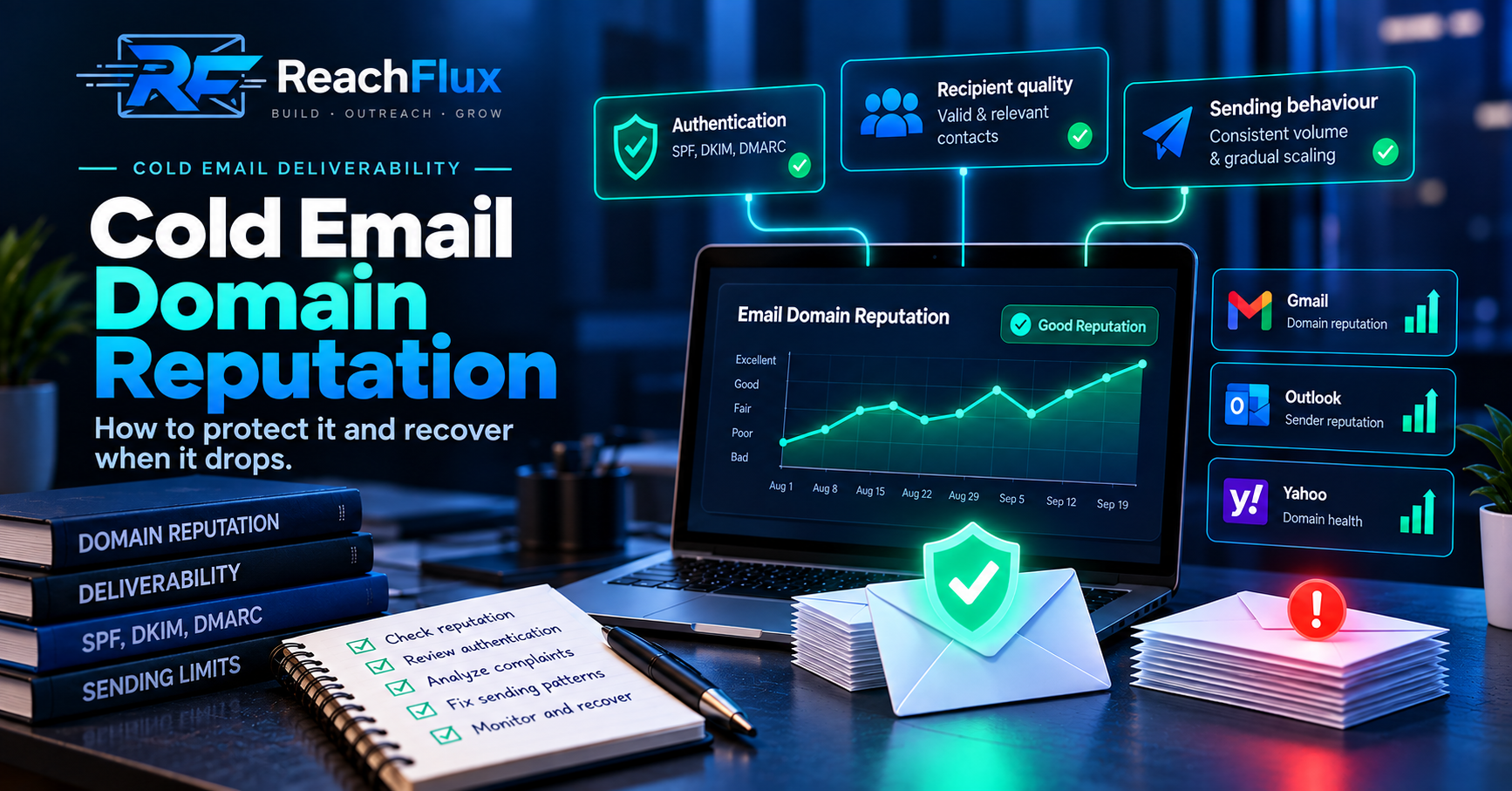
Cold email domain reputation is the history receiving providers associate with mail authenticated by your domain. A technically correct setup can still develop reputation problems when complaints rise, sending behaviour changes sharply, authentication breaks, or poor recipient data creates repeated delivery failures.
That distinction matters because domain reputation problems are often diagnosed badly. A team notices fewer replies or more messages going to spam. Someone decides the domain must be “burned.” They buy another domain, create new inboxes, and move the campaign.
A few weeks later, the new setup develops the same symptoms.
The domain changed. The behaviour did not.
A better approach is to treat reputation as an operational signal. Determine what changed, isolate where the problem exists, correct the cause, reduce pressure where necessary, and only then begin increasing traffic again.
A domain does not become healthy simply because it is new. Reputation is earned from the traffic associated with it. Move the same weak list, abrupt sending pattern, or complaint-heavy targeting to a fresh domain and the underlying problem moves with it.
What is domain reputation in cold email?
Domain reputation is a receiving provider's assessment of the quality and history of mail associated with a sending domain.
It is useful to think of reputation as accumulated evidence rather than a single score attached permanently to your domain.
Gmail sees traffic reaching Gmail users. Microsoft evaluates traffic reaching its ecosystem. Yahoo has its own systems. Different providers can therefore develop different views of the same sender.
This is why a third-party domain checker cannot tell you with certainty where every future email will land. External tools can expose useful information, but they do not replace the reputation systems operated by the mailbox provider receiving the message.
Domain reputation also should not be confused with authentication.
A domain can pass SPF, DKIM, and DMARC while still developing poor reputation.
Authentication helps providers establish who is responsible for the message and whether the message aligns correctly with the claimed domain. It does not prove that recipients want the email. It also does not erase the domain's previous sending history.
Identity
Authentication helps receiving providers verify the identity behind a message.
History
Previous sending behaviour contributes to how future traffic is evaluated.
Recipient response
Complaints and unwanted-mail signals can weaken trust in future messages.
Consistency
Sharp changes in sending behaviour make a sender harder to evaluate as a stable source.
How mailbox providers evaluate sender reputation
No major mailbox provider publishes the complete formula behind its filtering systems.
That is why claims such as “this one metric controls your domain reputation” should be treated carefully.
Providers do publish enough guidance, however, to identify the areas senders should monitor.
These include authentication, user-reported spam, sending consistency, sudden traffic changes, provider responses, and historical sending behaviour.
The important lesson is that technical identity and sending behaviour work together.
You can configure every DNS record correctly and still create a poor sending history.
Likewise, a well-targeted campaign can still suffer if the technical sending path is broken.
Reputation diagnosis therefore works best when several signals point in the same direction.
Look at authentication results, provider reputation data, complaints, bounce patterns, temporary failures, destination-provider differences, and recent campaign changes together. One number without context can send the diagnosis in the wrong direction.
Domain reputation vs IP reputation
Domain reputation and IP reputation are related, but they are not the same thing.
Domain reputation follows the identity associated with your sending domain.
IP reputation follows the IP address used to transmit the mail.
Both can influence delivery.
If you use a hosted email provider, you may send through shared infrastructure. Many customers can therefore use infrastructure associated with the same sending IP range.
At the same time, your authenticated domain develops its own history.
This is one reason moving to another mailbox provider does not automatically erase every deliverability problem. If the domain's own traffic has produced negative signals, changing only the underlying sending service may leave the larger issue unresolved.
For most teams running cold outreach through hosted business mailboxes, the practical priorities are straightforward:
What damages cold email domain reputation?
Reputation problems usually develop from patterns rather than one isolated event.
If performance changes, the most useful question is not: “Which spam word did we use?”
Ask: what changed before the problem started?
1. Recipient complaints
User-reported spam is one of the clearest negative signals available to senders.
A technically valid address can still belong to someone who sees no reason to receive your message.
That distinction is especially important in cold outreach. Verification can tell you whether an address appears deliverable. It cannot tell you whether the person behind that address considers your outreach relevant.
If complaints increase, do not immediately blame infrastructure. Review who was contacted, where the data came from, how broad the targeting became, and whether the offer actually matched the recipient.
2. Poor recipient data
Invalid, stale, mistyped, or badly sourced addresses create delivery failures.
One or two failures are not enough to diagnose an entire domain. A pattern of hard bounces after importing a new list is different.
That is a reason to stop and inspect the recipient source before continuing.
Verification reduces obvious address risk, but it is not a substitute for good prospect selection.
3. Sudden sending-volume changes
A mailbox that normally sends a stable amount of mail and suddenly produces a large burst has changed its behaviour sharply.
Provider sending limits should not be treated as cold email targets.
A provider may technically allow an account to send more mail than your current sending history can reasonably support.
Capacity should therefore be increased gradually while watching what happens to bounces, temporary failures, complaints, and provider responses.
4. Broken authentication
SPF, DKIM, and DMARC should be treated as ongoing infrastructure, not a checklist completed once when the domain is purchased.
DNS changes happen.
Mail providers change.
Sending services are added or removed.
A record existing in DNS does not necessarily mean the message currently being sent is authenticating the way you expect.
Test mail through the actual sending path used by the campaign.
5. Repeated provider warnings
Temporary failures, throttling responses, and policy errors are not just inconvenient campaign statistics.
They are diagnostic evidence.
If one provider begins slowing or rejecting traffic, repeatedly pushing at the same rate can make the problem harder to understand.
Preserve the original SMTP response whenever possible.
Then group failures by sender, recipient provider, campaign, and time.
6. Weak targeting at larger scale
A campaign can appear healthy at a smaller scale because the first segment contains the strongest prospects.
Then the team increases volume by expanding the audience.
The new addresses may be technically valid, but the fit becomes weaker.
Complaints rise. Replies fall. More recipients ignore the message.
It can look like a pure infrastructure problem when the real change was audience quality.
Rotating domains every time performance drops can hide the symptom temporarily while preserving the cause. Before replacing infrastructure, identify whether complaints, recipient quality, authentication, sender concentration, or volume behaviour actually changed.
How to diagnose a cold email domain reputation drop
Start with scope.
Before changing anything, answer four questions:
When did the problem begin?
Find the first day you saw weaker placement, unusual provider errors, increased failures, or a visible reputation change.
Which senders are affected?
Determine whether the issue belongs to one mailbox, several mailboxes on one domain, or every sender in the campaign.
Which recipient providers are affected?
Separate Gmail, Outlook, Yahoo, and other destinations instead of averaging all delivery results together.
What changed immediately before it?
Look for a new prospect source, higher volume, DNS edits, new mailboxes, new domains, campaign changes, or a different recipient segment.
These comparisons matter because different patterns point toward different causes.
If only one mailbox is affected while other accounts on the same domain remain stable, the domain itself may not be the primary issue.
If every mailbox under one domain changes at roughly the same time, shared domain-level factors deserve more attention.
If several different sending domains struggle only when contacting one newly imported recipient segment, inspect the list before declaring every domain damaged.
CONTINUE READING Cold Email Spam Troubleshooting: How to Diagnose Why Outbound Emails Land in Spam Use the full troubleshooting sequence when reputation is only one possible cause of the deliverability problem.Using Google Postmaster Tools to monitor domain reputation
Google Postmaster Tools is useful when you need Gmail-specific information about a sending domain.
Depending on available data, its dashboards can provide information around domain reputation, authentication, spam complaints, and delivery errors.
That is more useful than guessing based only on opens or replies.
A falling reply rate is a business outcome. It does not tell you why the outcome changed.
Provider-level reputation and delivery information gives you another diagnostic layer.
Domain reputation
Watch whether Gmail's view of the domain changes after a shift in sending behaviour.
Authentication
Confirm that authentication is succeeding for traffic Gmail actually receives.
Delivery errors
Use provider responses to distinguish rate, policy, reputation, and configuration problems.
Spam rate
Track user-reported complaints without treating one metric as proof of overall sender health.
There is an important limitation here.
Provider dashboards are not a perfect real-time representation of every message you send.
Low-volume senders may also have limited data available.
Missing data therefore should not automatically be interpreted as proof that your reputation is good or bad.
Why a low spam rate can still appear beside poor reputation
This situation confuses a lot of teams.
They see a relatively low user-reported spam rate but still see weak reputation or poor inbox placement.
The numbers can look contradictory.
They are not necessarily measuring the same thing.
User-reported spam reflects recipients manually reporting mail as spam under the conditions measured by the provider.
Reputation is broader.
If a provider is already filtering a large share of traffic away from the primary inbox, fewer recipients may encounter those messages in a way that results in a manual complaint.
That is why a low complaint percentage should never be treated as the only proof that a sender is healthy.
Low spam complaints and weak reputation can exist at the same time. Check authentication, provider errors, reputation history, recipient quality, and actual sending behaviour before concluding that one dashboard is wrong.
How to recover cold email domain reputation
There is no reliable button that instantly resets a domain's reputation.
Recovery begins by removing the behaviour that created the problem.
Step 1: Remove the cause first
If authentication is failing, repair it.
If one prospect source is creating unusual hard bounces, stop using that segment until it is reviewed.
If complaints increased after widening the audience, tighten the targeting.
If one mailbox is producing repeated rate-limit responses, reduce pressure on that account.
Recovery cannot begin properly while the original negative signal continues.
Step 2: Reduce pressure
Continuing at full campaign volume while reputation is declining gives receiving providers more of the same behaviour.
Where the evidence supports it, reduce or pause affected traffic.
This does not mean every deliverability issue requires shutting down every sender.
Isolate the affected part of the system whenever possible.
Step 3: Resume with controlled traffic
Once the underlying problem has been corrected, avoid jumping immediately back to the previous peak.
Resume with a controlled pattern.
Watch provider responses, authentication, recipient failures, complaints, and reputation while traffic increases.
Step 4: Give reputation time to respond
A DNS correction can happen quickly.
Reputation recovery does not necessarily happen at the same speed.
Providers need new evidence from subsequent sending behaviour.
That means a sender can correct the cause today without seeing an immediate visible reputation change tomorrow.
When should you replace a cold email domain?
A replacement domain can sometimes be part of the solution.
It should not be the first diagnostic step.
Before replacing a domain, understand why the existing setup failed.
Otherwise, you are likely to reproduce the same conditions.
Consider a simple example.
A team imports a broad list with weak targeting. It increases sending volume quickly. Complaints rise and provider responses become less favourable.
The team concludes that the domain is finished.
They move the same list and same campaign behaviour to a new domain.
Nothing fundamental has changed.
The new domain simply begins accumulating the same kind of history.
If an existing domain has a long history of problematic sending and no important business dependency, a separate correctly configured sending domain may eventually become part of a wider recovery decision.
But the new domain still needs:
A fresh domain is not a shortcut around those requirements.
Do multiple inboxes protect domain reputation?
Multiple sending accounts can distribute workload.
They do not make a domain immune to reputation problems.
Mailboxes using the same domain still share that domain identity.
If weak targeting or complaints affect traffic across those accounts, adding another mailbox under the same domain does not erase the domain's history.
Distribution is most useful when the underlying campaign is already healthy and the team needs additional operational capacity.
It can also improve diagnosis.
When sending is distributed across several accounts, you can compare how individual senders behave.
If one mailbox suddenly produces more failures while the others remain stable, you have a narrower problem to investigate.
The same principle applies to multiple domains.
Separating legitimate workloads can reduce concentration and help isolate issues.
But domain rotation should not become a strategy for escaping the consequences of unwanted mail.
How to protect domain reputation before there is a problem
The best reputation recovery strategy is avoiding preventable reputation damage in the first place.
Most of that work is operational discipline.
It is less dramatic than emergency domain replacement, but it produces much better information when something changes.
Keep authentication documented
Know which services are authorised to send for each domain.
Re-check authentication after changing DNS, mailbox providers, or sending infrastructure.
Validate recipient data before sending
Catch obvious invalid addresses before they become campaign failures.
Then investigate any sudden increase in hard bounces even if the list was previously verified.
Keep volume changes controlled
Avoid treating mailbox-provider limits as a goal.
Increase traffic gradually and compare provider responses as capacity changes.
Separate provider-level results
A campaign-wide average can hide useful information.
If Gmail recipients are behaving differently from Outlook recipients, you need to know that.
Preserve exact failure information
Do not reduce every failed delivery to “email failed.”
The provider response can tell you whether you are looking at an invalid recipient, a temporary throttle, a policy issue, or something else.
Document meaningful campaign changes
When did you increase volume?
When did you add the new list?
When did you create the new sending account?
When did DNS change?
A timeline turns reputation diagnosis from guesswork into a process.
ReachFlux supports this operational approach by letting teams connect their own sending accounts, validate imported prospect data, distribute campaigns across accounts, monitor campaign activity, manage replies, and carry interested leads into the CRM workflow.
It does not guarantee inbox placement or replace the reputation systems operated by receiving providers.
The goal is to give the team enough control and context to avoid treating outbound as a blind send counter.
Cold email domain reputation checklist
When you suspect a reputation problem, work through this checklist before buying a replacement domain.
The order matters because every answer narrows the diagnosis.
Domain reputation is not something you configure once and forget.
It develops from repeated sending behaviour.
The most reliable protection is a workflow where authentication, recipient quality, sender capacity, and provider feedback are monitored before a deliverability problem becomes severe.
If reputation drops, avoid reacting blindly.
Narrow the scope.
Find the changed signal.
Correct the cause.
Resume carefully.
Then increase traffic only when the evidence shows the sending system is stable again.
Protect the behaviour attached to the domain, not just the domain itself. Authentication establishes identity. Consistent, relevant, well-monitored sending determines what kind of history that identity builds.
Provider references used for this guide
Sender requirements and reputation guidance should always be checked against current first-party documentation from the mailbox provider involved in the issue. Provider requirements and filtering systems can change over time.
Build outbound around sender health, not just send volume.
ReachFlux helps teams manage sending accounts, recipient preparation, campaign activity, replies, and lead follow-through from one outreach workflow.