What is cold email deliverability?
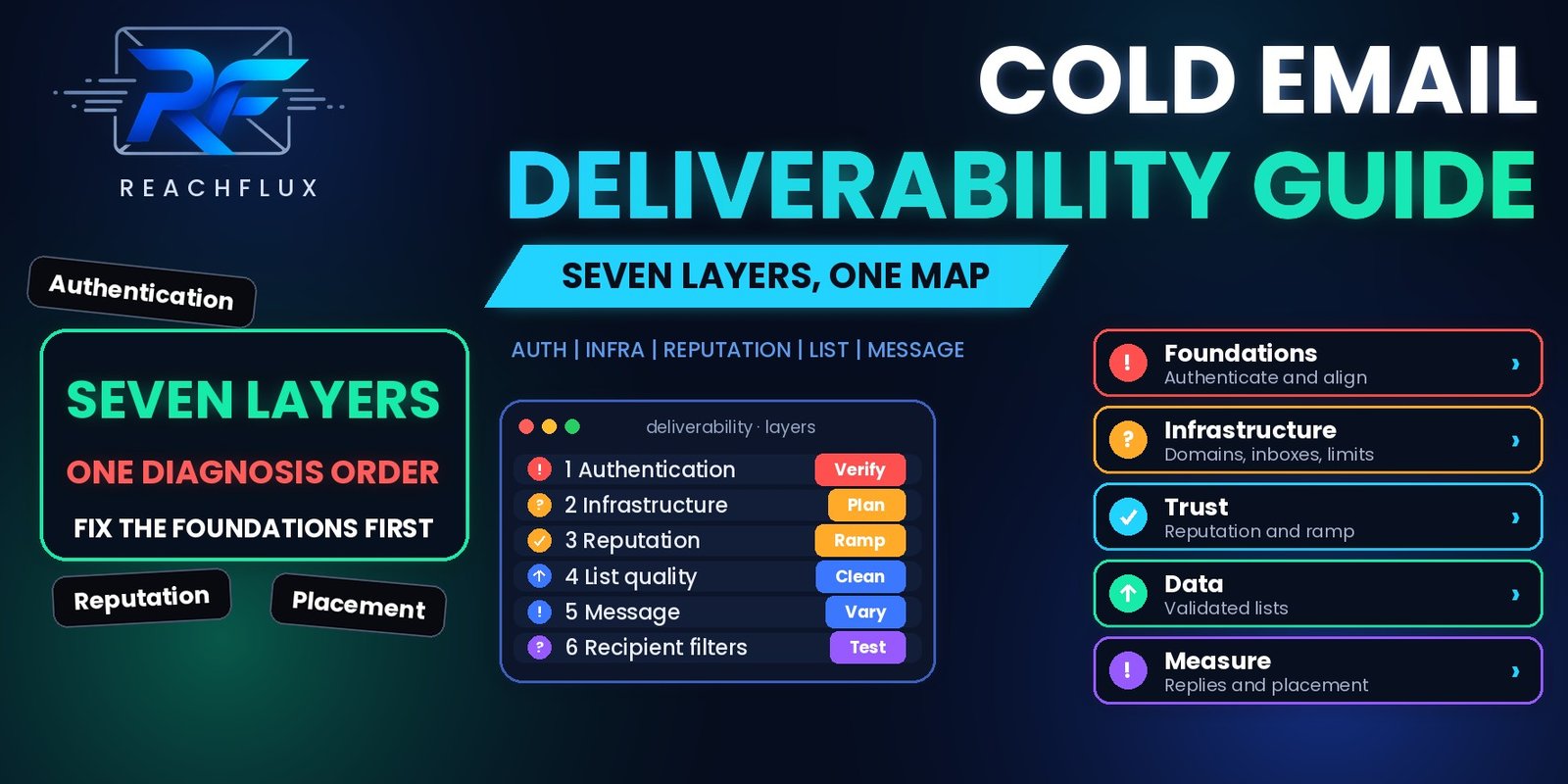
Cold email deliverability is the likelihood that your outreach reaches the recipient's inbox, rather than being rejected, quarantined or filed as spam. It is not a single setting you switch on. It is the combined result of seven layers: authentication, sending infrastructure, sender reputation and volume, list quality, message and behaviour, recipient-side filtering, and how honestly you measure the outcome.
This guide is the map. Each section explains one layer in plain language and points to the deep-dive that covers it properly, so you can read straight through or jump to whatever is going wrong. If you only want the shortest path, fix them in order from top to bottom, because problems in the early layers distort everything after them.
The seven layers at a glance
Use this table to find the right starting point. Every row links to the guide that goes deepest on that layer.
| Layer | The question it answers | Start here |
|---|---|---|
| 1. Authentication | Can receivers verify that you are who you say you are? | SPF vs DKIM vs DMARC |
| 2. Infrastructure | Do you have the right domains, inboxes and limits? | Cold email infrastructure |
| 3. Reputation and volume | Does your sending history earn trust, and is your pace sensible? | Domain reputation |
| 4. List quality | Are you sending to real, relevant, current addresses? | Cold email bounce rate |
| 5. Message and behaviour | Does the email and the way it is sent look legitimate? | Looking less automated |
| 6. Recipient-side filtering | How do Gmail, Microsoft and corporate gateways treat you? | Corporate filters and gateways |
| 7. Measurement | How do you know what actually reached the inbox? | Inbox placement |
Authentication: prove who you are
Authentication is the entry ticket. SPF lists which servers may send for your domain, DKIM signs each message, and DMARC tells receivers what to do when those checks fail or do not align with the visible From address. A message can pass SPF and DKIM and still fail DMARC if neither aligns, which is the single most common hidden problem in cold email.
Learn the three records properly
The clearest explanation is SPF vs DKIM vs DMARC: What Cold Email Senders Need to Know, and the Cold Email Deliverability Glossary: 30 Terms Every Sender Should Understand defines every related term, including alignment, Return-Path and BIMI.
Always verify on a delivered message
A green tick in a sending tool is not proof. Send a test to your own mailbox, open the original source and confirm SPF, DKIM and DMARC pass and align.
Match your tracking domain to your sending domain
A shared or unfamiliar tracking domain can undermine otherwise clean authentication. See Links in Cold Emails: Should You Add a Calendar Link or Use Link Tracking?.
Infrastructure: domains, inboxes and limits
Infrastructure decides how much risk you carry and how far a single problem can spread. Use a dedicated outreach domain, spread mailboxes across several domains, give every mailbox a real sender identity, and keep daily volume inside sensible limits.
Decide whether to use your main domain
Almost always, do not. Primary Domain vs Cold Email Domain: Which Should You Use for Outreach? explains the reasoning, and Cold Email Domain Variations: How to Choose Sending Domains Without Putting Your Brand at Risk covers naming.
Work out how many domains and inboxes you need
Start from target volume and safe per-inbox limits. How Many Domains and Inboxes Do You Need for Cold Email Outreach? and How Many Email Accounts Do You Need for Cold Outreach? show how, and the capacity calculator turns it into formulas.
Set it up in the right order
The step-by-step sequence is in How to Set Up Cold Email Inboxes and Domains: A Step-by-Step Guide.
Spread and limit sending
Distribution and caps protect individual accounts. See Cold Email Inbox Rotation: How to Distribute Outreach Across Multiple Sender Accounts and Cold Email Sending Limits: How Many Emails Should You Send Per Day?.
Reputation and volume: earn trust, then scale
Mailbox providers keep a running opinion of every sending domain and address, built from bounces, complaints, engagement, authentication and sending patterns. A new domain starts with no history, so it must earn trust gradually, and a sudden surge in volume looks like abuse even when every message is legitimate.
Ramp up gradually
Begin small, increase steadily and pause if bounces or complaints rise. The pace and reasoning are in How to Scale Cold Email From 250 to 1,000 Emails a Day Without Landing in Spam and How to Increase Cold Email Volume Without Triggering Spam Filters.
Protect the domain
Reputation lives on your domains, and Cold Email Domain Reputation: How to Protect It and Recover When It Drops explains how to watch it and recover from damage.
Know what to do when it drops
A sudden fall has a diagnostic order. Follow Why Did My Cold Email Deliverability Suddenly Drop? 17 Things to Check and, after a platform change, Why Did Email Deliverability Drop After Migration? 12 Things to Check After Moving Platforms or Mailboxes.
List quality: send to people who exist and care
Bad data is the fastest way to damage a good setup. Bounces, spam traps and complaints all trace back to the list, and every one of them feeds sender reputation. Validate before sending, prefer named people over shared addresses, and refresh old segments before they decay.
Understand your bounce numbers
Start with Cold Email Bounce Rate: What’s Too High, Why It Happens & How to Reduce It and Why Do Cold Emails Bounce? 15 Reasons and How to Fix Them.
Know why verification is not enough
Verified addresses can still bounce, as Why Do Verified Emails Still Bounce? 11 Reasons Verification Misses Bad Addresses explains, and purchased data adds its own risks, covered in Why Do Half of Your Prospect Emails Bounce? Fixing Bad Data From Paid Databases and LinkedIn.
Check list against copy before rewriting
A weak list is often mistaken for weak copy. Cold Email List vs Copy: How to Find What’s Hurting Results shows how to tell.
Message and behaviour: look legitimate
Filters score patterns. Identical text at scale, machine-regular timing, sudden bursts, template errors and risky links all look like bulk abuse, while relevant, varied, plain messages from stable identities look like normal correspondence.
Reduce mechanical sameness
See How to Make Cold Emails Look Less Automated to Spam Filters (Without Losing Scale).
Time follow-ups sensibly
The spacing question is covered in Cold Email Follow-Up Timing: How Long Should You Wait Before Following Up?.
Honour opt-outs everywhere
Compliance and complaints are linked, as Cold Email Compliance and Deliverability: Opt-Outs, Sender Identity and Complaint Rates explains.
Recipient-side filtering: the same email lands differently
The same campaign can reach the inbox at one provider and vanish at another, because each runs its own filters. Gmail, Microsoft 365 and company gateways weigh signals differently, and some industries are guarded more strictly.
Compare providers
Read Gmail vs Outlook Cold Email Deliverability: Why the Same Campaign Lands Differently to see why results diverge.
Understand gateways
Companies often add a secure email gateway that quarantines silently. See How to Get Cold Emails Past Corporate Spam Filters and Secure Email Gateways.
Adjust for your audience
Sector matters. Why Do SaaS Cold Emails Go to Spam? 12 Problems to Fix Before Scaling, Why Do Some Client Cold Email Domains Keep Landing in Spam? An Agency Diagnostic Guide and Why Do My Finance Cold Emails Keep Landing in Spam? 9 Causes and Fixes for Financial Services Outreach each cover a different environment.
Measurement: know what actually happened
Delivered does not mean inbox, and opens are unreliable. Honest measurement means looking at replies, bounces and complaints by segment, sender and recipient provider, and treating placement tests as one input among several.
Measure placement carefully
See Cold Email Inbox Placement: How to Measure It, Test It and Improve It.
Trace replies and conversion
If numbers fall, Why Are Cold Email Reply Rates Declining? 10 Reasons Results Drop Even When You Send More and Cold Outreach Conversion Rates Dropping? How to Diagnose the Funnel From Sent to Booked show how to isolate the cause.
Keep a routine
Consistency beats heroics. Cold Email Operating Rhythm: Daily, Weekly and Monthly Routines for Managing Outreach at Scale gives a daily, weekly and monthly rhythm.
If you see this, read that
| Symptom | Most likely layer | Read |
|---|---|---|
| Emails going to spam | Authentication, reputation, list or message | Why cold emails go to spam and spam troubleshooting |
| Deliverability suddenly dropped | Reputation or a recent change | Why Did My Cold Email Deliverability Suddenly Drop? 17 Things to Check |
| High bounce rate | List quality | Cold Email Bounce Rate: What’s Too High, Why It Happens & How to Reduce It |
| Campaign stopped sending | Sender accounts, limits or errors | Why Did My Cold Email Campaign Stop Sending? 12 Reasons Campaigns Stall Silently |
| Replies falling with no error | Placement, targeting or reputation wear | Why Are Cold Email Reply Rates Declining? 10 Reasons Results Drop Even When You Send More |
| Fine at Gmail, silent at companies | Recipient-side filtering | How to Get Cold Emails Past Corporate Spam Filters and Secure Email Gateways |
| Results swing unpredictably | Process and measurement | Why Is Cold Email Outreach Inconsistent? 9 Problems to Check |
The order to work through when something breaks
Send a test, read the headers and confirm SPF, DKIM and DMARC pass and align.
Check domains, mailboxes, limits and whether one account is carrying too much.
Look for recent volume changes and rising bounces or complaints.
Check bounce types, list age, role addresses and catch-all domains.
Look for mechanical patterns, risky links and template errors.
Split results by mailbox provider and by gateway type.
Confirm you are judging by replies and placement, not opens.
The one-page deliverability checklist
- SPF, DKIM and DMARC pass and align on a delivered message.
- Outreach runs from dedicated domains, with real sender identities.
- Daily volume per mailbox and per recipient company is capped.
- Volume ramps gradually and pauses when bounces or complaints rise.
- The list is validated, current and free of obvious role addresses.
- Messages vary in real ways and avoid risky links and attachments.
- Results are split by provider, sender and segment.
- Replies, not opens, decide success, and a routine reviews the numbers.
The longer, 25-point version is in the Cold Email Deliverability Checklist: 25 Things to Check Before Sending.
Questions about cold email deliverability
What is cold email deliverability?
It is the likelihood that your outreach reaches recipients' inboxes rather than being rejected, quarantined or filtered to spam. It depends on authentication, infrastructure, reputation and volume, list quality, message and behaviour, recipient-side filtering and honest measurement.
How do I improve cold email deliverability?
Work from the foundations up: pass and align SPF, DKIM and DMARC, use dedicated domains with sensible limits, ramp volume gradually, validate your list, send varied and relevant messages, and measure by replies and placement.
Why are my cold emails going to spam?
Common causes are failing or misaligned authentication, a new or damaged domain, bad list data, too much volume too fast, and content or links that resemble bulk abuse. Diagnose in layers rather than guessing.
What is a good cold email bounce rate?
Lower is better, and any rise is a warning. The useful approach is to track your own bounce rate by list source and sender and investigate increases promptly.
Does warming up a domain guarantee inbox placement?
No. Gradual ramp-up helps a new domain earn trust, but placement still depends on authentication, list quality, content and recipient filters.
How long does it take to fix deliverability problems?
It depends on the cause and how much damage has accumulated. Authentication fixes can take effect quickly, while reputation recovery can take weeks of careful, low-volume sending.
Can software guarantee deliverability?
No. Software can help you validate lists, distribute volume and pace sending, but mailbox providers decide where mail lands.
Fix the foundations, then keep a routine.
Deliverability feels mysterious only when you look at it as one thing. Split into layers, it becomes a checklist you can work through in order, with a clear next step for each symptom.
Start at the top, verify with real messages, and let replies, not opens, tell you whether you are winning.
Validate lists, distribute sending and manage replies in one workflow.
ReachFlux helps you prepare lists, spread sending across connected accounts and manage replies, while you keep control of your domains and authentication.