How do you manage cold email at scale without it becoming inconsistent?
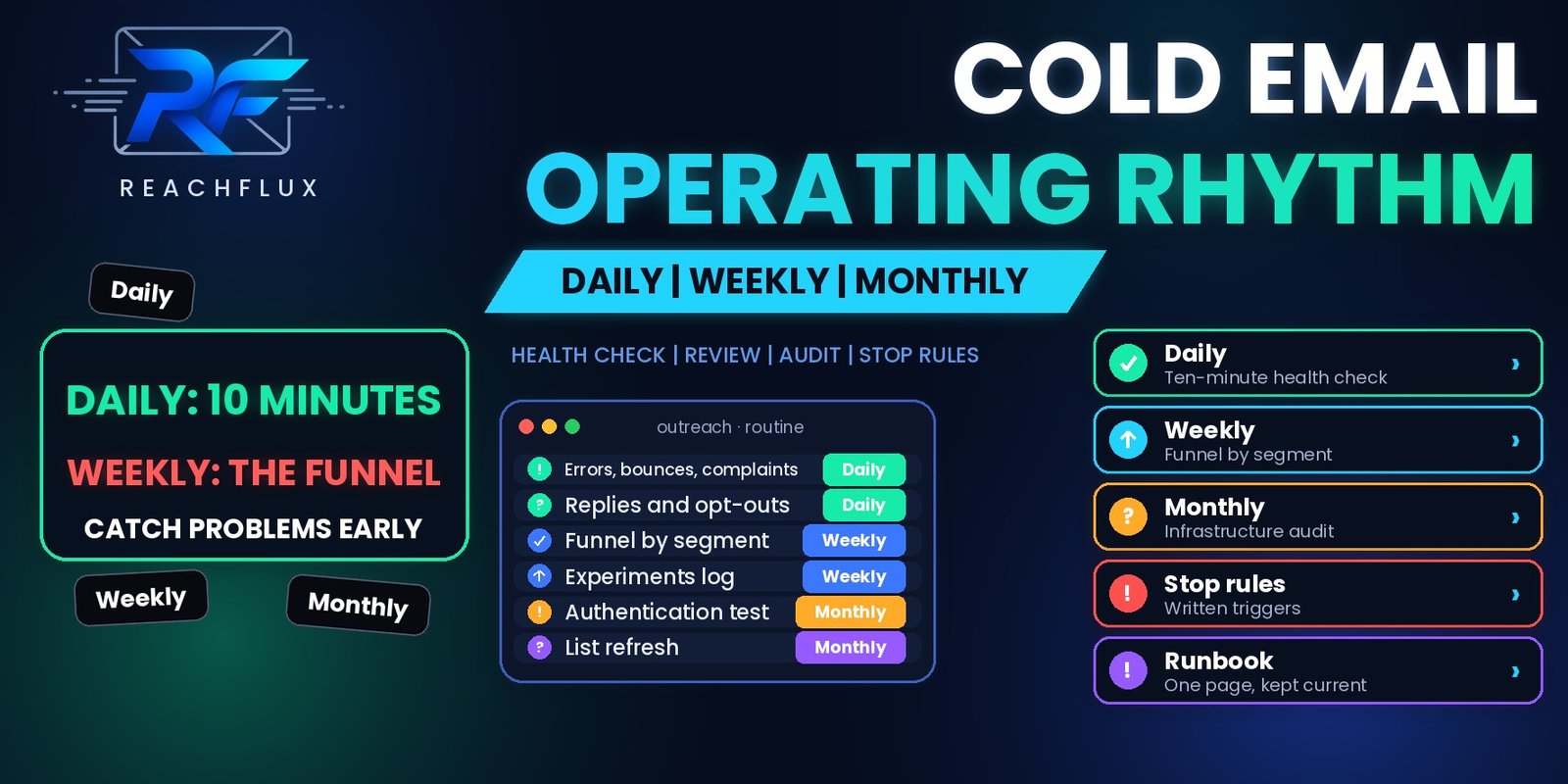
Managing cold email at scale is mostly routine. Run a short daily health check on bounces, complaints, errors and replies. Hold a weekly review of the funnel by segment, source and sender. Do a monthly audit of authentication, domains, mailboxes and list freshness, and a quarterly review of audience, offer and strategy. Write down the thresholds that trigger a pause so nobody has to decide under pressure.
Outreach that feels inconsistent is usually outreach that nobody reviews on a schedule. Problems get discovered late, fixes are improvised, and results swing without anyone knowing why. A rhythm replaces that with a small number of regular, boring checks that catch trouble early.
Why unreviewed outreach drifts
Cold email is a system with slow feedback. A reputation problem begins weeks before replies fall, a list ages quietly, and a sender account can fail without anything obvious happening. If nobody looks on a schedule, these signals only surface when results have already suffered.
A rhythm also makes work portable. When the routine is written down, a new team member can run it, and the process stops depending on one person’s memory. The related problem of uneven results is covered in Why Is Cold Email Outreach Inconsistent? 9 Problems to Check.
The daily health check (ten to fifteen minutes)
The daily check is about spotting damage early, not analysing performance.
Confirm campaigns are processing, no sender account is paused or failing, and no queue is stuck. See Why Did My Cold Email Campaign Stop Sending? 12 Reasons Campaigns Stall Silently for the usual causes.
Compare today with each sender’s normal level. A jump in either is the earliest sign of a list or reputation problem.
Respond to interested replies the same day, and make sure each reply stops the sequence for that contact.
Add every unsubscribe and hard bounce to the suppression list so no campaign can email them again.
Confirm daily limits per inbox and per company are within plan.
Write a one-line note for any anomaly, even if you do not act on it. Patterns appear in the log.
The weekly performance review (thirty to sixty minutes)
The weekly review is where you learn. Keep the same structure each week so comparisons mean something.
Funnel by stage
Delivered, replied, positive reply, meeting booked and held. Compare with previous weeks, not with a generic benchmark. The method is in Cold Outreach Conversion Rates Dropping? How to Diagnose the Funnel From Sent to Booked.
Results by segment, source and sender
Break results down so a weak list source or a tired inbox cannot hide inside an average.
Reply classification
Count interested, not now, objection, wrong person, referral and unsubscribe replies the same way each week.
Experiments log
Record what you changed, why, and what you expect. Review last week’s experiments before starting new ones.
Capacity and queue
Check follow-up queues, lists waiting to be validated and how much room each sender has before it hits limits.
The monthly infrastructure and list audit
Monthly work protects the foundations that daily and weekly checks depend on.
- Send a test message and confirm SPF, DKIM and DMARC pass and align on the delivered copy.
- Review domain and mailbox health, volume per inbox and whether rotation is balanced.
- Re-validate older list segments and retire addresses that have bounced or gone cold.
- Audit the suppression list to confirm every campaign checks it.
- Check tracking domains and treat opens and clicks as weak signals.
- Review sending limits against actual volume and reputation trends.
- Update documentation: naming, limits, templates and the incident log.
For a deeper audit, use Cold Email Deliverability Checklist: 25 Things to Check Before Sending.
The quarterly strategy review
Four times a year, step back from the numbers. Revisit whether your ideal customer profile still matches who is actually replying and buying. Retire segments that never perform and test new ones. Refresh the offer if the market has moved, and look at whether email is still the right share of your outbound effort. Plan domain and mailbox capacity for the next quarter, including retiring any that have been damaged.
This is also the moment to read the bigger question honestly. If results are trending down across segments, Is Cold Email Still Effective in 2026? What Changed, What Still Works and What to Stop Doing and Why Are Cold Email Reply Rates Declining? 10 Reasons Results Drop Even When You Send More are useful frames.
Write down the signals that trigger a pause
Pressure is the wrong time to decide how bad is bad. Agree your triggers in advance, using your own normal levels as the baseline.
| Signal | Example trigger | Action |
|---|---|---|
| Bounce rate spike | A sender or list bounces well above its normal level | Pause that sender or list, validate the list and check authentication |
| Complaints rising | Spam complaints increase against the usual pattern | Pause the campaign, review targeting and wording, check opt-out handling |
| Replies drop at one provider | Replies from one mailbox provider fall while others hold | Slow volume to that provider and test placement |
| Sender errors | A mailbox is disconnected or repeatedly failing | Fix the connection before resuming and redistribute volume |
| Blocklist listing | A sending domain or IP appears on a reputation list | Stop sending from it and follow the listing’s delisting process |
| Duplicate-send incident | A contact receives more than one sequence | Pause the overlap and follow your collision policy |
The last row is covered in How to Prevent Campaign Collisions: Stop Prospects Getting Conflicting Emails From Multiple Sequences.
Who does what, and how often
A routine only works when someone owns each step. In a small team one person may hold several roles, but each task should still have a name beside it.
| Role | Daily | Weekly | Monthly |
|---|---|---|---|
| Campaign owner | Approve the day’s sends | Run the funnel review | Review segments and offers |
| Sender and domain owner | Check errors, bounces and limits | Review sender-level results | Audit authentication and domain health |
| List owner | Check new imports are validated | Review source quality | Re-validate and refresh old lists |
| Reply owner | Answer interested replies | Classify replies and time to respond | Review handoff to sales |
| Compliance and suppression owner | Process opt-outs | Spot-check suppression | Audit the whole suppression process |
Keep a short runbook
The routine should be written down in a place everyone can find. Keep a short document with the naming convention for campaigns and senders, the sending limits you have set, the stop rules above, the weekly review template and an incident log. Add a change log so that when results shift you can see what changed that week.
None of this needs to be elaborate. A single page that is always up to date beats a long manual that nobody reads.
What belongs on your dashboard
Put the same few numbers in front of the same people every week.
| Metric | Cadence | Purpose |
|---|---|---|
| Bounces and complaints by sender | Daily | Catch reputation damage early |
| Replies and positive replies by segment | Weekly | See which audiences respond |
| Meetings booked and held | Weekly | Show real outcomes |
| Time to first response | Weekly | Reveal slow handoffs |
| List age and validation status | Monthly | Prevent data decay |
| Volume per inbox and per domain | Monthly | Keep within safe limits |
If you track results in a platform, the analytics page describes how ReachFlux separates signals such as opens and clicks from outcomes such as replies, lead stages and won revenue.
A simple incident routine
Even with a good rhythm, things break. A calm routine keeps small problems small.
Stop the affected sender, list or campaign immediately.
Use authentication, bounce text, provider splits and list checks. See Cold Email Spam Troubleshooting: How to Diagnose Why Outbound Emails Land in Spam.
Correct the root cause rather than the symptom.
Restart at reduced volume and ramp back up.
Log what happened and add or tighten a rule.
What a sample week can look like
Here is how the routine might land on a calendar for a small team. Adjust the days to suit your own rhythm, but keep them stable so the habit forms.
| Day | Focus | What you do |
|---|---|---|
| Every day | Health check | Ten minutes on errors, bounces, complaints, replies and opt-outs |
| Monday | Plan | Review last week’s numbers, decide the week’s sends and check capacity |
| Wednesday | Quality | Read a sample of replies, review list sources and check one sender in depth |
| Friday | Review | Run the funnel review, log experiments and note what to change next week |
| First week of the month | Audit | Test authentication on a delivered message and refresh older lists |
Tools you need and tools you can skip
You do not need a heavy stack. A campaign platform or sending system that records status, bounces and replies, a spreadsheet or dashboard for the weekly numbers, a simple way to look up DNS and blocklist status, and a shared document for the runbook cover almost everything.
The temptation is to add tools to feel in control. A better test is whether a tool shortens one of the routines above. If it does not, it is overhead. What matters more is that everyone looks at the same numbers on the same days, which is why the earlier rules about definitions and ownership matter more than any dashboard.
Operating rhythm checklist
- A daily ten-minute health check is scheduled and owned.
- A weekly review uses the same funnel and the same segments every time.
- A monthly audit covers authentication, domains, list freshness and suppression.
- A quarterly review revisits audience, offer and capacity.
- Stop rules are written down with example triggers.
- Each task has a named owner.
- A one-page runbook and change log exist and are kept current.
- Every incident is logged with its cause and the rule it produced.
Questions about running cold email at scale
How do you manage cold email at scale?
Use a routine: a daily health check, a weekly performance review, a monthly infrastructure and list audit and a quarterly strategy review. Assign owners, write down thresholds that trigger a pause and keep a short runbook.
What should I check every day in a cold email campaign?
Sending status and errors, bounces and complaints against each sender’s normal level, replies needing an answer, new opt-outs and the day’s volume against your limits.
How often should I review cold email performance?
Weekly is a good rhythm for performance, with a daily health check for problems and a monthly audit for infrastructure and list quality.
When should I pause a cold email campaign?
Pause when a bounce or complaint spike, a sender failure, a blocklist listing or a duplicate-send incident occurs. Decide the example triggers in advance, using your own normal levels as the baseline.
Who should own cold email operations?
One named person for each responsibility: campaigns, senders and domains, lists, replies and suppression. In small teams one person can hold several, but each should still be explicit.
Why do my outreach results swing so much?
Often because nobody reviews the system on a schedule, so list ageing, reputation wear and sender problems are found late. A regular rhythm and a change log make the causes visible.
Scale is a habit, not a setting.
Teams that keep cold email healthy at volume are not cleverer. They check the same things at the same times, they write down their thresholds and they treat every incident as a prompt to improve a rule.
Start with the ten-minute daily check, add the weekly review and build outwards. Within a month, you will wonder how you ran without it.
Sending status, replies, lead stages and meetings in one place.
ReachFlux brings sending status, opens, clicks, replies and pipeline stages together for your weekly review.