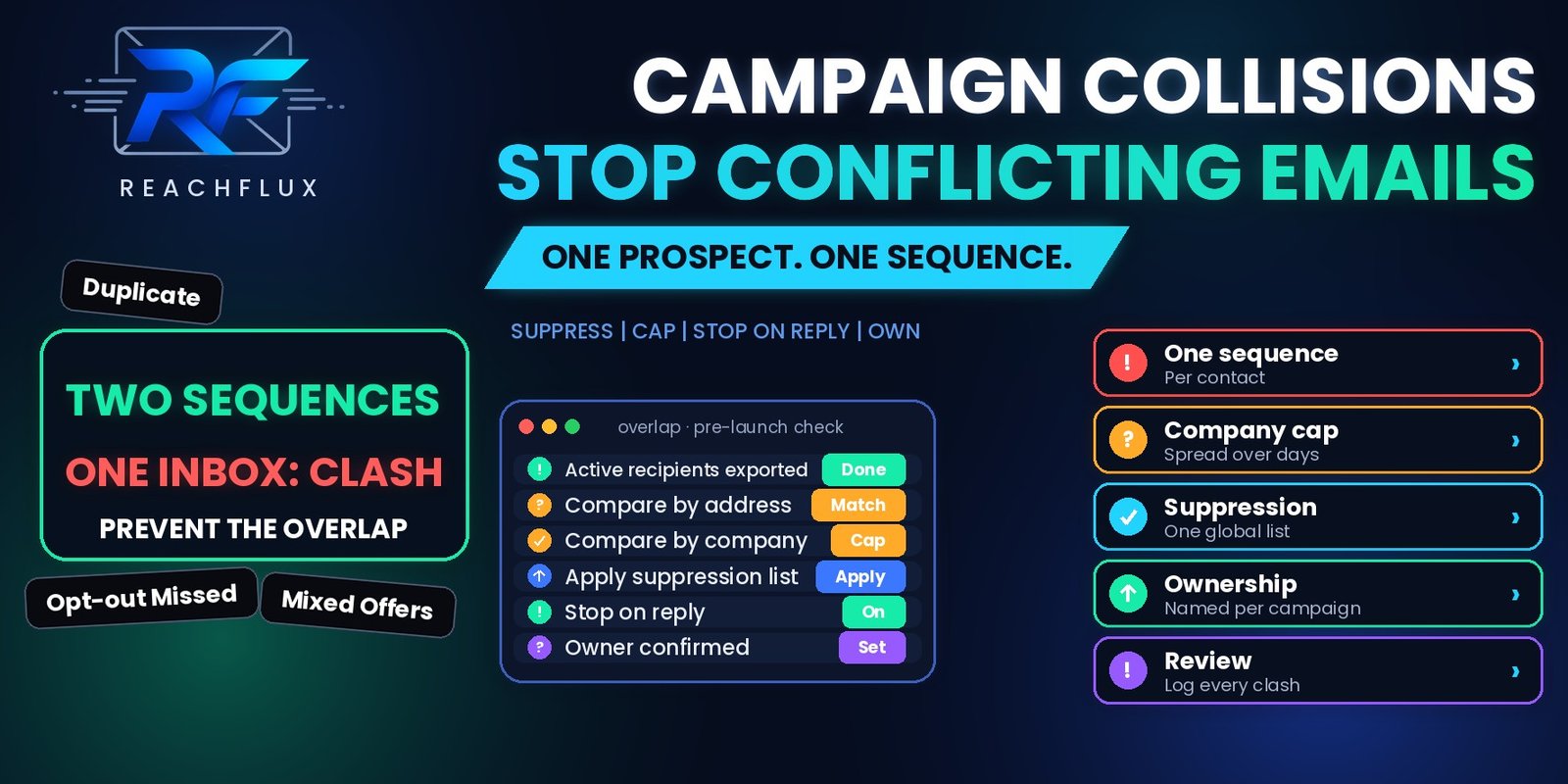
How do you stop multiple cold email campaigns from conflicting?
A campaign collision happens when the same person, or several people at the same company, receive duplicate or contradictory messages from more than one sequence, sender or team. It is the most common operational problem once outreach grows beyond a single campaign, and it is almost always a process failure rather than a tooling failure.
Prevent it with seven rules: keep one active sequence per contact, cap how many people at one company you contact at once, maintain a single suppression list that every campaign respects, stop everything when someone replies, design campaigns by audience segment instead of by sender, give every campaign an owner, and run an overlap check before each launch. The rest of this guide shows how to apply them.
Seven ways collisions sneak in
The same contact sits in two lists
Lists are built at different times from different sources, and nobody checks for overlap. The same address then enters two sequences with different offers.
Different people, same company
Three colleagues at one company each get a separate email from you on the same day. To them it looks like a blast, and often to their gateway as well.
Two senders from your own side
A founder and a sales rep both write to the same account, each unaware of the other. The reply goes to one and the follow-up still comes from the other.
A reply stops one sequence but not another
The reply is handled where it arrives, while a queued follow-up from a second campaign goes out the next morning.
An opt-out is recorded in one campaign only
Someone asks not to be contacted, and a different campaign emails them next week. That is the fastest route to a complaint.
An old list overlaps a new one
A new import contains people you contacted last quarter. They are not “new” at all.
Offers drift apart
Two campaigns make slightly different promises about price, features or terms, and a recipient sees both.
What collisions cost you
The damage is larger than a moment of embarrassment. Duplicate and conflicting emails raise complaints, and complaints feed directly into sender reputation, which affects every campaign you run. They also erode trust, because a company that cannot coordinate its own outreach looks careless, and they create compliance risk when an opt-out is ignored.
Collisions also corrupt your data. Replies get attributed to the wrong sequence, so you learn the wrong lessons about what works. The wider operational picture is covered in How to Manage Multiple Cold Email Campaigns Without Losing Control and Why Is Cold Email Outreach Inconsistent? 9 Problems to Check.
Seven rules that prevent collisions
| Rule | What it prevents | How to enforce it |
|---|---|---|
| One active sequence per contact | Duplicate or conflicting messages to one person | Check for the address in active campaigns before adding it anywhere |
| Company-level cap | A burst of messages to many people at one company | Limit how many contacts at a recipient domain are active at once and spread the rest over days |
| One global suppression list | Ignored opt-outs and emailing people who bounced | Add every unsubscribe, hard bounce and complaint to one list that all campaigns check |
| Stop everything on reply | Follow-ups landing after a real answer | Make the reply stop every sequence for that contact, not just the one it arrived in |
| Segment-based campaigns | Overlapping audiences and mixed offers | Define campaigns by audience and offer, then assign senders to the campaign |
| Named owners | Nobody noticing a clash | Give every campaign one accountable person and a clear name |
| Cool-off window | Re-contacting people too soon after a sequence ends | Set a minimum gap before a contact can enter a new sequence |
Who owns what: roles that prevent clashes
Rules only work when someone is responsible for them. In a small team one person may hold several of these roles, and that is fine. The point is that each responsibility has a name against it.
| Role | Responsibility |
|---|---|
| Campaign owner | Defines the audience and the core promise, approves launches and is accountable for the campaign |
| List owner | Sources and validates lists and runs the overlap check before launch |
| Sender owner | Manages sender accounts, volume and domain health |
| Reply owner | Reads and answers replies and decides what happens next with each conversation |
| Suppression owner | Keeps the global suppression list current and makes sure every campaign uses it |
Design campaigns by segment, not by sender
Many collisions are baked in at the design stage. If campaigns are organised around who is sending, then two senders can easily target the same people. If they are organised around audience and offer, each prospect belongs to exactly one place, and senders become a resource attached to that campaign.
Define each campaign with a single audience, a single core promise, a defined sequence and a set of sender accounts. Spreading volume across accounts is good practice for deliverability, as explained in Cold Email Inbox Rotation: How to Distribute Outreach Across Multiple Sender Accounts, but it should never change who a prospect hears from in a confusing way. Where several accounts contact one company, keep the story consistent.
Think in companies, not just contacts
Contact-level checks catch duplicate addresses but miss the more common problem of several people at one company being contacted at once. Treat each target company as having a single owner on your side. Before anyone contacts a second person there, check who already has the account and what has been sent.
Referrals deserve a rule too. When a prospect replies “talk to my colleague”, the new contact should enter under the same owner, the original sequence should stop, and the opening line should reference the referral. Handled that way, a referral becomes a warm introduction instead of a confusing second email.
Run an overlap check before every launch
The cheapest moment to stop a collision is before sending. Make this check a habit and write it down so anyone launching a campaign follows the same steps.
Get the list of contacts currently in sequences and those contacted recently.
Match the new list against both. Address matches are duplicates; domain matches are a company-level risk.
Take out exact duplicates and stagger or limit additional contacts at companies already being contacted.
Remove unsubscribes, hard bounces and complaints, and confirm the list is validated.
Make sure one named person owns the campaign and that its promise matches your other live campaigns.
Keep messages consistent across campaigns
Collisions are not only about volume. Two campaigns can contradict each other in substance: different prices, different feature claims, different tones. Keep a single page that records the facts every campaign may state, such as what the product does, what it does not do, and any terms. Before a campaign goes live, compare its claims with that page.
A short message map helps too: one sentence on the core promise per audience, so two writers never invent competing versions of your pitch.
What to do when a collision gets through
Even good processes slip. The response matters more than the slip.
Stop the campaigns involved so no more duplicates go out.
Find which contacts received overlapping messages and from which sequences.
Remove them from every sequence but one, and apologise briefly if the clash was visible.
Note the cause and add any missing contact to the suppression list.
Add or tighten the rule that would have caught it.
How to tell whether collisions are happening
You will not fix what you do not count. A few simple indicators show whether your rules are working.
Overlap found at launch
Count how many contacts or companies the pre-launch check removes. A high number suggests lists are being built without coordination.
Duplicate-send incidents
Log every time someone receives more than one message from you in a short window, and record why.
Opt-outs honoured
Check that every unsubscribe appears on the suppression list and that no campaign emailed that person afterwards.
Replies that mention duplicates
Phrases such as “I already got this” or “someone else from your team emailed me” are direct evidence of a collision.
Complaints by campaign
A spike in one campaign often points to overlap with another.
A one-page collision policy you can adopt
Writing the rules down is what turns good intentions into habit. Here is a short policy you can copy and adapt. It fits on one page, and anyone who launches a campaign should be able to follow it without asking.
- Every contact may be in one active sequence at a time.
- Before launch, the list is compared with active and recently contacted recipients by address and by company domain.
- No more than the agreed number of contacts at one company are active at once, and the rest are staggered.
- Unsubscribes, hard bounces and complaints go on the global suppression list within one working day.
- A reply from a contact stops every sequence for that contact, and a human decides the next step.
- Each campaign has a named owner, a defined audience and a recorded core message.
- Referrals enter under the owner of the original conversation, and the original sequence stops.
- Any duplicate send is logged with its cause, and the rule that would have prevented it is added or tightened.
Review the policy every quarter. As campaigns, senders and lists multiply, new gaps appear, and the policy should grow with them.
Collision-proofing checklist
- Every contact belongs to one active sequence at most.
- Company-level contact limits are set and spread over days.
- One suppression list covers unsubscribes, bounces and complaints across all campaigns.
- A reply stops all sequences for that contact.
- Campaigns are defined by audience and offer, with senders assigned afterwards.
- Each campaign has a named owner and a recorded core message.
- An overlap check runs before every launch.
- There is a written response plan for when a collision happens.
Questions about campaign collisions
How do I stop the same prospect getting emails from two campaigns?
Keep one active sequence per contact, check new lists against active and recent recipients by address and by company domain before launch, and make a reply or opt-out stop every sequence for that contact.
What is a campaign collision in cold email?
It is when the same person or company receives duplicate or conflicting messages from more than one sequence, sender or team. It usually results from overlapping lists, uncoordinated senders or an opt-out recorded in only one place.
How many people at one company should I contact at the same time?
There is no fixed number, but contacting many people at one company in a short window looks like a blast. Limit active contacts per company and spread the rest across days, especially for companies behind strict gateways.
Should each sender have their own campaign?
It is usually better to organise campaigns by audience and offer and assign senders to them. Sender-based campaigns make overlap far more likely.
What is a suppression list?
It is a single list of addresses you must not email, including unsubscribes, hard bounces and complaints. Every campaign should check it before sending.
Can tools prevent collisions automatically?
Tools can help by centralising contacts, replies and sequences, but the rules have to be defined by you. Process comes first, tooling second.
Run many campaigns. Look like one organisation.
Scaling outreach means more campaigns, more senders and more lists. It does not have to mean more confusion. A handful of firm rules, a single suppression list and a launch-day overlap check keep every prospect in exactly one place.
Write the rules down, assign owners, and treat every collision as a prompt to tighten a rule rather than a one-off mistake.
Prepare recipients, distribute sending and handle replies in one workflow.
ReachFlux brings recipient preparation, sender distribution, tracking and replies into one campaign workflow.