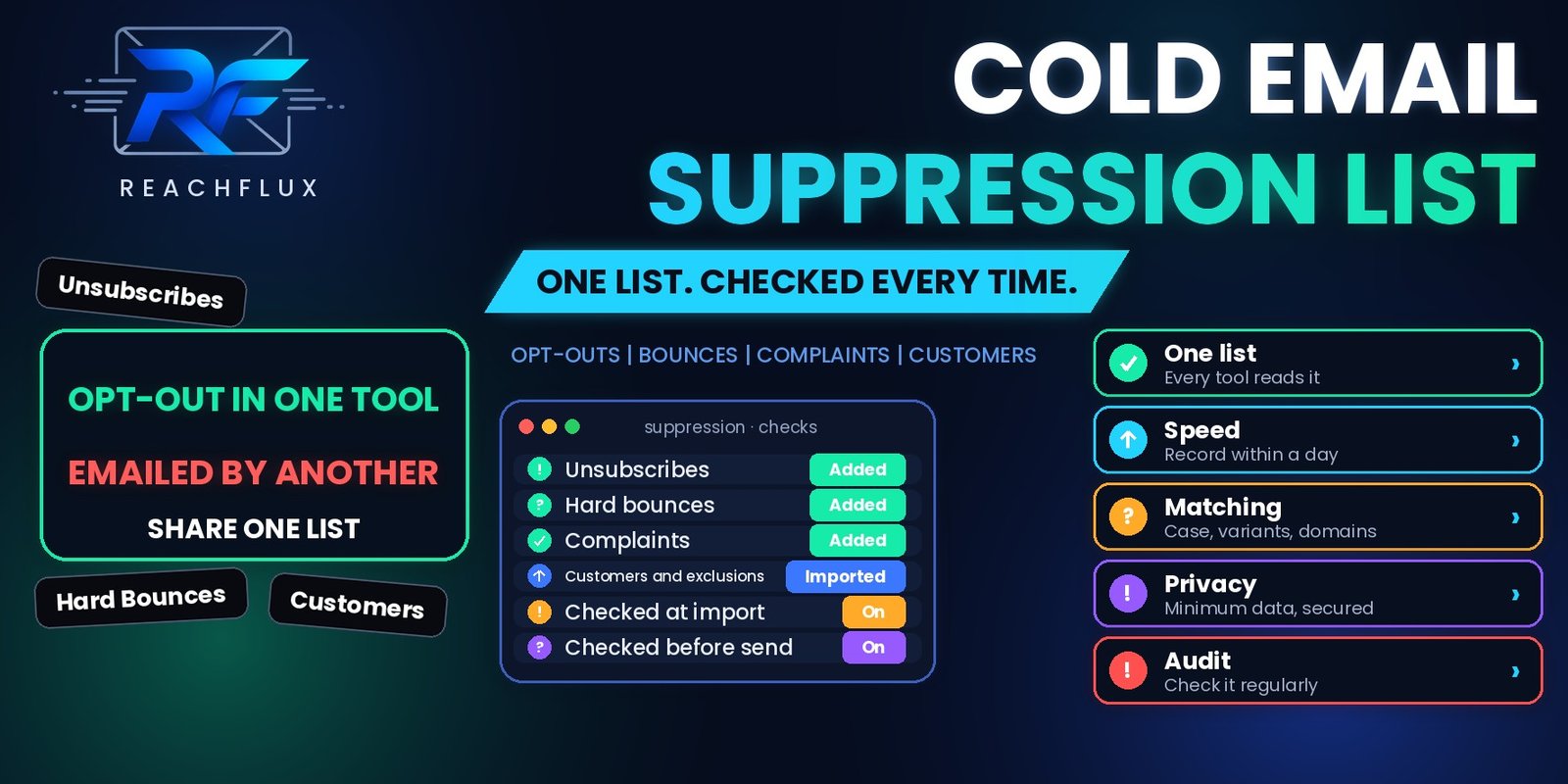
What is a cold email suppression list?
A suppression list is a single record of every address, and sometimes every domain, that you must not email. It holds people who unsubscribed or asked you to stop, addresses that hard bounced, people who complained, and any contacts you have decided to exclude, such as existing customers or competitors. Every campaign checks it before sending, so nobody on it can be contacted by mistake.
It is one of the highest-value, least glamorous parts of outreach. A good suppression list protects sender reputation, keeps you inside the rules and keeps your relationships intact. A weak one means opt-outs get ignored and bounces repeat, which is a fast way to damage a domain and a reputation. This guide shows what to include, how to build it, how to match entries correctly and how to keep it clean.
What belongs on the list
| Category | Why it belongs | How it gets there |
|---|---|---|
| Unsubscribes and stop requests | Honouring them is both a legal expectation and basic respect | Added immediately when someone asks, by any route |
| Hard bounces | Permanent failures damage reputation if repeated. See SMTP Bounce Codes for Cold Email: What 4xx and 5xx Errors Mean and What to Do About Them | Added automatically after the first permanent failure |
| Spam complaints | A direct signal that the person does not want your mail | Added when a complaint is reported or detected |
| Do-not-contact requests by other routes | People who ask by phone, social or through a colleague | Added manually, with a note of the source |
| Existing customers and active deals | They should receive customer communication, not outreach | Imported from your CRM or customer list |
| Competitors, partners and excluded accounts | Business reasons to avoid contact | Imported or added by the campaign owner |
| Spam traps and known bad addresses | Sending to them harms reputation | Added when identified |
Suppress addresses, and sometimes whole domains
Most entries are individual addresses, but some situations call for suppressing a whole domain, for example when a company has asked you to stop contacting anyone there, or when a domain has repeatedly produced hard bounces and is clearly not usable. Keep address-level and domain-level suppressions distinct, so you can see which rule excluded a contact and reverse a mistake if needed.
Be careful with broad rules. A domain-level suppression should be a deliberate decision, with a note of why, because it silently removes everyone at that company from every campaign.
Build the list from the sources you already have
Gather unsubscribes, stop requests, hard bounces and complaints from every tool, inbox and spreadsheet you have used.
Bring in customers, active opportunities and any accounts you have chosen to avoid.
Standardise case and spacing so matching works. See the matching rules below.
Choose a single source of truth that every campaign and tool can read.
Make suppression a required check at import and again before sending, not an optional step.
Get the matching right, or entries will slip through
Case and whitespace
Addresses should match regardless of capitalisation and stray spaces. Store them in a standard form.
Variants of the same mailbox
Some providers treat addresses with tags or dots as the same mailbox. Decide how you will treat variants, and be conservative when in doubt.
Domain-level rules
If you suppress a domain, make sure subdomains and alternate forms are handled the way you intend.
Imports and re-imports
Check new lists against the suppression list at import and again before sending, because a re-import of an old file can reintroduce suppressed contacts.
Different tools
If several tools send mail, each must read the same list, or an opt-out in one will not protect against another.
Apply it at every stage, not just once
Suppression should be checked when a list is imported, when a campaign is built, and immediately before each send. A contact can opt out between steps of a sequence, and a check only at launch would miss that. The same applies to replies. A real reply should suppress the contact from every sequence, not just the one it came from, as described in How to Prevent Campaign Collisions: Stop Prospects Getting Conflicting Emails From Multiple Sequences.
Process opt-outs quickly, ideally the same working day. The longer the gap between a request and its recording, the more chance that another message goes out.
What happens when the list is missing a rule
Imagine a team runs two campaigns from different tools. A prospect replies to campaign A asking to be removed, and the person handling replies records it in that tool only. Three days later campaign B, in the other tool, emails the same prospect with a different offer. The prospect, already annoyed, reports it as spam.
One complaint may not sink a domain, but it is a real cost, and it was entirely avoidable. The fix is simple: a single suppression list that both tools read, an opt-out recorded within a working day, and a rule that a reply suppresses the contact everywhere. After the incident, the team adds a monthly audit that checks recent opt-outs against sends. The same logic applies to bounces. A hard bounce recorded in one tool should never be retried from another.
Keep what you need, and be careful with it
A suppression list is personal data, and its purpose is to protect people from further contact. Keep the minimum information needed to do that job, such as the address, the reason and the date, and store it securely. Rules about retention and data rights differ by country, so check what applies to you. This is not legal advice.
Do not delete a suppression entry just because it is old. Removing someone who asked not to be contacted defeats the purpose. If an entry must be erased for legal reasons, make sure you have another way to prevent contact. The wider compliance picture is in Cold Email Compliance and Deliverability: Opt-Outs, Sender Identity and Complaint Rates.
Protect the list when you change tools
Suppression data is the first thing to export and the first thing to verify when you change platforms. If the new tool does not know who opted out, it will email them again. Import it before any sending, test it with a known address and confirm it applies to every campaign. The full sequence is in Cold Email Platform Migration Checklist: How to Switch Tools or Mailboxes Without Losing Deliverability.
The same applies when you add a new sending account or a new team member. They must use the shared list, not start a private one.
Who owns the suppression list
A list that everyone uses and nobody owns decays. Name one person responsible for it, with a backup. They make sure every opt-out, hard bounce and complaint is recorded quickly, that every tool reads the same source and that imports are checked against it. They also run the audit and keep the notes on why entries exist.
In a small team this can be the same person who owns replies. In an agency it should be one owner per client. Whatever the structure, make the responsibility explicit, so an opt-out never depends on someone remembering to pass it on.
Audit it regularly
- Every recent unsubscribe appears on the list.
- Every hard bounce from the last campaigns is on the list.
- No suppressed address received mail in the last month.
- All sending tools read the same list.
- Customer and exclusion lists are current.
- Each entry records a reason and a date.
- Access is limited, and changes are logged.
Suppression list checklist
- One list covers unsubscribes, hard bounces, complaints, customers and exclusions.
- Address-level and domain-level entries are kept distinct, with reasons.
- Matching rules handle case, whitespace and variants.
- Suppression is checked at import, at build and before each send.
- Opt-outs are recorded within a working day.
- Entries are kept securely, with the minimum data needed.
- The list is exported and verified before any tool change.
- An audit runs regularly.
Questions about suppression lists
What is a cold email suppression list?
It is a single record of addresses and domains you must not email, including unsubscribes, hard bounces, complaints, existing customers and any exclusions. Every campaign checks it before sending.
What should go on a cold email suppression list?
Unsubscribes and stop requests, hard bounces, spam complaints, do-not-contact requests received by other routes, existing customers and active deals, competitors and partners you exclude, and known spam traps.
How often should I update my suppression list?
Immediately, and no later than the same working day for opt-outs, complaints and hard bounces. Check it at import, when building a campaign and before each send.
Should I delete old suppression entries?
Generally no. Removing someone who asked not to be contacted defeats the purpose. If an entry must be erased for legal reasons, ensure another mechanism prevents contact.
Do I need a suppression list for each campaign?
No. You need one list that every campaign and every sending tool checks. Separate lists drift out of date and let opt-outs slip through.
What happens to my suppression list if I change platforms?
Export it first, import it into the new platform before sending, and test that it works. Without it, the new tool will email people who opted out.
One list, checked every time.
A suppression list works only if it is complete, central and always checked. Gather every opt-out and bounce, normalise the entries, connect the list to every send and audit it regularly.
Treat it as the foundation that lets everything else you do in outreach stay safe.
Prepare recipients, distribute sending and handle replies in one workflow.
ReachFlux brings recipient preparation, validation, sender distribution and replies into one campaign workflow.