How do you migrate cold email platforms without losing deliverability?
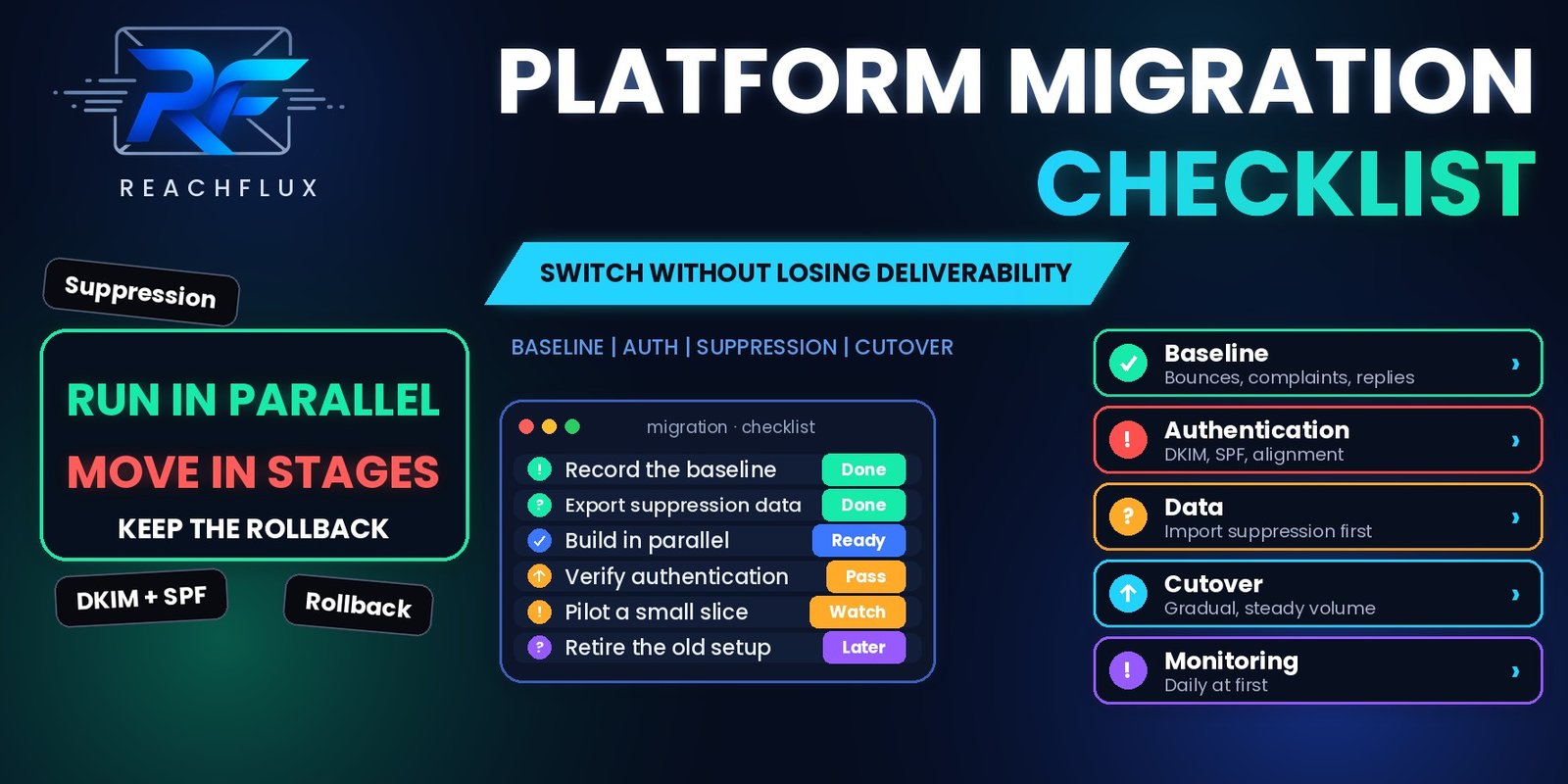
Keep what mailbox providers recognise stable, and change only what you must. That means keeping the sending domain and mailbox identities where possible, setting up and verifying the new platform’s authentication in parallel before cutting over, importing your suppression list and history first, moving volume across gradually instead of all at once, and watching bounces, complaints and replies closely for the first weeks.
Most deliverability drops after a migration are not caused by the new platform being worse. They are caused by something that quietly changed: a signing domain, a return-path, a tracking domain, a volume pattern or a missing suppression record. This checklist is organised to catch each of those before they cost you reputation.
The things that change in a migration, and why filters notice
A migration can change more than you expect. Use this table as an inventory of everything that touches your reputation.
| Element | What can change | Why it matters |
|---|---|---|
| Sending domain and From address | Often stays, but sometimes changes with a new setup | Reputation lives on the domain, so changing it resets trust |
| DKIM signing | New keys, selectors or signing domain | Mismatched or missing signatures cause authentication failures |
| SPF record | New include entries, and the risk of too many lookups | A broken or oversized SPF record can fail silently |
| Return-Path or bounce domain | New default domain | Alignment and bounce handling depend on it |
| Tracking domain | New link and image domain | An unfamiliar tracking domain can undermine clean authentication |
| Sending infrastructure | Different servers or IPs, depending on how you send | Reputation tied to the old setup does not transfer |
| Volume and timing pattern | Different pacing, batching and delays | Sudden pattern changes look like a new sender |
| Templates and merge fields | Re-created by hand | Broken fields and changed content create visible errors |
| Suppression and history | May not be imported | Emailing people who opted out or bounced damages reputation |
Preparation: record your baseline and inventory everything
Capture bounce rate, complaint rate and reply rate by provider and sender for the last few weeks. Without a baseline you cannot tell whether things got worse.
Suppression lists, unsubscribes, hard bounces, contact history, templates and sequence structure. Treat the suppression list as the most important export.
Save a copy of your current SPF, DKIM, DMARC and tracking records so you can roll back and compare.
Note which sender accounts exist, which domains they sit on and their current daily volumes.
Decide what you will not change during the migration, and what you will do if results fall.
Build the new setup beside the old one
Set up the new platform without switching anything live. Connect the mailboxes you intend to use, recreate templates and sequences, and run internal tests. This stage is about finding mistakes while nothing is at stake.
Where you can, keep the existing mailboxes and domains and simply connect them to the new platform, rather than creating new identities. If you must change domains, treat the new ones as new infrastructure with their own gradual ramp, as described in How to Set Up Cold Email Inboxes and Domains: A Step-by-Step Guide.
Migrate authentication carefully
Add the new DKIM before you cut over
Publish the new platform’s DKIM record alongside the old one, so both can verify during the transition.
Update SPF without breaking it
Add the new platform’s include entry, keep a single SPF record, and watch the limit on DNS lookups, because exceeding it makes SPF fail.
Check the return-path and DMARC alignment
Confirm the domain that passes SPF or DKIM aligns with your visible From domain. See SPF vs DKIM vs DMARC: What Cold Email Senders Need to Know.
Set up the tracking domain
If you track clicks, configure a custom tracking domain that matches your sending domain before the first real send.
Verify on a delivered message
Send a test through the new platform to your own mailbox, open the original and confirm SPF, DKIM and DMARC all pass and align.
Import your suppression data before anything else
This is the step that most often gets missed. If the new platform does not know who unsubscribed, who bounced and who complained, it will happily email them again. That is a quick route to complaints and a compliance problem. Import the suppression list first, confirm that it is applied to every campaign, and test it with a known address.
Also bring across contact history, so you do not re-contact people who recently received a sequence. The same rule applies when you run several campaigns at once, as covered in How to Prevent Campaign Collisions: Stop Prospects Getting Conflicting Emails From Multiple Sequences and Cold Email Compliance and Deliverability: Opt-Outs, Sender Identity and Complaint Rates.
Move volume across gradually
Do not switch all your sending on one day. Start by moving a small slice of volume to the new setup, ideally to your best-fit, validated contacts, and run it alongside the old setup. Keep total volume steady, since a spike in volume looks like a new, suspicious sender.
| Stage | What moves | What to watch |
|---|---|---|
| Pilot | A small slice of one campaign | Authentication, bounces, reply rate against baseline |
| Expand | Additional campaigns or mailboxes in steps | Complaints, bounces and provider-level replies |
| Majority | Most sending, with the old setup as backup | Any divergence from baseline results |
| Complete | All sending, old setup retired after a safety period | A stable trend over several weeks |
Keep the old setup available until the new one has run cleanly for a meaningful period. If results fall, pause the expansion and diagnose before moving more volume.
A sample migration timeline
The pace depends on your volume, but this outline shows the shape of a careful migration. Treat the timings as a guide, not a rule.
| Phase | Typical activity | Exit condition |
|---|---|---|
| Week 0 | Record baseline, export data, document DNS | Everything saved and a rollback plan agreed |
| Week 1 | Build the new setup in parallel and verify authentication | Test messages pass SPF, DKIM and DMARC and align |
| Week 2 | Pilot a small slice of volume | Results close to baseline for bounces, complaints and replies |
| Weeks 3 to 4 | Expand in stages while keeping total volume steady | No divergence from baseline at any provider |
| Weeks 5 to 6 | Move the majority, keep the old setup as backup | A stable trend over several weeks |
| After that | Retire the old setup and review the process | Notes recorded for next time |
Watch closely for the first weeks
The weeks after migration are when problems appear. Check bounces, complaints and errors daily, and compare replies by provider and sender against your baseline weekly. A delay in replies from one provider is an early sign of filtering trouble. Repeat a small placement test, using the method in How to Run a Cold Email Inbox Placement Test: A Step-by-Step Method That Does Not Fool You, and keep a dated log of every change you make.
If something goes wrong anyway, the diagnostic order is in Why Did Email Deliverability Drop After Migration? 12 Things to Check After Moving Platforms or Mailboxes and Why Did My Cold Email Deliverability Suddenly Drop? 17 Things to Check.
Migrating tools versus migrating mailboxes
Two situations are often confused. Changing the sending platform while keeping your domains and mailboxes is the lower-risk case, because the identities that carry reputation stay the same and your main tasks are authentication, tracking and suppression. Moving mailboxes between providers, or changing domains, is higher risk because the identity itself changes, and you should treat any new domain as new infrastructure with a careful ramp.
If you are doing both at once, do them one after the other, not together. Changing the platform and the domain in the same week removes any chance of knowing which change caused a problem. Sequence the changes, give each time to settle, and keep the baseline comparisons going between them.
Migration mistakes that cost the most
Switching everything at once
There is no way to isolate a problem, and a sudden volume pattern change looks suspicious.
Forgetting the suppression list
You email people who opted out or bounced, and complaints follow.
Letting SPF break
Adding includes without checking the lookup limit can silently fail authentication.
Changing the signing or tracking domain without testing
Alignment fails, and nobody notices until replies fall.
Skipping the baseline
Without it, you cannot tell whether results got worse or you are just remembering them differently.
Decommissioning the old setup too early
You lose your rollback option just when you might need it.
Decide your rollback triggers in advance
It is much easier to roll back calmly if you decided the conditions beforehand. Write down the triggers that would make you pause or reverse, such as bounces rising well above baseline, complaints increasing, authentication failing on delivered mail, or replies from one provider falling sharply. For each trigger, note the action: pause the expansion, move the slice back to the old setup, or investigate before moving anything more.
Having the old setup intact is what makes a rollback possible, which is why it should stay connected and healthy until the new one has proved itself. A rollback is not a failure. It is the reason you migrated carefully in the first place.
Review and document what you learned
Once the migration is complete and results are stable, hold a short review. Compare the new setup with your baseline, note anything that took longer than expected and write down the exact DNS records, mailbox settings and checks you used. That document becomes your runbook the next time you change something, and it makes onboarding new team members far easier.
Retire the old setup deliberately, not by accident. Remove unused DKIM keys and SPF includes, disconnect old mailboxes and archive the exports. Tidy DNS reduces confusion and keeps your SPF record within its limits.
The migration checklist
- Baseline results are recorded by provider and sender.
- Suppression lists, history, templates and DNS records are exported and saved.
- The new setup is built and tested in parallel, with nothing live.
- New DKIM is published, SPF is updated without exceeding limits, and alignment is checked.
- Tracking domain is configured and matches the sending domain.
- Suppression data is imported and verified before any sending.
- Volume moves across in stages, with total volume kept steady.
- Bounces, complaints and replies are monitored daily at first, and the old setup stays available until stable.
Questions about migrating cold email platforms
How do I migrate cold email platforms without hurting deliverability?
Keep your domain and mailbox identities stable, set up and verify authentication in parallel, import your suppression list first, move volume across gradually, and monitor bounces, complaints and replies closely for the first weeks.
Why did my deliverability drop after switching email platforms?
Often something quietly changed: a signing domain, return-path, tracking domain, volume pattern or a missing suppression import. Compare against your baseline to find which.
Should I change my sending domain when I switch platforms?
Avoid it if you can. Reputation lives on the domain, so changing it resets trust. If you must, treat the new domain as new infrastructure with its own gradual ramp.
What should I back up before migrating?
Your suppression list, unsubscribes, hard bounces, contact history, templates, sequence structure and a copy of your current DNS records.
How long should I keep the old setup running?
Until the new one has run cleanly for a meaningful period, typically several weeks, so you keep a rollback option.
Can I migrate everything in one day?
It is not advisable. Moving everything at once removes your ability to isolate problems and creates a sudden volume pattern change.
Change as little as possible, and prove each step.
A migration is safest when it is boring. Keep identities stable, build in parallel, import your suppression data, move volume in stages and compare every week against your baseline.
If something does slip, the baseline and change log turn a mystery into a short list of suspects.
Connect SMTP and IMAP accounts and manage sending in one workflow.
ReachFlux connects the email accounts you control, so your domains and authentication stay in your hands.