How do you test cold email inbox placement properly?
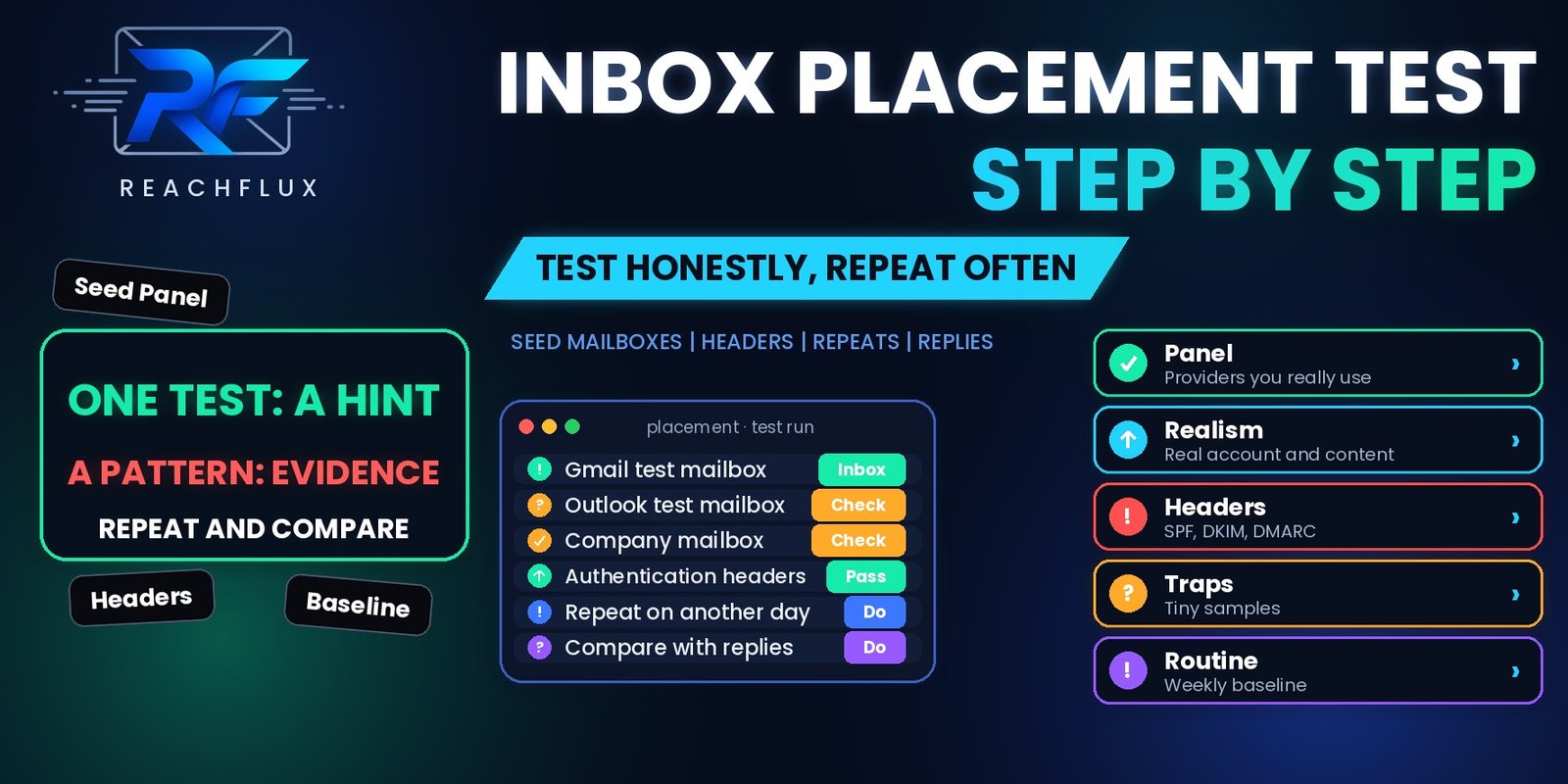
Set up a small panel of test mailboxes across the providers your prospects actually use, send realistic messages from the same account and domain you use for outreach, repeat the test several times, and read both the folder each message landed in and the authentication results in its headers. Then compare against reply data from real campaigns. One test on one day tells you almost nothing. A pattern across providers and repeats tells you something real.
Placement testing is useful, but it is easy to fool yourself. Test mailboxes behave differently from real recipients, samples are tiny, and tools can show reassuring numbers that do not match what prospects see. This guide gives a method that keeps the useful parts and avoids the traps.
What a placement test can and cannot show
A placement test answers a narrow question: where did these particular messages land, at these particular test mailboxes, at this moment? It can reveal that a whole provider routes you to spam, that authentication fails on delivery, or that a recent change made things worse. It cannot tell you how your real prospects are treated, because mailbox providers personalise filtering and your prospects have their own histories and settings.
It also cannot see quarantines. If a company holds your mail in an administrator quarantine, a normal test mailbox will not show it. For that environment, see How to Get Cold Emails Past Corporate Spam Filters and Secure Email Gateways. The broader question of what placement means is covered in Cold Email Inbox Placement: How to Measure It, Test It and Improve It.
Build a sensible panel of test mailboxes
Your panel should resemble your audience. If most prospects use Gmail and Microsoft 365, test there. If you sell to larger companies, include at least one mailbox on a company domain that sits behind a gateway, if you can get a cooperative contact or a test environment.
| Panel member | Why include it | Caution |
|---|---|---|
| Gmail account | Covers a very large share of recipients | Tabs such as Promotions are part of the result |
| Outlook or Microsoft 365 mailbox | Often behaves differently from Gmail | Business tenants can apply custom policies |
| Yahoo or another consumer provider | Checks a different filtering system | Smaller share for many B2B audiences |
| A company mailbox behind a gateway | The closest thing to a real corporate recipient | Needs a cooperative owner, and quarantines may be invisible |
| An older, lightly used account | Behaves more like a real person than a brand-new one | Do not let it become a heavy test magnet |
Keep the panel small and stable. Add accounts only when you have a reason, and avoid cycling through brand-new accounts, which have no history and can skew results.
Design a realistic test
Send from the real account and domain
A test from a different sender tells you about that sender. Use the mailbox and domain you actually use for outreach.
Use realistic content
Send a message that looks like your real first email, with the same length, formatting and kind of link, if any. A test with a blank body or obvious placeholder text proves little.
Keep tracking consistent
If you use click or open tracking in real campaigns, test with it on. If you do not, test with it off. Test what you actually send.
Vary one thing at a time
If you want to compare two versions, change only one element, so any difference has a clear cause.
Respect volume
Send a handful of test messages, not hundreds. A placement test should not itself harm your reputation.
Run the test
Record the sender, domain, date, template, whether tracking was on and any recent changes. You will need it to interpret the result.
Space the sends out so they do not look like a burst, and send in working hours.
Look in the inbox, any promotions or other tabs, spam and junk. Check again after a few hours, since delivery and filtering can be delayed.
Check the authentication results for SPF, DKIM and DMARC, and note any spam-related headers the provider adds.
Note the folder, the authentication outcome and any oddity, then repeat the test on another day.
What to look for in the original message
The folder tells you where the message landed. The headers often tell you why. Open the original or raw message in each mailbox and look for the authentication results line, which shows whether SPF, DKIM and DMARC passed, failed or were neutral, and whether the domains aligned. A pass in your sending tool is not enough. The delivered copy is what counts.
Many providers also add headers describing their spam assessment. Their format and meaning differ by provider and change over time, so use them as clues rather than as precise scores. If authentication fails on delivery, fix that first, because nothing else will be reliable until it passes. The explanation of each record is in SPF vs DKIM vs DMARC: What Cold Email Senders Need to Know.
Seven ways placement tests fool people
Tiny samples
Three mailboxes landing in the inbox is not proof of anything. Repeat across days and providers before drawing conclusions.
Test accounts that never engage
Real recipients open, reply and mark spam. Test accounts do none of that, so they miss the engagement signals that shape filtering.
Brand-new seed accounts
An account with no history is treated differently from a real person’s inbox.
Unrealistic content
Test messages that look nothing like your real emails measure something else.
Over-trusting a tool
Placement tools show their own methodology’s result, which may not match your recipients. Compare any tool’s output with your reply data.
Ignoring tabs
A message in a Promotions tab is not the primary inbox, even though it was not filed as spam.
Testing once
A single test reflects one moment. Reputation and filtering move, so measure over time.
A worked example: reading three rounds of tests
Here is an illustration with invented results. A team runs the same small test three times over two weeks, from the same account, with the same template.
| Round | Gmail | Outlook | Company mailbox | Authentication |
|---|---|---|---|---|
| 1 | Inbox | Inbox | Inbox | All pass |
| 2 | Promotions | Inbox | Not delivered | All pass |
| 3 | Promotions | Spam | Not delivered | All pass |
Authentication passes every time, so the records are not the cause. The drift is gradual: Gmail moves to Promotions, Outlook to spam, and the company mailbox stops receiving. That pattern points to reputation slipping or to content and volume changes between rounds, not to a configuration fault. The team checks its change log, finds a volume increase after round one, reduces volume, simplifies the template and retests. A single round would have shown nothing wrong, which is exactly why repeated tests matter.
What the result suggests, and what to do next
| What you see | What it usually suggests | Next step |
|---|---|---|
| Spam at every provider | A foundational issue such as authentication, domain reputation or content | Check headers for authentication results, then review domain history. See Cold Email Domain Reputation: How to Protect It and Recover When It Drops |
| Spam at one provider only | A provider-specific filtering or reputation issue | Compare provider behaviour using Gmail vs Outlook Cold Email Deliverability: Why the Same Campaign Lands Differently |
| Inbox in tests but low replies | Tests may not reflect real recipients, or the problem is targeting and message | Review reply rates by provider and the list. See Cold Email List vs Copy: How to Find What’s Hurting Results |
| Authentication failing on delivery | Misconfigured or misaligned records | Fix DNS and re-test before anything else |
| Promotions tab at Gmail | Content or formatting that looks like marketing | Simplify and make the message plainer |
| Good on one day, bad on another | Reputation or filtering fluctuation, or a changed variable | Check your change log and repeat the test |
Make it a routine, not an emergency
The most valuable placement data comes from a baseline. Run the same small test on a regular schedule, perhaps weekly, and record the results in a simple table. When something changes, a baseline tells you immediately, and you can connect it to what you changed. Without one, every problem feels like a surprise.
Combine the test with the metrics you already collect: bounces, complaints and replies by provider. When all three agree, you can act with confidence. A routine for doing this is in Cold Email Operating Rhythm: Daily, Weekly and Monthly Routines for Managing Outreach at Scale, and the full map of what can go wrong is in the Cold Email Deliverability: The Complete Guide to Inbox Placement, Reputation and Fixes.
Where placement tools fit
Dedicated placement tools can save time by managing seed accounts and presenting results neatly. Use them as a convenience, not as an authority. They rely on their own panels of mailboxes, which behave differently from real prospects, and their methodology is rarely transparent. Compare any tool’s output with your bounce text and reply rates by provider, and be sceptical when they disagree.
If you use one, keep your own manual test as a cross-check from time to time. A tool that always tells you everything is fine is not necessarily accurate. It may simply not be measuring what your recipients experience.
Placement test checklist
- The panel covers the providers your prospects actually use.
- Tests are sent from the real outreach account and domain.
- Content, length, links and tracking match your real emails.
- Only a few messages are sent, spaced out, in working hours.
- Every folder, including tabs and spam, is checked more than once.
- Headers confirm SPF, DKIM and DMARC pass and align on the delivered copy.
- Results are recorded with the setup and repeated on other days.
- Findings are compared with bounce and reply data before acting.
Questions about inbox placement tests
How do I test cold email inbox placement?
Build a small panel of test mailboxes across the providers your prospects use, send realistic messages from your real outreach account, check every folder and the headers, repeat on other days, and compare results with bounce and reply data.
Are inbox placement tools accurate?
They can be useful, but they use their own seed accounts and methods, and test accounts behave differently from real recipients. Treat their output as one input and compare it with your replies and bounce text.
How many test emails should I send?
A handful per mailbox, repeated on different days. A placement test should be small enough not to affect your reputation.
What does it mean if my emails land in Promotions?
The message was delivered but filed as marketing, which can reduce visibility. Plainer, more personal formatting often helps.
Can a placement test see corporate quarantines?
Not usually. A quarantine held by a company administrator is invisible to a normal test mailbox, so corporate filtering needs different diagnosis, such as bounce text and reply patterns by recipient type.
How often should I test inbox placement?
Weekly is a sensible baseline, and again whenever you change your domain, platform, content or volume.
Test honestly, repeat often and trust the pattern.
A good placement test is small, realistic and repeated. It agrees with your bounce text and reply data, or it prompts you to find out why it does not. Used that way, it turns vague worries about spam into specific, fixable findings.
Keep a baseline, record what you change, and let the pattern, not a single result, guide you.
Track sending status, replies and lead stages in one place.
ReachFlux brings sending status, opens, clicks, replies and pipeline stages together so you can compare placement tests with real results.