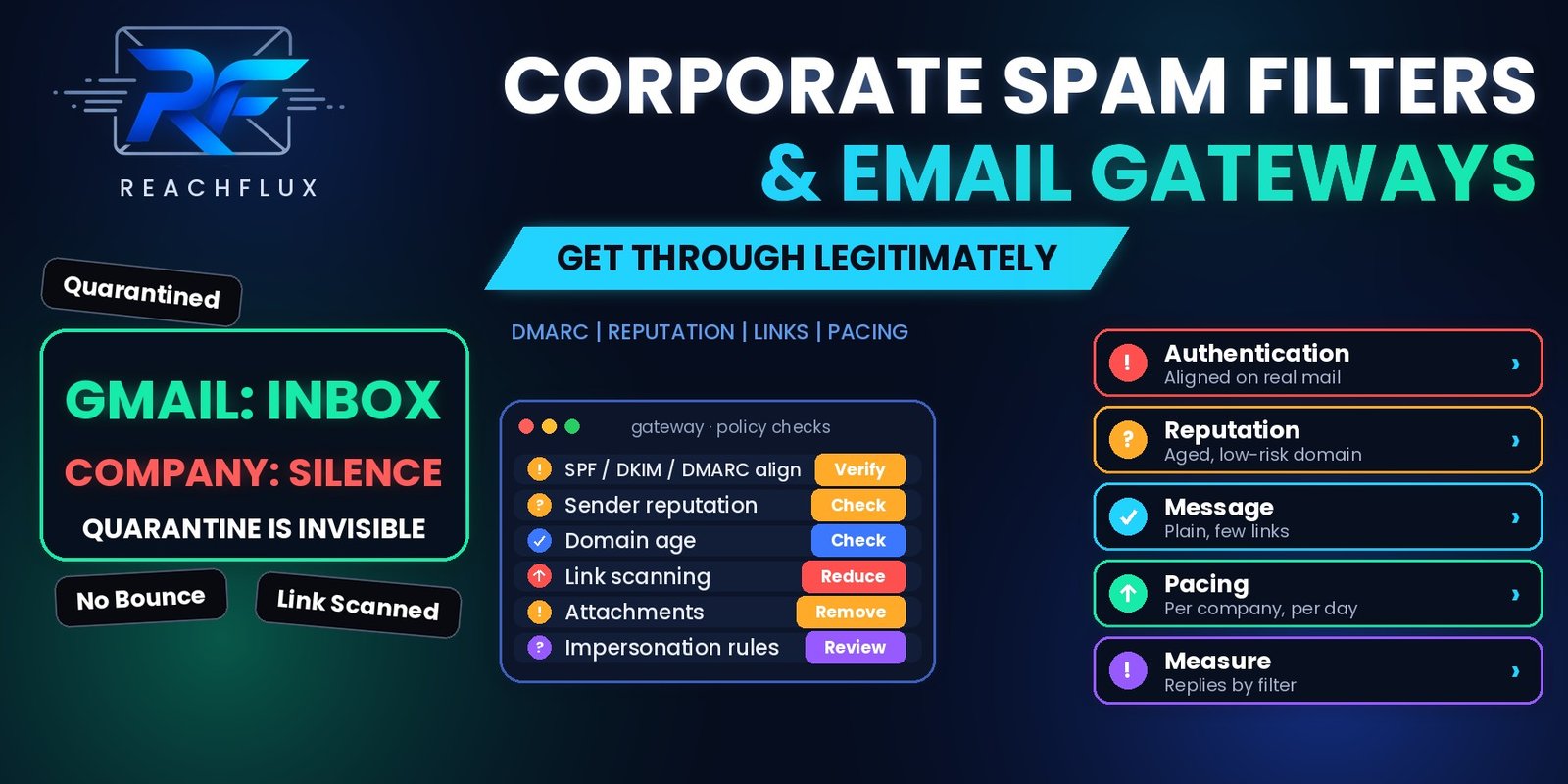
Why do cold emails reach Gmail but vanish at companies?
Corporate mail rarely goes straight to a mailbox. At many companies it first passes through a secure email gateway, or through the built-in protection of Microsoft 365 or Google Workspace, configured by that company's IT team. These systems verify authentication, check sender reputation and domain age, rewrite and scan links, open attachments in sandboxes and compare display names against internal staff. A message can sail through at Gmail and be quarantined without a trace at a company three doors down.
To get through legitimately, you need aligned authentication, an established and low-risk sending domain, a plain message with very few links, volume paced per recipient organisation, and a habit of reading bounce text and segmenting results by the type of filter in front of each prospect. None of it is exotic. It is mostly discipline.
What a secure email gateway actually does
A secure email gateway sits between the internet and a company's mailboxes. Well-known examples include Proofpoint, Mimecast and Barracuda, and Microsoft Defender for Office 365 and Google Workspace's protections do comparable work inside their own platforms. Each organisation sets its own policies: how strict to be on authentication, whether to quarantine or reject, how to treat newly registered domains, and which people need extra protection. That is why the same email can arrive cleanly at one company and disappear at the next.
Where does a blocked message go? Not always to the recipient's junk folder. It might be rejected during the SMTP conversation, in which case you receive a bounce. It might be held in an administrator quarantine that the recipient never sees, or it might be delivered to junk. In the last two cases you see nothing at all, which is why corporate filtering feels like silence rather than failure.
What gateways check, and where cold senders trip
Different products weigh these checks differently, but the list is remarkably consistent. Use the right-hand column as an audit of your own setup.
| Check | What it looks at | How cold senders trip it |
|---|---|---|
| Authentication | SPF, DKIM and DMARC results, and whether the domains align with the visible From address | Records missing, broken after a platform change, or signing with a different domain than the one in From |
| Sender reputation | History of the sending IP and domain, plus complaint and bounce signals | A new domain with sudden volume, a shared IP with poor neighbours, high bounce rates |
| Domain age | How recently the sending or link domain was registered | A brand-new domain used at volume, or a tracking domain registered last week |
| Link reputation | Whether URLs are known, shortened, mismatched or newly seen; many gateways rewrite links and scan them | Shorteners, unfamiliar tracking domains, several links in one message |
| Attachments | Sandbox analysis and file-type rules | Decks, PDFs and documents in a first message |
| Impersonation | Display names or domains resembling staff, executives or brands | Display names that borrow authority, or domains one letter away from a real one |
| Content and behaviour | Patterns that match bulk templates, and how people at that company treated earlier mail | Identical templates sent in bursts to many people at one company |
Authentication is the first gate, and alignment is the part people miss
Many gateways enforce the DMARC policy published by the sending domain, and most treat authentication failures as a strong negative signal even when no policy exists. A message passes DMARC when SPF or DKIM passes and the passing domain aligns with the domain in the visible From address.
The classic cold-email failure looks like this. The sending platform signs DKIM with its own domain, SPF passes for the platform's bounce domain, and every dashboard shows green ticks. But neither result aligns with your From domain, so DMARC fails at the recipient. The fix is to set up custom DKIM signing for your own sending domain, check the return-path or bounce domain, publish a DMARC record, and then verify it on a real delivered message by opening the original source and reading the Authentication-Results header.
For a full explanation of how the three records fit together, read SPF vs DKIM vs DMARC: What Cold Email Senders Need to Know.
Link scanning makes your tracking data lie
Many gateways open links automatically to check them, sometimes the moment an email arrives and sometimes when a person clicks. The result is an open or click in your report that no human made. Two things follow. Your metrics overstate engagement for every recipient behind such a gateway, and your tracking domain starts to look suspicious if it is shared, new or badly configured.
The practical response is to treat opens and clicks as weak signals and judge campaigns by replies. Use a tracking domain that matches your sending domain on a sensible setup, or switch link tracking off for the first email entirely. The trade-offs are covered in links in cold emails.
Find out which filter you are dealing with
You can often tell what protects a company's mail from its MX records, which any DNS lookup tool will show. The hostname usually names the provider.
| MX hostname contains | Likely protection in front of the mailbox |
|---|---|
| pphosted.com | Proofpoint |
| mimecast.com | Mimecast |
| mail.protection.outlook.com | Microsoft 365 (Exchange Online Protection) |
| google.com or googlemail.com | Google Workspace |
| barracudanetworks.com | Barracuda |
Treat MX records as a hint rather than proof, because some companies place a gateway in front of Microsoft 365 or Google in ways the MX does not reveal. Even so, grouping your list by this value is one of the most useful things you can do. Send small test batches to each group, then compare replies and bounce wording per group. If one group is silent while the others reply, you have found where to focus.
A setup corporate filters tolerate
Corporate filters reward senders who look established, consistent and unremarkable.
SPF, DKIM and DMARC pass and align on a real delivered message.
A dedicated outreach domain with a clean history and gradual ramp-up.
Short, personal and text-like, with no attachments and few links.
Limit sends to each recipient organisation and spread them over days.
Judge results by replies grouped by recipient filter type.
Domain health underpins all of this, so see Cold Email Domain Reputation: How to Protect It and Recover When It Drops.
Write for the gateway and the person
A good corporate-friendly message is also a good message for a human. The overlap is large.
- Plain, personal layout rather than a designed newsletter.
- No attachments in the first email.
- Zero or one link, on a domain you control that matches your sender.
- No URL shorteners and no link text that disguises the real address.
- A display name that is a real person and matches the signature.
- A plain, specific subject with no capital-letter urgency.
- No heavy images; a message made of one big picture reads like a newsletter.
- A clear, easy way to say no.
If you send from several accounts, keep the sender consistent per company. Having three different people from your side email the same organisation in one afternoon looks like a campaign, because it is one.
How to scale without ending up in the corporate spam folder
Scaling corporate outreach is mostly a matter of not looking like a flood. Cap how many people you contact at the same company in a short window, stagger sends across days, and ramp volume gradually rather than doubling overnight. Add senders to spread load, but keep a single consistent identity per prospect company. Both topics are covered in Cold Email Inbox Rotation: How to Distribute Outreach Across Multiple Sender Accounts and Cold Email Sending Limits: How Many Emails Should You Send Per Day?.
One habit to avoid is asking prospects to allow-list your domain. Allow-listing is for customers and partners who have a reason to trust you. Asking a stranger to do it is a warning sign in itself, and it will not work when you are contacting hundreds of companies.
How to diagnose silent corporate filtering
Because quarantined mail is invisible, diagnosis means building evidence from indirect signals.
Responses in the 5.7.x family generally mean the receiving server refused the message on policy, reputation or authentication grounds, and many say which.
Split results into Gmail, Microsoft 365 and gateway-protected domains. A gap between groups isolates the cause far faster than looking at totals.
Ask a friendly contact at a gateway-protected company to check their quarantine and forward your message with full headers. Read Authentication-Results for SPF, DKIM and DMARC.
Send a short version with no links. If it lands, reintroduce elements one at a time until the problem returns.
Check its age, DNS records and whether the sending domain or IP appears on any reputation lists.
For measuring what actually reaches an inbox, read Cold Email Inbox Placement: How to Measure It, Test It and Improve It.
Questions about corporate spam filters and gateways
Why do my cold emails reach Gmail but not company inboxes?
Companies often add their own filtering layer on top of the mail provider, such as a secure email gateway or custom policies. These can be stricter than consumer filters and often hide quarantined mail from the sender entirely.
How do I know if a company uses a secure email gateway?
Look up the MX records for their domain. Hostnames containing names such as pphosted.com or mimecast.com point to well-known gateways. It is a strong hint but not proof.
Does DMARC matter for cold email?
Yes. Many corporate filters check DMARC alignment and treat failures as a serious negative, so confirm on a real delivered message that SPF or DKIM passes and aligns with your From domain.
Should I ask prospects to whitelist my domain?
No. Allow-listing suits existing customers and partners. Asking a stranger to do it is itself a warning sign, and it does not scale.
Why are my opens and clicks inflated at some companies?
Gateways often scan links and load content automatically, which records opens or clicks no person made. Treat those signals as unreliable and judge campaigns by replies.
Can software guarantee delivery to corporate inboxes?
No. Software can help you clean lists, pace sends and distribute volume, but every company's filters make their own decisions.
Corporate filters are not your enemy. They are a very cautious reader.
A gateway does not care how good your offer is. It cares whether your message looks like one from a legitimate, established sender who behaves predictably. Give it aligned authentication, a domain with some history, a plain message and sensible pacing, and the majority of the friction disappears.
Then measure honestly. Group your results by recipient filter, read bounce text, and trust replies over opens. That is how you turn silence into information.
Pace sending across accounts and keep every campaign organised.
ReachFlux helps teams validate lists, distribute sending across connected accounts and manage replies in one workflow.