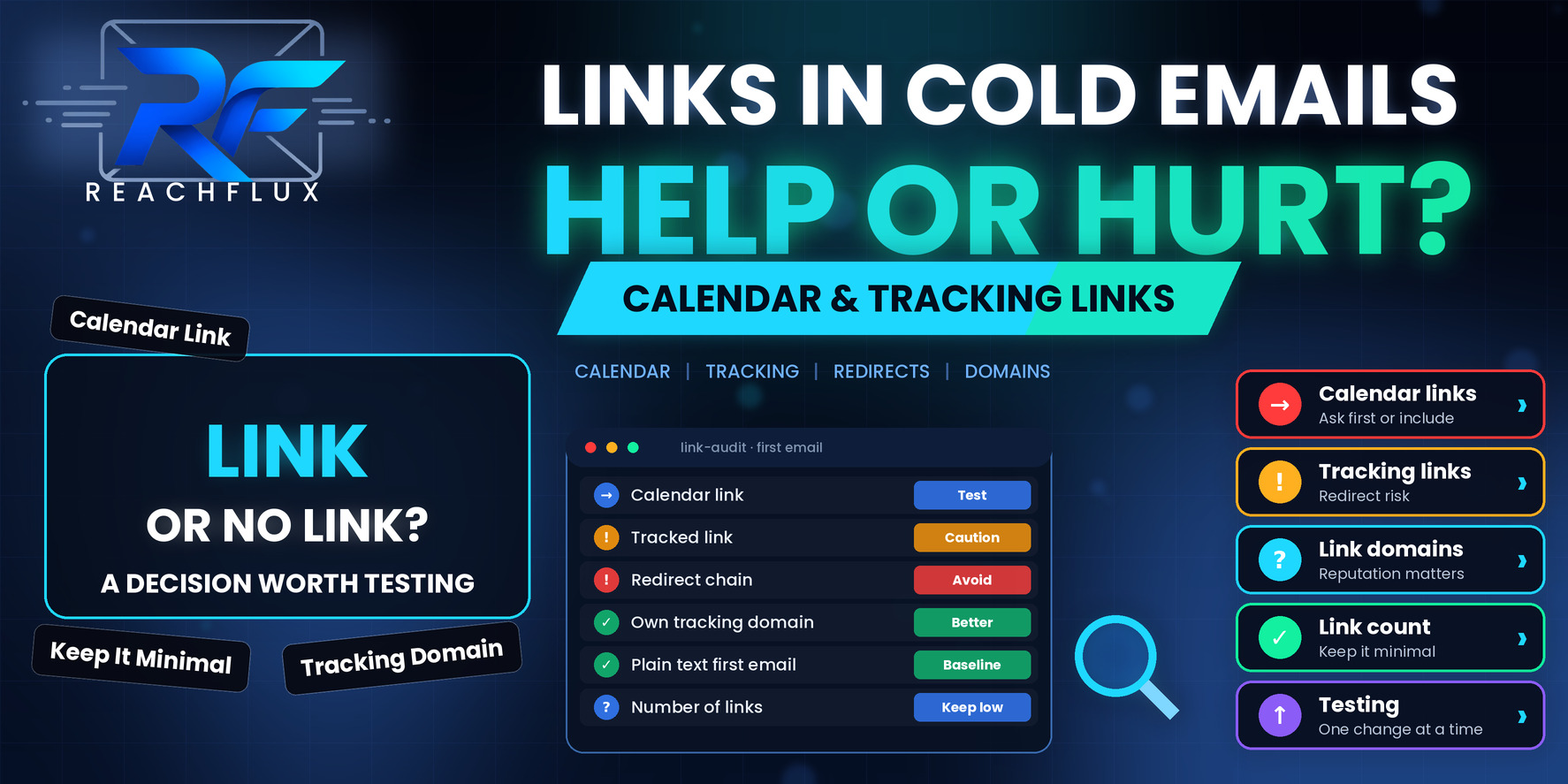
Should a cold email include a calendar link or tracked links?
Keep the first email simple. Zero or one link is a sensible default, and if you include one, make it a plain link to a domain you control rather than a shortened or heavily wrapped URL. A calendar link can work well later in the conversation, once someone has shown interest, and is worth testing in the first email rather than assuming it helps.
Link tracking is where most of the hidden risk sits. Tracked links usually run through a redirect on a tracking domain, and the reputation of that domain becomes part of your message. If you want click data, use a tracking domain you own and treat the numbers as indicative, not exact.
What a link tells a spam filter, and what it tells a person
A plain-text message with no links gives a filter very little to work with beyond the sender, the headers and the words. Add a link and you add a destination, a domain, possibly a redirect chain and a mismatch risk between what the text says and where it goes.
That does not make links dangerous. Legitimate email is full of them. It means each link is a small decision with trade-offs, and cold email, where the recipient does not know you, gets less benefit of the doubt than a message from a company they already buy from.
For the human reader, the signal is different. A link in a first email can read as a pitch, a request or a trap, depending on how it is framed. A single, relevant link to something genuinely useful reads very differently from a button asking for thirty minutes from someone who has never heard of you.
Where does the link actually lead, and does that domain look trustworthy?
Does the URL pass through a tracking or shortening service first?
Does the visible text match the real destination?
How many links are there compared with how much text?
Does a link make sense in a first message from a stranger?
Calendar link in the first email: help or pressure?
The argument for including one is friction. If someone is interested, a link removes the back-and-forth of finding a time. The argument against is that you are asking for a commitment before you have earned any attention, and you are adding a link to a third-party scheduling domain that your recipient has no reason to trust yet.
When a calendar link tends to work
It tends to suit situations where the recipient already expects a call: a warm referral, a reply to an inbound inquiry, a follow-up after someone said they were interested. In those cases the link is a convenience, not an ask.
When it tends to backfire
In a true cold first touch, a calendar link can make the message feel like a transaction. The reader has not yet decided whether the problem you describe is even real for them, and you have skipped to booking. Replies from curious but unconvinced people often disappear because there is no easy way to say "not yet" without ignoring the email.
A middle path worth testing
End with a low-effort question instead: whether the problem sounds familiar, or who on their team handles it. When they reply, send the calendar link. You add one step, but the person who books has actually chosen to, and your first email stays link-light.
| Approach | Strength | Trade-off |
|---|---|---|
| No link, ask a question | Light, conversational, nothing for a filter to flag | One more step before a call is booked |
| Calendar link in first email | Fastest path to a booking for ready buyers | Can feel pushy and adds a third-party domain |
| Calendar link in the reply | Offered once interest is shown | Requires prompt reply handling |
| Calendar link in a follow-up | Gives non-responders a direct option | Test it, since follow-ups already carry deliverability weight |
Test, do not argue. Run the two versions to comparable audiences, change nothing else, and compare replies and bookings, not clicks.
For how follow-ups are spaced and what each should say, see Cold Email Follow-Up Timing: How Long Should You Wait Before Following Up?.
How link tracking works and why the tracking domain matters
When a sending tool tracks clicks, it rewrites your link. Instead of pointing to your page, the URL points to a tracking domain, which records the click and then redirects the person to the real destination. Open tracking usually works differently, through a tiny image that loads when the message is displayed.
The important detail is whose domain the rewritten link uses. In many tools the default is a domain shared across the platform's customers. If other senders on that domain behave badly, your messages carry some of that reputation. Some tools let you set a custom tracking domain, typically a subdomain of a domain you own, so the link domain belongs to you and builds its own history.
1. Decide whether you need click tracking at all
Clicks are rarely the goal of a cold email. Replies are. If you have no plan to act on click data, you are accepting redirect risk for a number you will not use. For a first touch, many teams are better off sending without tracked links and judging the campaign on replies.
2. If you track, use a domain you control
Configure a custom tracking domain and make sure it is set up properly, with the right DNS records and HTTPS. Keep it consistent with the sending domain so the link does not point somewhere unrelated to the sender.
3. Treat tracking numbers as indicative
Security scanners and privacy features can trigger opens and clicks without a human involved, and image blocking can hide real opens. Google has said it does not track open rates and cannot verify third-party figures. Do not make major decisions on a click-through number alone.
4. Avoid stacking redirects
A link that goes through a shortener, then a tracking domain, then the final page is a chain of hops, each of which a filter or a careful recipient can see. Link directly to the final destination wherever you can.
If you are checking a campaign end to end, the list in Cold Email Deliverability Checklist: 25 Things to Check Before Sending covers links alongside authentication and sending patterns.
Link hygiene rules for any cold email
Link to your own domain
A page on your company domain that explains your offer, a relevant case or a short resource looks like part of a real business. A destination on a domain with no obvious tie to the sender is harder to trust.
Make visible text match the destination
Link text that shows one address while pointing to another resembles phishing and is treated with suspicion. Keep anchor text honest and descriptive.
Use HTTPS everywhere
Every link, including the tracking domain and any landing page, should load securely. A certificate warning after a click undoes whatever trust the message built.
Keep the count low
A first email with a short signature and one purposeful link is easy to read and easy to evaluate. A message with a row of social icons, several buttons and multiple destinations looks like marketing mail, which is a different category with different expectations.
Do not hide the opt-out
A clear way to decline is good practice and good deliverability. Make it plain and honor it quickly. Recipients who cannot find an easy way out reach for the spam button.
- The first email has zero or one link.
- Any link points to a domain the company owns.
- No shortened URLs are used.
- Link text matches the real destination.
- The tracking domain is custom, or tracking is off for the first touch.
- Every destination loads over HTTPS without warnings.
- The opt-out is clear and processed promptly.
- Only one link-related change is being tested at a time.
How to test links without confusing the results
Link experiments go wrong when several things change at once. If you add a calendar link, switch on tracking and rewrite the subject line in the same campaign, you will see a result without knowing what produced it.
Send a plain version with no tracked links to a comparable segment and record replies and delivery responses.
Add the calendar link, or turn on tracking, or change the destination. Not all three.
Use similar segments, sender setup and pacing so the link is the only variable.
Use clicks as a supporting detail, not the deciding number.
Check bounces, deferrals and authentication results alongside engagement to catch a link-related drop.
If results get worse after a link change, the safest move is to return to the baseline and reintroduce changes separately. That is slower than guessing, but it leaves you with an answer.
If a campaign has started landing in spam and you suspect links, begin with Cold Email Spam Troubleshooting: How to Diagnose Why Outbound Emails Land in Spam.
ReachFlux supports campaign sending, reply handling and activity tracking in one place, which makes it easier to compare variants cleanly. It does not guarantee placement, and a link change is only one of the variables a campaign has.
Questions about links in cold emails
Should I put a calendar link in my first cold email?
It depends on the audience and the offer. A calendar link removes a step, but it also asks a stranger to commit time before they know whether you are relevant. Many senders get a better reception by asking a simple question first and sharing the link in the reply. The right answer for you is something to test, not assume.
Do links in cold emails hurt deliverability?
Links are not automatically a problem, but they give receiving systems more to evaluate. The domain a link points to, whether it passes through a redirect, how many links there are and whether the visible text matches the destination can all matter. Fewer, clearer links on a domain you control carry less risk.
Is link tracking safe for cold email?
It can be, but tracked links usually rewrite the URL through a tracking domain. If that domain is shared with other senders, you inherit its reputation. Using a custom tracking domain on a domain you control, or sending the first email without tracked links, reduces that exposure.
Should I use a link shortener in cold emails?
Generally avoid it. Shortened URLs hide the destination, are widely used in spam and are commonly advised against in mailbox provider guidance. A plain link to your own domain is easier for people and for filters to trust.
How many links should a cold email have?
As few as the message needs. For a first email that often means zero or one. A short signature, an opt-out line and one purposeful link is a very different profile from a message packed with social icons, tracked buttons and several destinations.
Are open and click tracking reliable?
Not on their own. Privacy features, image loading and automated security scanners can create or hide events, so counts can be inflated or understated. Use replies and delivery responses as your main evidence, and treat tracking as a supporting signal.
Let every link earn its place.
A cold email is a request for a stranger's attention, and a link is an extra request layered on top. Sometimes that request is worth making, especially a relevant resource or a calendar link for someone who has shown interest. Often the first message works better with less.
Keep links few, point them at domains you own, be cautious with tracking, and test each change by itself. You will end up with fewer questions about why a campaign changed, and better answers when it does.
Manage campaigns, sender workload and replies in one workflow.
ReachFlux helps teams test and monitor outreach changes with clearer visibility into what happened.