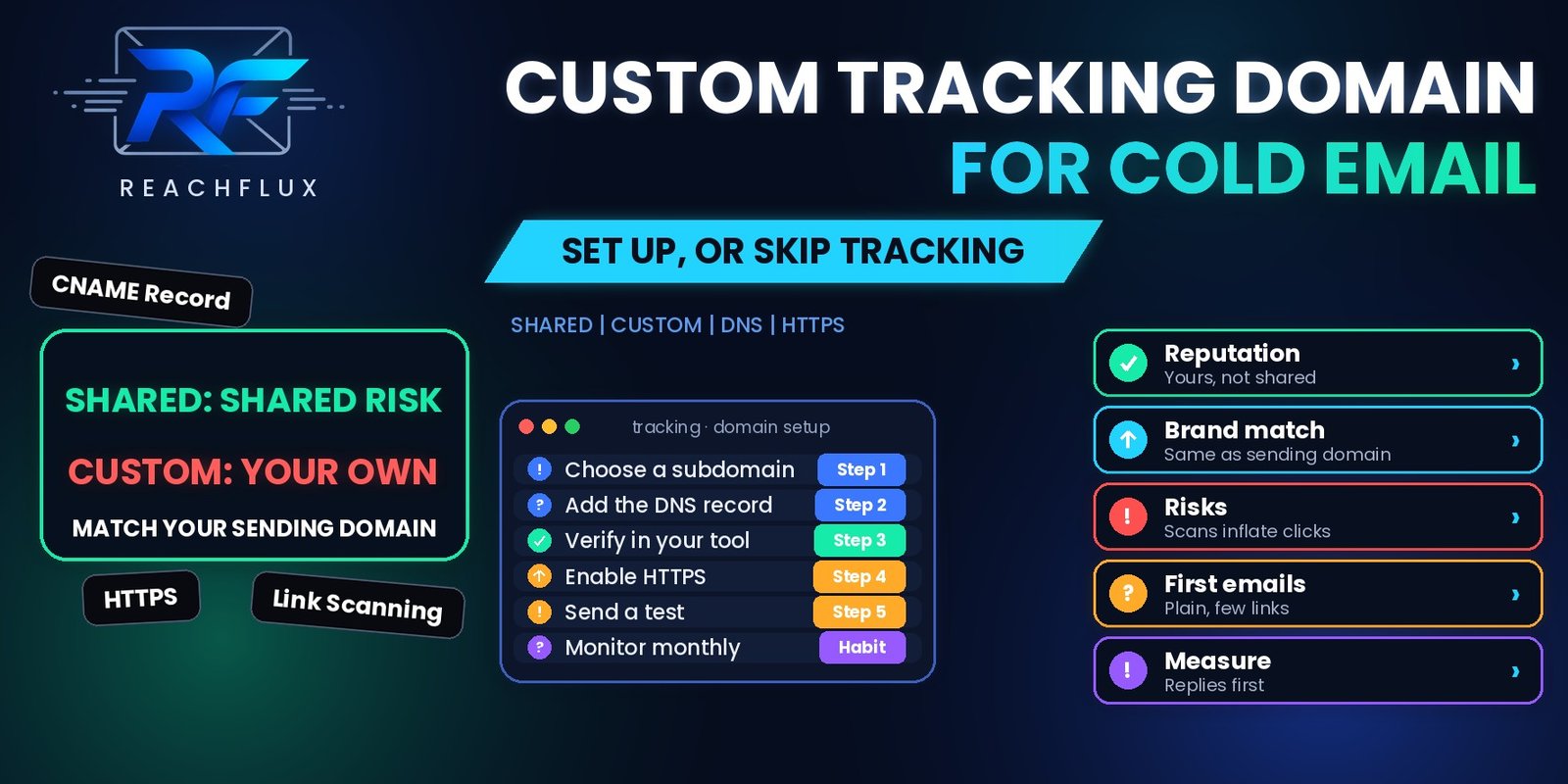
What is a custom tracking domain, and do you need one for cold email?
A custom tracking domain is a domain, usually a subdomain of your sending domain, that your sending tool uses to build the tracked links and tracking images in your emails. Instead of every click passing through the platform’s shared address, it passes through an address that clearly belongs to you. If you track clicks or opens, a custom tracking domain is generally safer than a shared one, because it keeps link reputation tied to your own domain and matches the domain recipients see.
You do not always need tracking at all. Many cold email senders skip link and open tracking in first emails, because tracked links add risk and the data is unreliable. This guide explains what the domain does, how to set it up, what can go wrong, and how to decide between tracking and plain links.
What a tracking domain actually does
When a sending tool tracks a click, it replaces the real link with a link on a tracking address. The recipient clicks that address, the tool records the click, and then redirects them to the real destination. Open tracking works differently: the tool embeds a tiny image whose address is also on a tracking domain, and loading that image records an open.
Both mechanisms put an address into your email that is not your website. Filters examine those addresses. If the tracking domain is shared with thousands of other senders, its reputation reflects all of them, including the careless ones. If it is a custom domain, its reputation reflects only you, which is better when you behave well and worse when you do not.
Shared tracking domain versus custom tracking domain
| Aspect | Shared tracking domain | Custom tracking domain |
|---|---|---|
| Reputation | Shared with many other senders, good and bad | Belongs to you alone |
| Setup effort | None | Requires a DNS record and verification in your sending tool |
| Brand match | Unrelated to your domain | Matches your sending domain, so links look consistent |
| Risk if another sender misbehaves | You can be affected | Not affected |
| Risk if you misbehave | Spread across other users | Concentrated on your own domain |
| When it fits | Quick tests and very low volume | Any ongoing programme that uses tracking |
How to set one up
Use a subdomain of your sending domain, such as a short, plain prefix, so the tracking address visibly belongs to the same brand as your emails.
Your sending tool will tell you which record type and value to publish, commonly a CNAME pointing to its tracking service. Follow its instructions exactly.
Most tools check the record and confirm when it resolves. Wait for DNS to propagate before you test.
Tracked links that load over a secure connection avoid browser warnings and look more trustworthy.
Send to your own mailbox, view the original and confirm the tracked link and image use your domain, and that authentication still passes.
What can go wrong with tracking domains
A new domain with no history
A freshly created tracking subdomain has no reputation of its own, so ramp up gradually, as you would for a sending domain.
Misconfigured DNS or HTTPS
A broken record or an invalid certificate makes links fail or trigger browser warnings, which damages trust.
Mismatched domains
A tracking domain unrelated to your sending domain can look suspicious. Keep them clearly related.
Redirect chains
Several hops through different domains look like link obfuscation. Keep redirects short and predictable.
Link scanning inflating numbers
Many gateways click links automatically, so click numbers can include visits no person made. See How to Get Cold Emails Past Corporate Spam Filters and Secure Email Gateways.
Open tracking unreliability
Privacy features can preload tracking images, so recorded opens may not reflect real reading.
Choosing a tracking approach for a small team
Imagine a four-person team sending a few hundred emails a day from three domains. They want to know whether tracking is worth it. They decide that first emails will be plain text with no tracked links, since they judge outreach by replies and want to keep first contact as clean as possible. For second and third touches, where a link to a short overview page adds value, they use a single link on a custom tracking subdomain that matches each sending domain.
They check each tracking subdomain with a test send, confirm HTTPS works, and add the three subdomains to their monthly infrastructure audit. They treat clicks as a weak hint and never base a decision on opens. The result is less data than full tracking, but a lower risk profile and a clearer picture of what actually drives replies.
When it is better not to track at all
For first emails, especially to corporate recipients, tracking often costs more than it gives. Links invite scanning and scrutiny, tracking images add another external address, and the numbers they produce are unreliable. If you judge outreach by replies and meetings, which you should, you do not need clicks and opens to know whether a message worked.
A reasonable approach is to send first emails as plain text with no tracked links, use tracking only on later steps where a link adds clear value, and always check your results against replies. The reasoning about links more broadly is in Links in Cold Emails: Should You Add a Calendar Link or Use Link Tracking?.
If you include links, keep them plain
- Use no link, or one link, in a first email.
- Make the link domain match your sending domain where you can.
- Avoid shorteners, which hide the destination and have mixed reputations.
- Do not show link text that suggests a different address from the real destination.
- Make sure the destination loads quickly and securely.
- Keep the visible text honest about where the link leads.
Troubleshooting tracked links that fail
| Symptom | Likely cause | What to check |
|---|---|---|
| Tracked links show a browser security warning | Certificate missing or expired for the tracking domain | Enable or renew HTTPS in your tool |
| Links go nowhere | The DNS record is missing or wrong | Compare the record with your tool’s instructions and wait for propagation |
| Tracked links look unrelated to your brand | Shared or mismatched tracking domain | Switch to a custom subdomain of your sending domain |
| Clicks recorded instantly after sending | A gateway scanning links automatically | Treat clicks as unreliable for those recipients |
| Authentication passes but placement worsens | Tracking domain reputation or link patterns | Test without tracked links and compare |
Keep an eye on the tracking domain
Treat the tracking domain as part of your infrastructure. Check periodically that the DNS record still resolves, that the certificate has not expired, and that the domain does not appear on any reputation lists. Include it in your regular infrastructure audit, as described in Cold Email Operating Rhythm: Daily, Weekly and Monthly Routines for Managing Outreach at Scale.
If your results drop and nothing else has changed, check the tracking domain early. A lapsed certificate or a changed record is a cheap thing to fix and an easy one to overlook.
Tracking, privacy and disclosure
Tracking collects information about recipients, and rules about that vary by country and by audience. Some regions treat tracking technologies as something that needs notice or consent. Check what applies to the people you contact, and be prepared to explain what you track and why. This is not legal advice, so ask a qualified adviser if you are unsure.
Beyond compliance, restraint is good practice. If you do not need open tracking, do not use it. The less you track, the fewer risks you carry. The wider compliance picture is covered in Cold Email Compliance and Deliverability: Opt-Outs, Sender Identity and Complaint Rates.
Measuring success without tracked links
If you decide not to track, you can still learn a great deal. Replies are the strongest signal and cost nothing to measure. Meetings booked through a plain scheduling link, or simply through a reply, show real interest. A short, specific question at the end of the email tells you whether people are engaging, and the content of replies shows what resonates.
If you want some link-level insight, you can add a single link to a page on your own website and look at ordinary web analytics, keeping in mind that gateways may visit links automatically. The point is to judge by outcomes that people produce deliberately. The wider measurement approach is in Cold Outreach Conversion Rates Dropping? How to Diagnose the Funnel From Sent to Booked.
Tracking domain checklist
- You have decided whether you will track opens, clicks or neither, and why.
- A custom tracking domain matches your sending domain if you track.
- The DNS record is published exactly as your tool specifies and verified.
- HTTPS is enabled for tracked links where offered.
- A test message shows the tracked link and image on your domain and authentication passing.
- First emails use no link or one plain link.
- Clicks and opens are treated as weak signals next to replies.
- The domain is included in your regular infrastructure checks.
Questions about tracking domains
What is a custom tracking domain?
It is a domain, usually a subdomain of your sending domain, that your sending tool uses to build tracked links and tracking images so that those addresses belong to you rather than a shared platform address.
Do I need a custom tracking domain for cold email?
If you track clicks or opens, a custom tracking domain is generally safer than a shared one. Many senders skip tracking in first emails entirely and judge results by replies.
How do I set up a custom tracking domain?
Choose a subdomain of your sending domain, publish the DNS record your sending tool specifies, verify it in the tool, enable HTTPS where offered and send a test to confirm the links and images use your domain.
Does link tracking hurt cold email deliverability?
It can. Tracked links add external addresses that filters examine, and gateways may scan them. Using no link or a single plain link in first emails is a lower-risk approach.
Are open and click rates reliable?
Not very. Privacy features can preload tracking images and gateways often click links automatically, so these numbers can include activity no person produced.
Can I use a URL shortener in cold emails?
It is better not to. Shorteners hide the destination and are often associated with abuse, which can trigger filters.
Track less, and make what you track yours.
Tracking is optional. If you use it, a custom tracking domain that matches your sending domain, set up carefully and monitored, is the safer choice. If you do not need the numbers, skipping it removes a whole category of risk.
Judge results by replies and meetings, and treat clicks and opens as hints.
Track sending status, replies and lead stages in one place.
ReachFlux separates signals such as opens and clicks from outcomes such as replies, lead stages and won revenue.