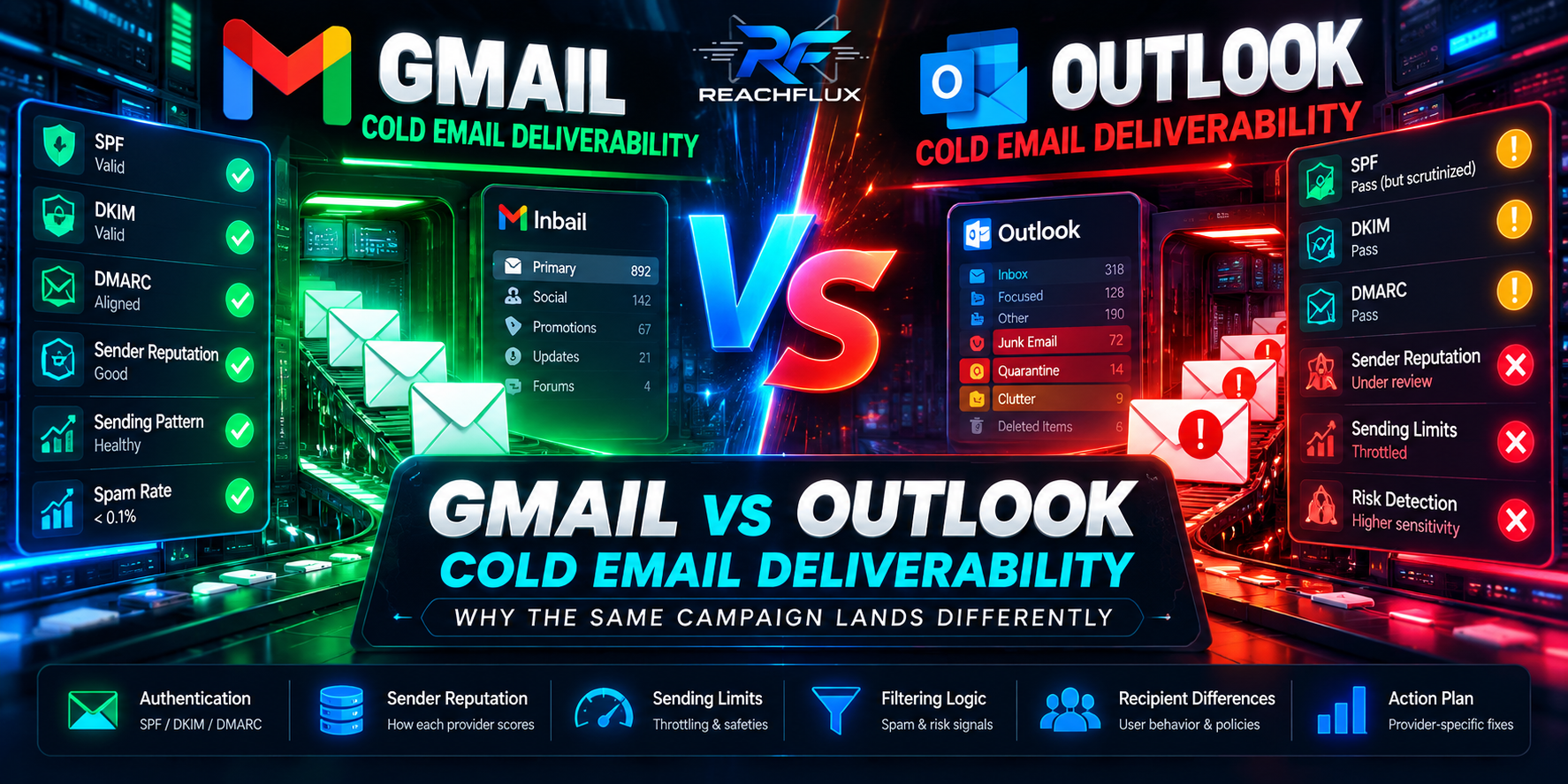
Why can the same cold email perform differently at Gmail and Outlook?
Because there is no single global spam filter. Gmail and Microsoft 365 run their own receiving, reputation, abuse-prevention and throttling systems. A message can pass authentication at both providers and still receive different treatment because each provider sees a different history of your sender, different recipient feedback and different traffic patterns.
For diagnosis, split results by recipient provider. Compare Gmail recipients with Microsoft-hosted recipients instead of averaging them into one campaign-wide deliverability number. Then inspect authentication, SMTP responses, bounces, reputation, volume changes and recipient quality for the provider that changed.
“Delivered” is not one decision made by one system.
A cold email passes through several decisions before a prospect can act on it. Your sending platform submits the message. The receiving provider decides whether to accept it. After acceptance, additional filtering can influence where the message appears. Recipient actions then feed future reputation decisions.
Who is sending and is the identity authenticated?
How much mail is arriving and how quickly did behavior change?
What history is attached to the domain, IP and traffic?
How does the provider classify this message and sender?
How do recipients react after messages arrive?
This is why “the email was sent successfully” is not a useful deliverability conclusion. A successful application event only proves that your system handed the message to the next layer. It does not prove inbox placement.
For the complete system view, read Cold Email Infrastructure: Domains, Inboxes, DNS and Sending Limits.
What Gmail is explicitly telling senders to monitor
Google's current sender guidance makes several things clear. Senders to personal Gmail accounts must meet authentication and technical requirements. Senders around 5,000 messages or more per day to personal Gmail accounts face additional requirements, including SPF, DKIM and DMARC. Google also says bulk-sender status is permanent once assigned.
Google recommends keeping Postmaster Tools spam rates below 0.1% and avoiding 0.3% or higher. It also recommends increasing volume gradually, avoiding sudden spikes, monitoring server responses, and reducing volume when bounces or deferrals rise.
What to inspect for Gmail-heavy campaigns
- SPF and DKIM results on real messages, not only DNS existence.
- DMARC alignment between the visible From domain and authenticated identity.
- Postmaster Tools spam rate and reputation where sufficient data is available.
- Recent increases in domain or IP traffic.
- SMTP deferrals, especially after volume changes.
- Recipient complaints and the quality of the addresses being contacted.
Google also states that it does not track open rates and cannot verify third-party open-rate accuracy. That is another reason not to treat a falling open rate as proof that Gmail suddenly moved everything to spam.
Microsoft can expose a different failure pattern.
Microsoft 365 has its own outbound abuse controls, service limits and high-risk delivery behavior. Microsoft documents that suspicious or low-quality outbound messages can be routed through a separate high-risk delivery pool, and delivery from that pool is not guaranteed because receiving organizations may reject those source IPs.
Microsoft also documents per-user service limits for Exchange Online, including a 10,000-recipient daily rate limit and 30 messages per minute. Those are hard service limits for Exchange Online — not recommended cold-outreach targets. Microsoft explicitly says Exchange Online is not designed for bulk-mailing scenarios and advises purpose-built bulk email services for high-volume sending.
What makes Outlook diagnosis different?
You may be dealing with two distinct Microsoft-related problems: mail sent from a Microsoft 365 mailbox can be restricted by outbound abuse controls, while mail sent to Microsoft-hosted recipients can face recipient-side filtering. Do not mix these into one diagnosis.
The same campaign can create different evidence at each provider.
| Signal | Gmail-heavy problem | Microsoft-heavy problem | What it suggests |
|---|---|---|---|
| Authentication failure | Spam/rejection risk | Filtering/restriction risk | Fix identity before copy |
| Sudden volume increase | Deferrals or reputation pressure | Throttling or unusual-activity controls | Reduce rate and inspect responses |
| Hard bounces | Recipient/data problem | Recipient/data problem | Stop retrying permanent failures |
| Provider-specific decline | Gmail signals changed | Microsoft signals changed | Segment diagnosis by MX/provider |
| Both providers decline | Shared sender/list/infrastructure problem becomes more likely | Check common changes first | |
The point is not that one provider is “harder.” The point is that a campaign-wide average hides the evidence you need.
Use this provider-by-provider workflow before changing domains or copy.
Separate Gmail/Google-hosted recipients from Microsoft-hosted recipients. If possible, classify by MX rather than the visible recipient domain alone.
Look for a change in SMTP outcomes. A provider-specific increase in temporary failures is more useful than a campaign-wide open-rate dip.
New domains, new inboxes, a larger list, faster pacing, a provider migration, DNS edits or a new message format can all change the traffic profile.
Inspect actual headers or provider diagnostics. DNS records that merely exist do not prove that the message authenticated and aligned correctly.
Check provider tools where available, complaint signals, bounce quality and whether your audience changed.
Do not replace domains, rewrite copy, change lists and double volume simultaneously. You will destroy the evidence needed to learn what fixed the problem.
SPF, DKIM and DMARC matter at both providers — but they do different jobs.
SPF authorizes sending infrastructure. DKIM signs the message using a domain-controlled key. DMARC evaluates alignment with the visible From domain and publishes a policy/reporting framework. They work together, but they are not interchangeable.
Passing authentication does not mean “guaranteed inbox.” It means you have removed a major identity problem from the diagnostic tree. That is valuable because reputation and behavior become easier to interpret once identity is stable.
Use the exact protocol breakdown in SPF vs DKIM vs DMARC: What Cold Email Senders Need to Know.
Authentication checklist after any infrastructure change
- Confirm SPF includes the infrastructure that actually sends.
- Confirm DKIM is signing outbound messages and the signature validates.
- Confirm the visible From domain aligns for DMARC.
- Check whether old DNS records or provider migrations created conflicts.
- Test more than one sender if the campaign uses multiple accounts.
Provider-specific reputation is why “same sender, same copy” can still behave differently.
Reputation is not a single public score shared by every mailbox provider. Each receiving ecosystem has its own view of your traffic. That view can incorporate domain and IP history, authentication, complaint behavior, volume patterns, recipient engagement signals and abuse indicators.
This creates a common outbound trap: the sender sees one campaign, but Gmail and Microsoft see separate streams of traffic with separate histories.
Recipient quality becomes a reputation input
A list can pass syntactic validation and still be poor for outreach. Role accounts, stale contacts, wrong ICPs and uninterested recipients can create negative downstream signals even when the addresses technically accept mail.
If reputation itself is the concern, use Cold Email Domain Reputation: How to Protect It and Recover When It Drops.
Do not ask “How many emails per day?” before asking “What changed?”
There is no universal daily cold-email number that guarantees inbox placement at Gmail or Outlook. Provider service limits, sender history, recipient mix and campaign quality are different concepts.
A more useful question is whether your current workload is stable relative to the sender's recent behavior. Google explicitly advises gradual increases and consistent sending rather than bursts. Microsoft applies service and abuse controls to Exchange Online senders. In both ecosystems, sudden behavior changes deserve attention.
Include new messages and follow-ups. A sequence can create much more traffic than the number of new prospects added today.
Campaign totals hide overloaded accounts. Inspect each mailbox and sending domain separately.
A list that suddenly contains far more Microsoft-hosted or Gmail-hosted recipients changes where your traffic is concentrated.
Add capacity because the workload requires it, not because a generic online formula says every inbox can send the same amount.
For capacity planning, read Cold Email Sending Limits: How Many Emails Should You Send Per Day?.
Your SMTP responses are often more useful than your dashboard.
A bounce or deferral is not just a failed send. It is evidence from the receiving system. Preserve the status code and response text. A 4xx-class response generally indicates a temporary condition, while a 5xx-class response generally indicates a permanent failure, but the accompanying provider text is essential for diagnosis.
Do not collapse every failure into “bounce”
| Outcome | Meaning | Action |
|---|---|---|
| Accepted | Receiving server accepted responsibility for the message | Do not assume inbox placement |
| Temporary deferral | Provider asks sender to retry later | Slow down and inspect the exact response |
| Permanent recipient failure | Address/domain cannot accept the message | Suppress the failed recipient |
| Policy/reputation rejection | Provider rejects based on policy or sender state | Investigate authentication, reputation and traffic |
| Sender restriction | Sending account/provider prevents outbound mail | Fix sender-side account or tenant issue |
For bounce diagnosis, read Why Do Cold Emails Bounce? 15 Reasons and How to Fix Them.
How to test Gmail vs Outlook without fooling yourself
Sending one message to your own Gmail and one to your own Outlook account is not a deliverability study. It can confirm basic transmission and authentication, but it cannot reproduce the reputation and recipient-feedback context of a real campaign.
Use controlled comparisons instead
- Keep sender, message and timing as stable as practical.
- Segment outcomes by receiving provider.
- Track accepted, deferred and rejected messages separately.
- Compare new-message traffic with follow-up traffic.
- Record infrastructure changes with timestamps.
- Do not use open rate as the only placement proxy.
- Wait for enough observations before declaring a provider-wide problem.
The goal is not to “beat Gmail” or “beat Outlook.” The goal is to isolate which layer changed and remove uncertainty from the next decision.
If one provider deteriorates, use this order.
Stop introducing new variables while you collect evidence.
If deferrals, bounces or restrictions are rising, lower the affected workload rather than forcing more volume through it.
Identity and sender-side restrictions come before copy experiments.
Do not repeatedly send to recipients that have produced permanent delivery failures.
Check whether the provider-specific decline began with a new list, geography, role type or enrichment source.
Once the failure signal stabilizes, increase workload deliberately while continuing to monitor provider responses.
If delivery is healthy but replies are weak, move the investigation to targeting, offer and message quality.
ReachFlux is designed around this operational view of outbound: multiple sender accounts, workload distribution, randomized delay controls, validation, reply management and campaign analytics in one system. The software can help you control the process, but no platform can guarantee inbox placement.
Gmail vs Outlook cold email deliverability questions
Why do cold emails deliver differently to Gmail and Outlook?
Because each provider runs its own filtering, reputation, throttling and abuse-prevention systems. The same authenticated message can therefore receive different treatment.
Is Gmail stricter than Outlook for cold email?
That framing is too simple. Both providers enforce their own requirements and protections. What matters is the evidence for your sender: authentication, responses, reputation, recipient feedback and traffic behavior.
Does passing SPF, DKIM and DMARC guarantee the inbox?
No. Authentication is foundational, but it does not guarantee placement. Reputation, complaints, recipient quality, traffic patterns and provider policies still matter.
Should I use different copy for Gmail and Outlook?
Not as the first response to a delivery problem. If one provider is rejecting or deferring mail, fix the delivery layer first. Copy testing belongs later when acceptance and sender health are stable.
Can I use open rate to compare Gmail and Outlook?
Not reliably. Privacy behavior, image loading and filtering can distort opens. Compare SMTP outcomes, bounces, reputation signals and replies as well.
What if both Gmail and Outlook performance drop at the same time?
Look first for a shared change: sender domains, authentication, list source, volume, infrastructure, message format or campaign configuration.
Stop diagnosing a multi-provider campaign as if the internet had one spam filter.
The strongest clue may be the difference between providers. If Gmail changes while Microsoft stays stable, or Microsoft changes while Gmail stays stable, that divergence narrows the investigation.
Start with provider segmentation. Then inspect identity, SMTP evidence, reputation, recipient quality and traffic changes. Keep the variables controlled. That process produces a diagnosis you can act on instead of another round of random domain changes.
Control sender workload, validate recipients and keep campaign behavior observable.
ReachFlux brings campaign sending, multi-account distribution, validation, tracking and reply workflows into one deliverability-focused outbound system.