What is the best time to send cold emails?
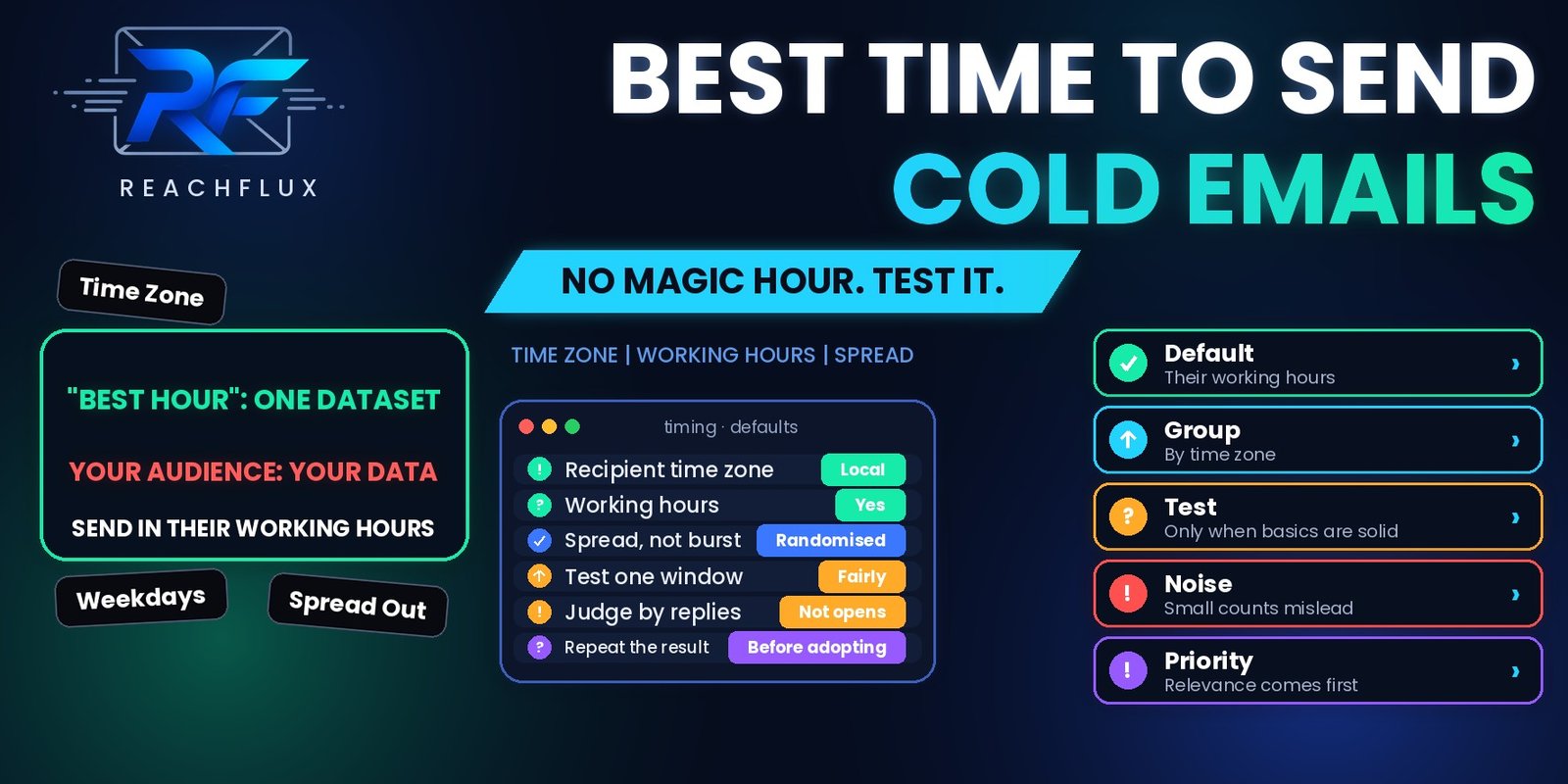
There is no universal best time. Studies and blog posts report different peak days and hours, and they disagree because audiences, industries and inbox habits differ. A sensible default is to send during the recipient’s normal working hours in their own time zone, on working days, and to avoid sending in large bursts. Beyond that, the best time is the one your own data shows works for your own audience.
Timing is a small lever compared with list quality, relevance and deliverability, so do not spend weeks optimising it before the basics are right. This guide explains what actually affects timing, why generic advice misleads and how to test send times fairly.
Why generic answers do not hold up
Claims such as “Tuesday at ten is best” usually come from a particular sender’s data, collected for a particular audience, often measured with open rates. Opens are unreliable, and one sender’s audience may look nothing like yours. When everyone follows the same advice, the supposedly best slot also becomes crowded, which erodes any advantage.
Treat published timing statistics as hints, not rules. Your audience, offer and sending patterns are what count.
The factors that actually matter
| Factor | Why it matters | What to do |
|---|---|---|
| Recipient time zone | An email at the wrong local time lands out of hours | Segment by time zone and send within local working hours |
| Role and industry | Different roles keep different schedules | Think about when your specific audience reads email |
| Day of the week | Mondays and Fridays are often busier or quieter | Test rather than assume |
| Season and holidays | Holidays and year-end change attention | Avoid known quiet periods, or adjust expectations |
| Your sending pace | Bursts look automated and strain reputation | Spread sending over the day |
| The message itself | A relevant message beats a perfect send time | Fix relevance first |
Defaults to start from
Local working hours
Send within the recipient’s normal working hours in their own time zone.
Working days
Prefer weekdays, and avoid public holidays in the recipient’s region.
Spread, not burst
Randomised delays across the day look more natural and protect reputation. See How to Make Cold Emails Look Less Automated to Spam Filters (Without Losing Scale).
Consistent windows
Pick regular sending windows so results are comparable over time.
Care with follow-ups
Space them out so they feel attentive, not relentless. See Cold Email Follow-Up Timing: How Long Should You Wait Before Following Up?.
A worked example: testing two send windows
Imagine a team with one validated list of 600 contacts across similar time zones. They want to compare a morning window with an early-afternoon window. They shuffle the list and split it into two groups of 300, send the same message from the same mailboxes, and run both windows over the same five days.
At the end, the morning group produced 9 positive replies and the afternoon group produced 7. That looks like a small win for mornings, but the gap is two replies, so the team does not change anything yet. They repeat the test on a fresh list the following month. If mornings win again, they adopt it as a default. If the result flips or ties, they conclude that timing does not matter much for this audience and move on to improving the message. The discipline is in repeating before deciding.
Test send times fairly
Test timing only when list quality, message and deliverability are stable.
Create comparable groups from the same source.
Keep the message, senders and everything else the same.
Opens are unreliable. Positive replies are the measure that matters. See Cold Email A/B Testing: How to Test Copy, Offers and Lists Without Fooling Yourself.
Differences in reply counts are often noise. Run it again.
How timing thinking differs by audience
| Audience | Things to consider | Starting point |
|---|---|---|
| Executives and founders | Packed days, often read on phones early or late | Test early and late windows within working hours |
| Operations and technical roles | Structured days with focused work periods | Mid-morning or after lunch windows are worth testing |
| Retail and wholesale buyers | Peak trading periods and seasonal buying cycles. See How to Email Retail Buyers and Stockists: A Wholesale Outreach Playbook for Ecommerce Brands | Avoid their busiest trading days; plan around buying seasons |
| Agencies and consultants | Client work fills the day | Test start-of-day and end-of-day windows |
| Finance and regulated sectors | Cautious inbox habits and strict filters. See Why Do My Finance Cold Emails Keep Landing in Spam? 9 Causes and Fixes for Financial Services Outreach | Ordinary working hours, calm pace |
These are hypotheses to test, not facts. Each audience differs, and your own results should replace this table as soon as you have enough data.
Why timing tests are especially noisy
Reply counts are small, and the effect of send time is usually small too. That combination makes timing the easiest thing to over-interpret. A few extra replies on Tuesday does not mean Tuesday is better. It may simply mean chance. Require repeated results before you change your schedule, and do not let timing tests delay work that matters more.
Handle time zones properly
If your audience spans regions, group contacts by time zone and schedule each group in its own local working hours. If your tool cannot do that, split the list by region and send in waves. Sending everything at one clock time means some recipients receive your message at night, which looks careless and can lower engagement.
Timing and sender reputation
Large bursts of mail at one moment can look unusual to mailbox providers. Spreading sending across the working day, with randomised gaps and per-inbox limits, is better for reputation than hitting a perfect hour. The pacing principles are in Cold Email Sending Limits: How Many Emails Should You Send Per Day? and the broader map in the Cold Email Deliverability: The Complete Guide to Inbox Placement, Reputation and Fixes.
Timing for follow-ups is a different question
First emails and follow-ups answer different timing questions. For a first email, you are choosing a window. For follow-ups, you are choosing a gap. A common pattern is to follow up sooner after the first email and to widen gaps as the sequence continues, so the cadence feels attentive early and unobtrusive later. If a prospect said “not now”, honour the date you agreed, because a follow-up that arrives exactly when promised builds trust.
The detailed approach to spacing, with reasoning, is in Cold Email Follow-Up Timing: How Long Should You Wait Before Following Up?, and sequence structures are in Cold Email Follow-Up Sequence Examples: Structures, Templates and What Each Step Should Do.
Timing myths worth dropping
“There is one magic hour”
Different audiences and years produce different results. A claimed single best hour usually reflects one dataset.
“Open rates prove the best time”
Privacy features and link scanning can record opens that no person made, so open-based timing studies mislead.
“Sending at odd hours stands out”
It often just lands out of hours and looks careless, or like automation.
“Timing can fix a weak message”
A relevant message in a decent window beats a weak one in a perfect window.
Send timing checklist
- Messages go out within the recipient’s local working hours.
- Contacts are grouped by time zone where relevant.
- Sending is spread over the day with randomised gaps.
- Weekdays are preferred, and holidays are avoided.
- Timing tests start only after list, message and deliverability are stable.
- Tests change only the send window and are judged by replies.
- Promising results are repeated before adoption.
- Timing is not allowed to distract from higher-impact work.
Questions about send timing
What is the best time to send cold emails?
There is no universal answer. A sensible default is the recipient’s local working hours on working days, spread across the day, with your own data deciding what works best for your audience.
What is the best day to send cold emails?
Published answers vary and often rely on unreliable open data. Test days with fair, reply-based experiments instead of assuming.
Should I send cold emails in the recipient’s time zone?
Yes. Group contacts by time zone and schedule each group within its local working hours.
Do send times affect deliverability?
Indirectly. Large bursts can look unusual, so spreading sending across the day with randomised gaps is better for reputation than chasing a perfect hour.
How do I test the best send time for my audience?
Fix list, message and deliverability first, split one list randomly, change only the send window, judge by positive replies and repeat promising results before adopting them.
Is timing more important than the message?
No. Relevance, list quality and deliverability matter far more, and timing is usually a small lever.
Send in their working hours, and let your data decide the rest.
Timing is a small lever. Send during the recipient’s local working hours, spread your sending out and keep windows consistent. Test only when the basics are in place, and trust repeated results over published rules of thumb.
Put your energy into relevance and deliverability first.
Spread sending with randomised delays across connected accounts.
ReachFlux lets you set randomised delay ranges and distributes recipients across connected sender accounts.