Do spam filters block automated cold emails?
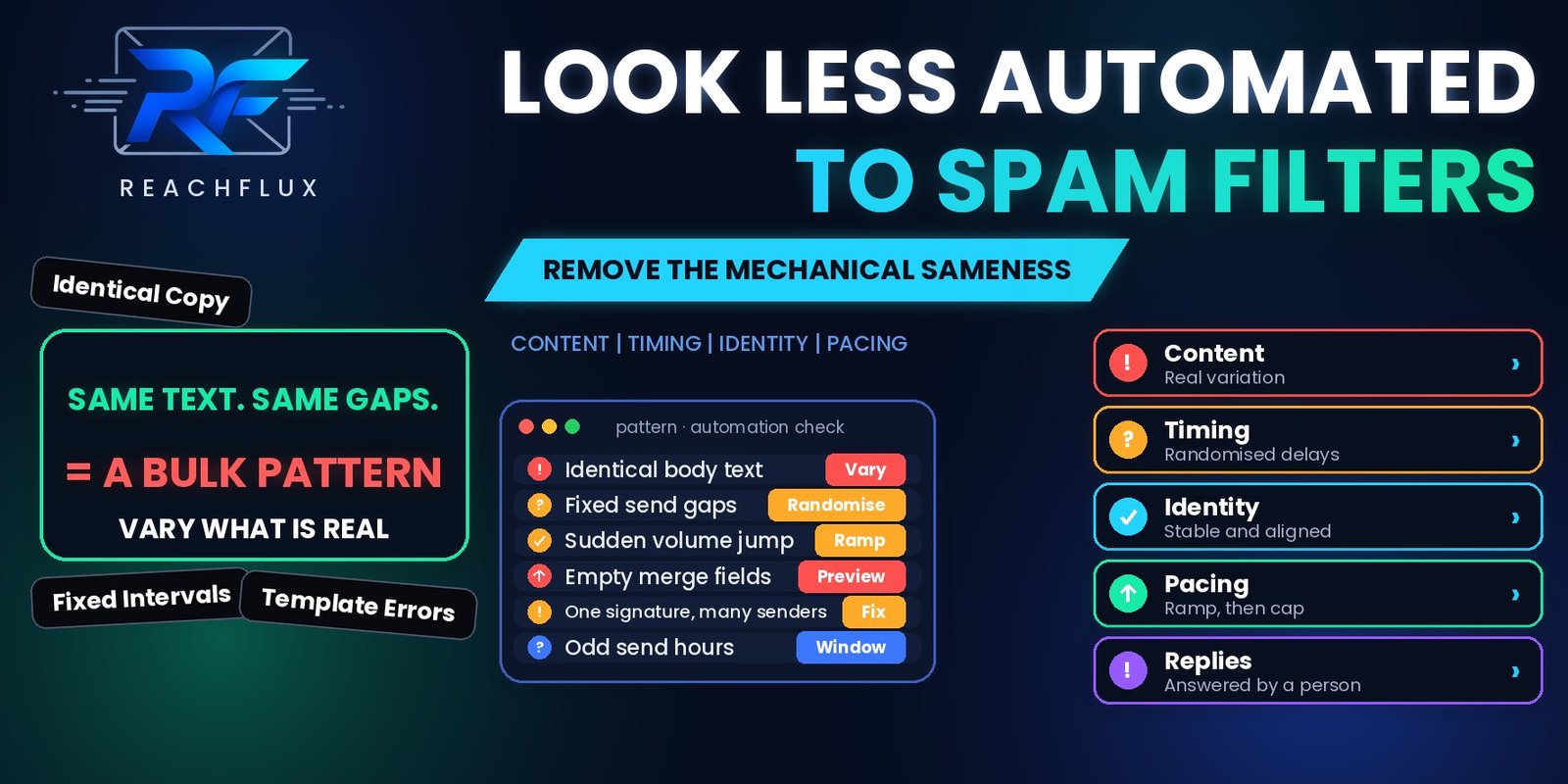
No. Filters do not punish automation as such. Newsletters, receipts and password resets are all automated. What they score is a set of patterns that tend to travel with bulk abuse: identical content repeated at scale, machine-regular timing, volume that jumps from zero to full speed, templating mistakes, and senders whose identity and infrastructure look thin or inconsistent. “Looking less automated” therefore means removing the mechanical sameness, not pretending a person typed each message.
In practice that comes down to six habits: vary the message structure in ways that are real and accurate, randomise send timing inside sensible windows, spread volume across stable sender identities, keep messages short and plain, personalise with facts that matter, and handle replies like a person would. Everything else is detail.
What actually makes an email look automated
Mailbox providers do not publish their rules, and they change constantly, so treat this table as a model of how bulk detection generally works rather than a rulebook. The right-hand column is what to do about each pattern.
| Pattern | Why it looks automated | Better approach |
|---|---|---|
| Identical body text sent to thousands of people | Many filters compare messages for near-duplicates across a sender | Write modular emails with genuinely different openings and asks per segment, not just a swapped first name |
| Fixed gaps between sends, such as exactly 60 seconds | Humans are irregular; scripts are not | Use a randomised minimum-to-maximum delay range |
| Full daily volume from day one | A sudden jump looks like a compromised or abusive account | Ramp up gradually and let daily totals vary a little |
| Template mistakes such as “Hi ,” or visible field names | Unfilled tokens are a giveaway of mass mailing | Preview every campaign and set fallbacks for missing fields |
| The same subject structure in every message | Subject lines are an easy fingerprint | Write specific subjects and vary prefixes or suffixes where it is natural |
| One signature copied across several senders | Identity details do not match the person writing | Give each sender account its own correct signature |
| Sends at odd hours for the recipient | Looks scheduled by a machine rather than written by a person | Send inside working-hour windows for the recipient |
| The same tracked link in every message | Repeated link patterns are easy to cluster | Use no link or one plain link on a domain you control |
Tricks that do not work, and some that backfire
A lot of advice in this area treats the filter as a puzzle to be tricked. It is better treated as a reader to be convinced.
Synonym spinning makes the email human
Randomly swapping words keeps the same sentence skeleton and often produces awkward phrasing, which is worse for the reader and no better for the filter. Vary structure and substance, not vocabulary.
Hidden characters or random strings break the fingerprint
Obfuscation is itself a spam signal. Filters have seen these tricks for years, and they damage deliverability more than they help.
Fake “Re:” subjects or invented prior threads add credibility
They are deceptive, they can fall foul of rules against misleading subject lines, and recipients notice immediately. Trust lost at the subject line is hard to recover.
Slower sending fixes everything
Sensible pacing helps, but it cannot rescue a poor list, weak authentication or irrelevant targeting. Pace is one control among several.
Pretending a person wrote it by hand
You do not need to claim that. Be honest about who you are and why you are writing, and make the content genuinely relevant.
What to vary, and how much
Variation should come from real differences in what you say. Done well, it has the side effect of making each message less like its neighbours.
Start with the opening line, which is where relevance is easiest to show. A first sentence about the prospect's market, role or recent change will naturally differ between segments. Then vary the ask: some messages can end on a question, others offer a short summary, others suggest a call. Vary length slightly, since not every email should be the same number of lines. Rotate greetings and, where natural, subject prefixes or suffixes. Finally, make follow-ups add something different instead of repeating the first email in smaller words.
Keep the core promise and every factual claim the same across variants. If one version says you do something that another does not, you have created a risk, not variation.
For how many touches to send and when, see Cold Email Follow-Up Timing: How Long Should You Wait Before Following Up?.
One offer, three genuine variants
Imagine you sell scheduling software to operations teams. Below are three first emails for the same offer. They differ in opening, ask, length and subject, but every factual claim is identical, which is the point. Placeholders appear in square brackets.
Hi [first name], teams that run [type of operation] often lose hours each week to manual shift changes. We built [product] to handle that automatically. Would it be useful if I sent a two-line summary of how it works?
Hi [first name], I saw that [company] is hiring for [role], which usually means scheduling is getting more complicated. [Product] helps operations teams keep shifts organised without spreadsheets. Open to a short call next week?
Hi [first name], does [company] still manage shift changes in spreadsheets? If so, [product] may save your team time. Happy to share how.
What changed between the variants: the subject, the opening line, the length and the ask. What stayed the same: what the product does. That is real variation. It reads naturally because each version is written for a slightly different reader, and it breaks up the identical-text pattern without inventing anything.
One caution. The second variant mentions a hiring signal. That line is only acceptable when it is true for that company, so variants that rely on a specific observation should be used only where the observation has actually been checked.
Make timing irregular without making it reckless
Humans take a break, answer a call, and come back. A script sends every sixty seconds until it is done. A randomised delay range solves the second pattern directly: you set a minimum and a maximum, and the gap between sends lands somewhere inside it.
Pair that with working-hour windows in the recipient's time zone, a gradual ramp when an inbox or domain is new, and daily caps per inbox. Volume limits matter as much as randomness, because a perfectly irregular flood is still a flood. The limits and how to set them are covered in Cold Email Sending Limits: How Many Emails Should You Send Per Day? and How to Scale Cold Email From 250 to 1,000 Emails a Day Without Landing in Spam.
Keep identity consistent while content varies
There is a counterintuitive side to this. Randomness belongs in the content and timing; consistency belongs in the identity. A stable sender name, a signature that matches, a domain with history and authentication that passes are what make a sender look established. Many senders do the reverse, rotating domains and names while sending identical copy, which is the pattern filters expect from abuse.
Spread volume across several accounts so no single inbox looks overloaded, but keep each account's identity coherent. Domain health underpins this, so read Cold Email Domain Reputation: How to Protect It and Recover When It Drops and Cold Email Inbox Rotation: How to Distribute Outreach Across Multiple Sender Accounts.
Validated, relevant contacts first. Bounces look automated too.
Real names, matching signatures, aligned authentication.
Different openings, asks and lengths, with consistent facts.
Randomised delays inside working-hour windows and daily caps.
Fast, personal answers, and sequences stop on reply.
Personalise with facts, not just fields
A merge field that inserts the company name is personalisation in the technical sense only. Readers and filters both recognise it. What reads as human is a specific observation connected to your offer: a hiring signal, a product launch, a market the company serves. One accurate, relevant sentence does more than five inserted tokens.
If you use AI to draft, treat the output as a first draft that you check for accuracy and tone. Unverified claims about a prospect are worse than none. And always preview the final message with real data before launch, because the cheapest way to look automated is to send a visible template error to hundreds of people.
The relationship between list quality and message quality is covered in Cold Email List vs Copy: How to Find What’s Hurting Results.
How to test whether it is working
You cannot see a spam filter's score, so you measure outcomes. Split a small, similar group into two versions and compare replies, bounces and complaints over the same period. Change one variable at a time, write down what you changed, and avoid judging on opens, which are unreliable (see Links in Cold Emails: Should You Add a Calendar Link or Use Link Tracking?). For placement checks, the approach in Cold Email Inbox Placement: How to Measure It, Test It and Improve It shows how to measure without fooling yourself.
Follow-ups, replies and auto-responses
Follow-ups are where automated sequences most often give themselves away. A message that repeats the first email in smaller words, or simply says “just bumping this”, is the easiest pattern in outreach to recognise. A better follow-up adds something new: a clearer benefit, a different angle, a simple question, or a short case for why now. Sending it in the same conversation thread, where your tool supports it, also mirrors how people normally follow up with each other.
Replies need as much care as sends. Answer quickly, in your own words, and make sure a real reply stops the rest of the sequence. Treat automatic out-of-office replies differently from human replies: they should pause or delay the sequence rather than count as engagement, and they should never trigger a thank-you from you. If your follow-up cadence is still undecided, Cold Email Follow-Up Timing: How Long Should You Wait Before Following Up? covers spacing.
Pre-send checklist: reduce mechanical sameness
- Authentication passes and aligns on a real delivered message.
- The list is validated and free of obvious role addresses.
- Openings differ by segment and carry one accurate, relevant observation.
- Subject lines are specific, with any prefix or suffix variation sounding natural.
- Each sender account has its own correct signature.
- Send delays are randomised and limited to recipient working hours.
- Daily volume per inbox is capped and ramped gradually.
- The preview shows no empty or visible template fields.
- Replies stop the sequence and are answered by a person quickly.
Questions about automated-looking cold emails
Do spam filters detect automated cold emails?
Filters do not look for automation itself. They score patterns that accompany bulk abuse, such as identical content at scale, machine-regular timing, sudden volume jumps, template errors and weak sender identity.
Does spintax help cold emails avoid spam filters?
Rarely. Swapping synonyms keeps the same sentence structure, tends to read awkwardly, and does not fix the real causes of spam placement such as poor lists or weak authentication. Real variation in structure and substance works better.
Is it a good idea to randomise send times?
Yes, within reason. A random delay between a minimum and a maximum avoids the machine-regular gaps scripts produce. Combine it with working-hour windows and daily caps so randomness does not become recklessness.
How different should each cold email be?
Different enough that it makes sense to the individual recipient. Vary the opening, the ask and the length by segment, while keeping facts and claims consistent across versions.
Can software make cold email look human?
Software can give you controls such as delay ranges, greeting rotation and per-sender signatures, but none of them guarantees inbox placement. Targeting, list quality, domain health and the message itself still decide the outcome.
Should I tell recipients the email is automated?
You do not need to announce your tooling, but you should be honest about who you are and why you are writing, and you should make it easy to opt out.
Do not hide the automation. Remove the sameness.
The goal is not to fool a filter. It is to send messages that are each worth reading, from identities that look established, at a pace that looks like work being done rather than a script running. Do that, and you get the deliverability benefits as a side effect of being a better sender.
Start with the list and the identity, then add genuine variation and irregular timing, and judge everything by replies.
Randomised delays, subject and greeting variation, and per-sender signatures.
ReachFlux gives you practical sending controls. They are controls, not a promise of inbox placement, and they work best alongside healthy domains and accurate targeting.