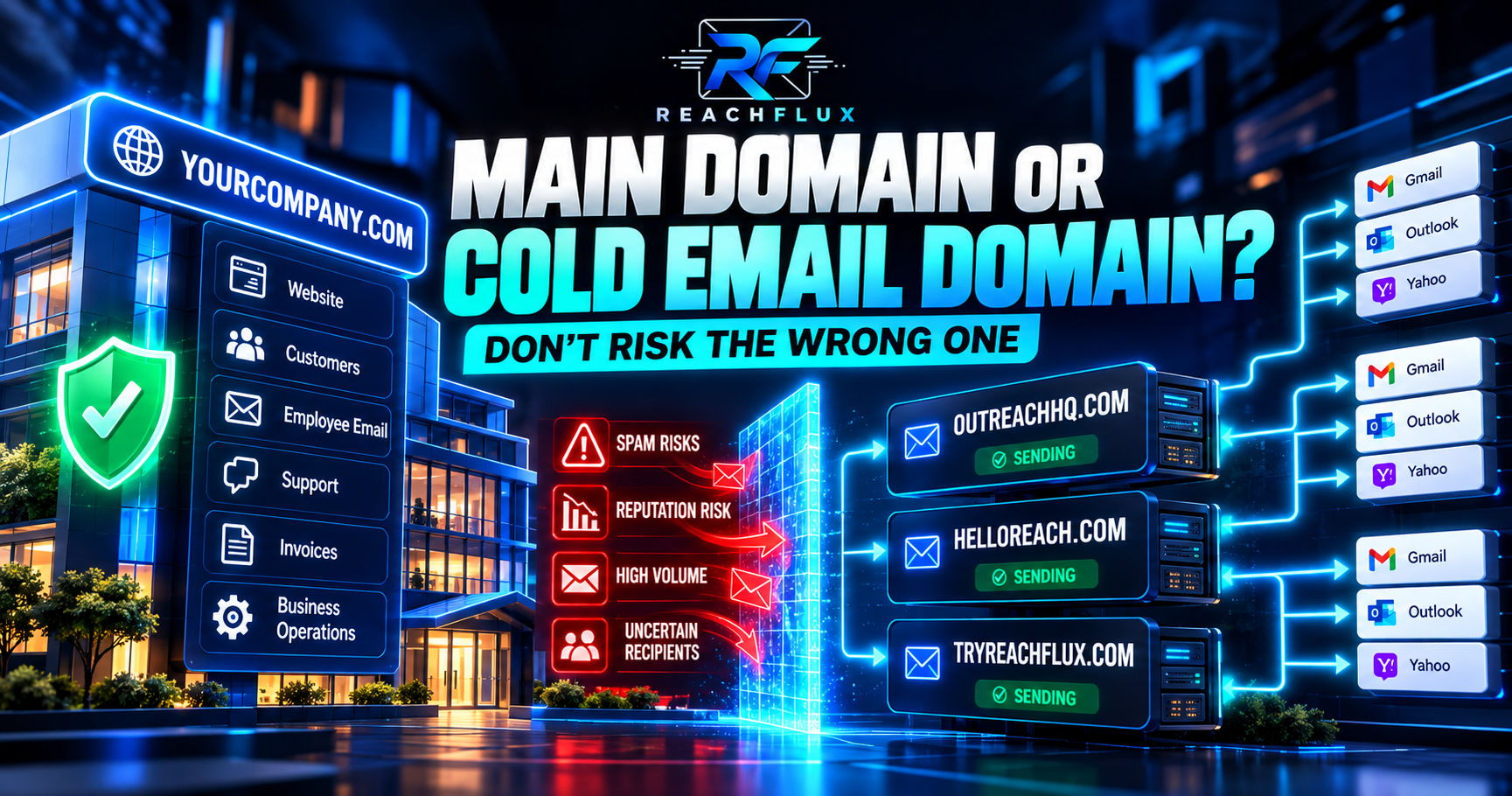
You can technically send cold outreach from your primary business domain. But if that domain also handles customer support, employee communication, invoices, password resets and important business conversations, putting all outbound activity through the same identity creates unnecessary operational exposure. A separate sending domain can separate those workloads. It does not, however, make aggressive sending, poor lists or weak authentication safe.
Should you use your primary domain for cold email?
For low-volume, carefully targeted outreach, using a primary domain is technically possible. For repeatable outbound at meaningful scale, many teams prefer separate sending domains so critical company communication and prospecting do not depend on exactly the same sending identity. Whichever structure you choose, configure authentication correctly, keep recipient quality high, monitor failures and complaints, and avoid sudden sending spikes.
The important phrase there is:
Separate infrastructure reduces exposure. It does not remove responsibility.
Buying another domain is easy.
Building healthy sending behavior on it is the difficult part.
Primary domain vs cold email domain: what is the difference?
Your primary domain is usually the domain at the center of your company identity.
If your business is Example, that might be:
It may host:
- Your website
- Founder and employee email
- Customer conversations
- Support messages
- Invoices and account communication
- Important business correspondence
A separate cold email domain is another domain used for outbound prospecting.
The goal is not to deceive recipients.
The goal is to create operational separation between different email workloads.
Website, employees, customers and important company communication may all depend on it.
A separate domain can be dedicated to prospecting and managed independently.
What happens if you use your main domain for cold email?
Nothing automatically goes wrong simply because an outbound message comes from your primary domain.
That distinction matters.
There is no Gmail rule saying:
“Cold email must use a secondary domain.”
Email providers evaluate many signals around authentication, reputation, traffic patterns, recipient feedback and message handling.
The real concern is what happens if prospecting activity performs badly.
Your important email shares the same business identity
Imagine your primary domain handles:
- Sales outreach
- Customer support
- Founder email
- Supplier communication
- Invoices
- Hiring conversations
Now imagine outbound recipient quality deteriorates.
Complaints increase.
Sending volume jumps.
Or authentication breaks.
You have placed a prospecting workload next to communication that may be much more valuable to the business.
That is the risk I care about.
Low volume changes the equation
Suppose a founder manually sends a small number of carefully researched emails to companies that clearly fit the product.
That is very different from operating multiple inboxes across automated sequences and thousands of prospects.
Infrastructure should match the workload.
Why use a separate domain for cold email?
A separate sending domain gives you another boundary in the system.
Prospecting traffic can be managed separately from employee and customer communication.
Reputation, authentication and campaign behavior are easier to reason about when outbound has a clear boundary.
Dedicated inboxes can be created around the outbound workload instead of mixing them with core accounts.
Additional capacity can be planned around domains and inboxes instead of pushing one identity harder.
But there is an important catch.
If you send to poor-quality data, create complaint-heavy campaigns, ignore authentication or suddenly increase volume, the new domain can develop its own problems.
Does a separate domain protect your main domain?
It can provide operational separation between prospecting and core business mail, but “protection” should not be interpreted as perfect reputation isolation. Providers can evaluate domains, IPs, authentication, content, sending behavior and other signals. The safer approach is to treat every sending domain as an asset that needs responsible management.
This is where cold email advice often becomes too simplistic.
You will see statements such as:
“Never use your primary domain. Just buy another domain and you're safe.”
The first half can be reasonable risk-management advice.
The second half is not.
A secondary domain can also earn a poor reputation.
Should you use a subdomain for cold email instead?
Another option is a subdomain.
A subdomain gives you a distinct hostname and can help separate technical configuration or mail streams.
But it still belongs to the same organizational domain.
That means I would not treat:
outreach.example.com
as equivalent to complete separation from:
example.com
Separate domain vs subdomain
| Option | Example | Best way to think about it |
|---|---|---|
| Primary domain | example.com | Core company identity |
| Subdomain | outreach.example.com | Separate hostname under the same organizational domain |
| Secondary domain | examplehq.com | A separate domain dedicated to another sending workload |
How domain reputation fits into this decision
Your domain decision matters because outbound is not just about whether the SMTP server can send a message.
Receiving systems decide how to handle that message.
Reputation can be influenced by signals such as:
- Recipient complaints
- Sending patterns
- Authentication
- Invalid recipients
- Historical traffic
- Domain and IP reputation
- Provider-specific signals
Google specifically tells senders to monitor spam rate, domain reputation, IP reputation, authentication and delivery errors in Postmaster Tools.
It also advises senders to increase volume gradually and reduce sending when messages start bouncing or being deferred.
Every cold email domain still needs authentication
Buying a secondary domain is only the beginning.
It needs to be configured as a real sending identity.
SPF identifies systems authorized to send mail for a domain.
DKIM provides a cryptographic signature tied to the sending domain.
DMARC builds on SPF and DKIM and adds domain alignment and policy.
Google currently requires SPF or DKIM for senders to personal Gmail accounts.
Senders above Google's bulk-sender threshold must use SPF, DKIM and DMARC and meet additional requirements.
Yahoo likewise requires SPF or DKIM for all senders and stronger authentication for senders it classifies as bulk senders.
What should a cold email domain look like?
If you decide to use a separate domain, do not turn it into something that looks intentionally deceptive.
The sender should still clearly represent the business.
Think recognizable and defensible.
Not confusing.
A recipient should be able to understand which business is contacting them.
Use a domain and mailbox structure that looks like a legitimate business communication channel.
Your domain should support transparent sender identity, not disguise it.
How do you choose between your primary domain and a separate domain?
I would make the decision using business impact rather than a random rule from a cold email thread.
If losing reliable business email would be painful, reduce unnecessary exposure around that identity.
A founder sending a few researched messages and a sales operation running multiple sequences are different infrastructure problems.
Larger or less predictable lists create more reason to isolate outbound operations carefully.
Multiple inboxes increase the importance of monitoring, distribution and infrastructure planning.
More domains create more infrastructure to configure, maintain and diagnose.
A simple decision framework
A practical cold email domain setup
If you choose dedicated sending infrastructure, I would think about it in this order.
Keep the business identity recognizable.
Set up the records required by your mail provider.
Verify SPF, DKIM and DMARC behavior.
Build sender capacity around real campaign needs.
Reduce preventable delivery failures before sending.
Avoid jumping immediately into large traffic spikes.
Watch bounces, deferrals, complaints and provider responses.
Add capacity only when the existing system behaves predictably.
How many domains and inboxes should you use?
This is where the domain question becomes a capacity-planning question.
Do not begin with:
“Everyone says I need five domains.”
Begin with your actual workload.
Then distribute those inboxes across a domain structure that fits your risk tolerance and operating model.
Remember that campaign workload includes more than first-touch messages.
8 mistakes to avoid with cold email domains
Poor recipient quality and complaint-heavy sending remain problems on a new domain.
A secondary domain still needs proper email authentication.
Do not sacrifice sender clarity just to create more domains.
Every additional domain adds configuration, monitoring and maintenance.
Infrastructure cannot repair a bad prospect list.
Large simultaneous changes make failures harder to diagnose.
Provider responses often tell you more than a generic campaign status.
If you never understand why reputation deteriorated, you can reproduce the same failure on the replacement.
Primary domain vs cold email domain: the practical answer
Especially when volume is low, targeting is careful and the sender understands the business risk.
Dedicated sending infrastructure can reduce operational coupling between prospecting and critical business mail.
Domains, inboxes, authentication, recipient quality, distribution and monitoring should be planned together.
There is no domain architecture that guarantees inbox placement.
There is only better risk management and better sending discipline.
Where ReachFlux fits
Once outbound uses multiple sender accounts, infrastructure becomes harder to reason about manually.
ReachFlux supports multi-account campaign distribution, recipient validation, sending controls, campaign processing, activity tracking, reply management and lead workflows in one outbound system.
That does not make sender reputation automatic.
It gives you a cleaner operational layer for managing the system responsible for the outreach.
Primary domain vs cold email domain FAQ
Should I use my primary domain for cold email?
It is technically possible. The decision depends on your sending volume, recipient quality, business risk and how important the primary domain is for critical communication. For repeatable outbound, separate infrastructure can reduce operational exposure.
Should I buy a separate domain for cold email?
A separate domain can be useful when you want to separate prospecting from core company email. It still requires proper authentication, responsible sending and monitoring.
Does a separate cold email domain protect my main domain?
It provides an additional operational boundary, but it should not be treated as guaranteed reputation isolation. Sending behavior, authentication, recipient feedback and provider decisions still matter.
Can I use a subdomain for cold outreach?
Yes, a subdomain can create a separate hostname and mail stream. However, it remains part of the same organizational domain and should not be viewed as complete separation.
Do cold email domains need SPF, DKIM and DMARC?
Sending domains should be properly authenticated. Gmail currently requires SPF or DKIM for all senders to personal Gmail accounts and SPF, DKIM and DMARC for bulk senders. Yahoo also requires authentication and stronger requirements for bulk senders.
How many cold email domains do I need?
There is no universal number. Calculate your total campaign workload, planned inbox capacity and follow-up traffic, then design the domain structure around those requirements.
Can I use my website domain for cold outreach?
You can, but consider whether that same domain handles business-critical email. The more valuable the domain is to daily operations, the more carefully you should evaluate prospecting exposure.
Does buying more domains improve deliverability?
Not by itself. More domains add capacity and separation, but recipient quality, authentication, reputation, complaints, sending patterns and provider responses still determine delivery behavior.
What should I do if a cold email domain develops problems?
Diagnose the problem before replacing the domain. Check authentication, bounce patterns, SMTP responses, recipient quality, sending volume and reputation signals so the same issue is not repeated on another domain.
Separate the risk—but don't mistake separation for immunity.
Your primary domain is often one of the most important digital assets in the business. As outbound becomes larger and more automated, separating prospecting infrastructure can make sense. But every sending domain still needs clean recipient data, authentication, controlled volume and monitoring. The domain architecture helps organize the system. It does not replace good sending practices.
Multiple domains should make outbound easier to control—not harder.
ReachFlux brings multi-account sending, recipient validation, campaign controls, activity tracking, replies and lead workflows into one outbound system.