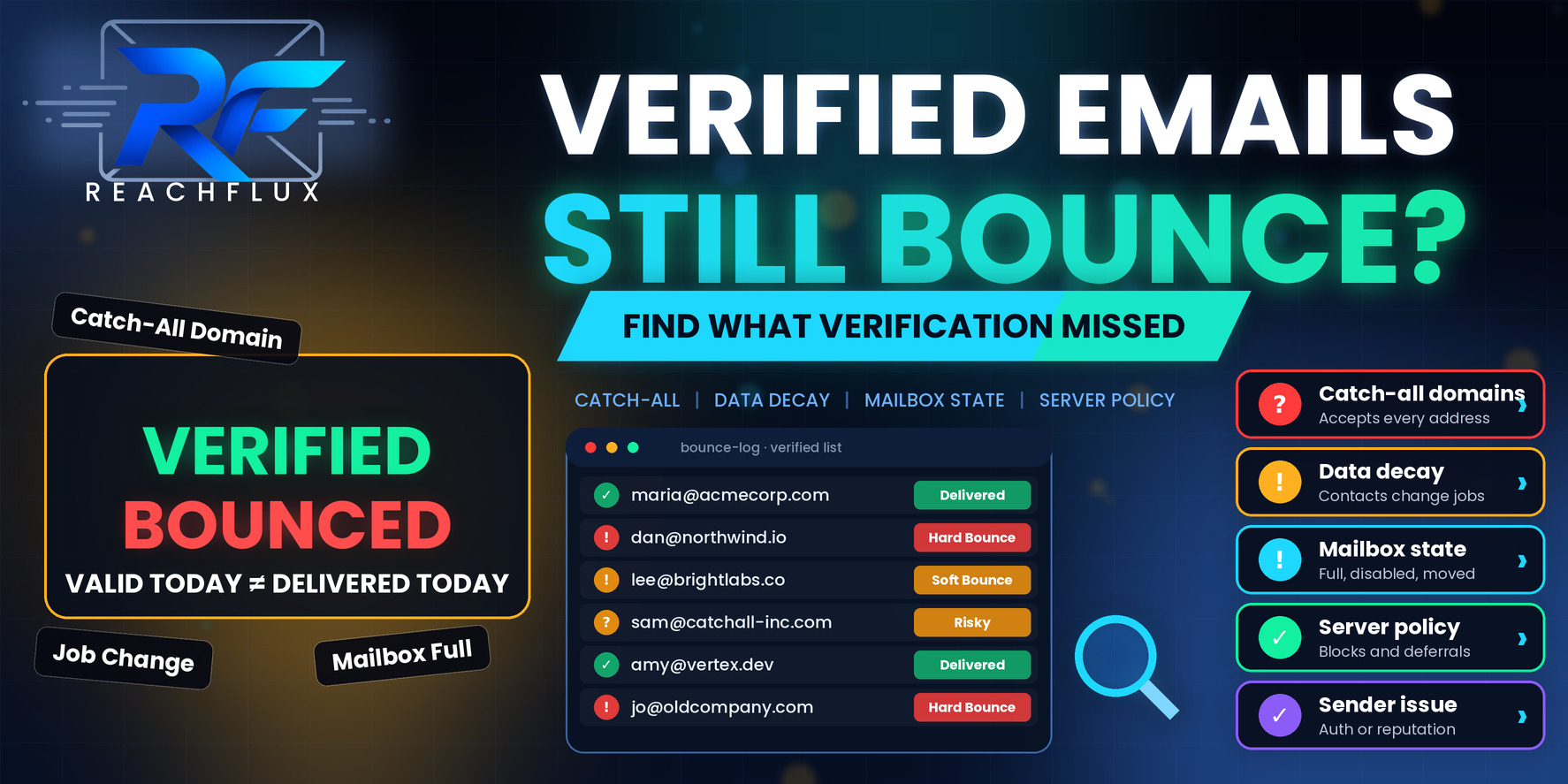
Why do verified emails still bounce?
Verified emails still bounce because verification is a prediction made at a single point in time, usually without delivering a real message. After that moment, the contact may change jobs, the mailbox may fill up or be shut down, the domain may turn out to be a catch-all that never really confirmed anything, or the receiving server may reject your message for reasons unrelated to the address itself.
So the useful move is not to demand a better verifier. It is to read the bounce you actually received, work out which of three buckets it belongs to (the data, the recipient server, or your own sending setup), and then fix that bucket specifically.
What email verification can and cannot tell you
Most verification tools run a stack of checks. They confirm the address is formatted correctly, that the domain exists and has mail servers, and that the server is willing to accept mail for that recipient. Some also flag disposable domains, known spam traps, role addresses and domains that accept everything.
What they cannot do is see the future, and they cannot always see the present either. A verifier is a guest knocking on the door of someone else's mail server. Some servers answer honestly. Others answer the same way for every address, delay their answer, or refuse to talk to anyone who is not an established sender. The verifier then has to guess, and a guess gets labeled something like "risky" or "unknown".
That is the first thing worth checking in your own data. Look at what your verification tool does with the uncertain results. If "unknown", "risky" and "accept-all" records are quietly sent through with the "valid" group because the export defaulted that way, a share of your bounces were predictable before you ever pressed send.
Is the address structured correctly and does the domain have working mail servers?
Did the recipient server say it would accept this specific address?
Is it disposable, role-based, a known trap, or on a catch-all domain?
Was the check recent, or is it describing the contact as they used to be?
Will the server accept your mail, from your sender, at this volume?
The last two boxes are where most "verified but bounced" stories come from. Verification covers the first three reasonably well. It says very little about time, and nothing at all about your sender.
Eleven reasons a verified address still bounces
These fall into three groups: problems with the data itself, problems with how the recipient's server behaves, and problems on your own side. The order matters because it matches the order in which you should investigate.
Part one: the data
Reasons one to six are about the address and how confident anyone could really be in it.
1. Verification is a snapshot, and the contact moved on
People change jobs, companies rebrand, and IT teams delete the mailboxes of people who left. A record that passed verification three weeks ago can be a dead address today. This is the single most common explanation for a handful of scattered hard bounces in an otherwise clean list.
The fix is operational rather than technical. Keep track of when each contact was last verified, and re-check anything older than your normal campaign cycle before it goes into a sequence. If you export a list in March and send it in June, you have not verified a list, you have archived one.
2. Catch-all domains hide the truth
A catch-all (or accept-all) domain is configured to accept mail for any address at that domain. When a verifier asks "does this mailbox exist?", the server says yes to everything, including addresses that were made up a second ago. The verifier cannot tell the difference, so it can only flag the domain as uncertain.
What happens next depends on the company. Some catch-all setups route everything to a shared inbox. Others accept the message and then quietly drop it, or accept it and bounce it later from an internal system. Either way, a "valid" label on a catch-all address is weaker evidence than it looks. Keep these contacts in their own segment, send them in smaller batches, and compare their bounce and reply behavior with your standard segment before deciding how much to trust them.
3. The server answered the verifier differently than it answers real mail
Large mailbox providers and security gateways often limit how much they reveal to unknown probes. A verifier might receive a polite "accepted" for an address that will later be refused, or a vague temporary response that gets interpreted as fine. Greylisting, which asks a first-time sender to retry later, can also confuse a verification result.
You will usually see this as a verified list that performs fine on some domains and badly on others. If the bounces cluster around one provider or one security vendor, the cause is probably how that environment responds to verification, not random bad data.
4. The mailbox exists but cannot receive mail right now
A mailbox can be real and still reject your message because it is over quota, disabled, suspended, or in the middle of a migration. Verification may pass because the account exists on the server. The delivery attempt fails because the account cannot take new mail.
These usually return a mailbox-full or account-disabled style response. A full mailbox is often temporary and worth one retry later. A disabled account is not. Your sending tool should treat them differently, and a surprising number do not.
5. Role and shared addresses behave unpredictably
Addresses like info, sales, hello or support often point to a distribution list, a ticketing system or a shared inbox that has its own rules. Some reject external senders. Some forward to people who never asked to receive outreach and who mark it as spam. Verification can confirm they exist, but not how they handle a message from a stranger.
Beyond the bounce risk, role addresses tend to produce poor engagement and are more likely to generate complaints. If your goal is a conversation with a decision-maker, a role mailbox was never the right target in the first place.
6. The address was guessed, not found
Many enrichment tools infer addresses from a naming pattern: first dot last at company, for example. If the pattern is right the address works. If the company uses a different convention for some staff, the guess is wrong, and a catch-all domain will make it look right until the bounce.
Check where each address came from. Addresses sourced directly from a profile, a site or a reply are far stronger than addresses built from a pattern. If your bounce rate is much higher for one data source than another, that is the clue.
Part two: the recipient server
Reasons seven and eight are about what the other side does with your message.
7. The recipient server rejected your message, not the address
A hard bounce does not always mean the person does not exist. A server can refuse mail because of the sending IP, the sending domain, the content, or the sender history. In that case the address is fine and your message is the problem.
The SMTP response is what separates the two situations. A user-unknown code points at the recipient. A policy or reputation code points at you. Reading the actual response text, not just the bounce category your tool displays, is the quickest way to stop misdiagnosing sender problems as data problems.
8. A security gateway accepted the mail and bounced it later
Some companies run a gateway in front of their mail system. The gateway accepts your message during the SMTP conversation, then checks the final mailbox afterwards and generates a bounce message back to you. That is why you sometimes see a bounce arrive minutes after the email was marked as sent.
These delayed bounces matter because tools that only look at the immediate server response will log the send as a success. Make sure your system also processes the returned bounce messages, otherwise bad addresses stay in the sequence and receive follow-ups.
Part three: your sending setup
Reasons nine to eleven are about you. They are the easiest to overlook, because it feels more natural to blame a list than your own infrastructure.
9. Authentication problems on your sending domain
Receiving servers that enforce authentication may reject mail that does not pass SPF, DKIM or DMARC checks as expected. The rejection is returned as a failure for that recipient even though the mailbox is perfectly valid. If this is happening you will typically see the same style of rejection across many unrelated recipient domains.
Start by looking at the headers of a message that did get through and confirm that authentication results are what you expect. Our guide on SPF, DKIM and DMARC covers what each protocol checks and where the setup usually goes wrong.
The three protocols are easy to confuse. For a plain-language breakdown, read SPF vs DKIM vs DMARC: What Cold Email Senders Need to Know.
10. Reputation or volume problems are being reported as bounces
When a provider decides to slow down or block a sender, the failures can show up as bounces, deferrals or rate-limit responses, depending on how the sending tool classifies them. A sudden rise in bounces right after a jump in volume is rarely about the list.
Compare the day the bounces started with what changed in your setup: workload per sender, new inboxes, new domains, a different data source. If something changed the same day, that is where to look first.
11. Your tool classifies bounces badly
Not every "bounce" is the same thing, and some tools lump temporary failures, policy rejections and permanent failures together. If a temporary problem is counted as a hard bounce, you will suppress good contacts. If a permanent failure is treated as temporary, you will keep retrying a dead address and damage your own sending record.
Ask a simple question of any tool you rely on: can I see the raw response for each failure? If the answer is no, you are working blind. Our broader bounce guide explains how to separate failure types.
For the full classification of failure types, see Why Do Cold Emails Bounce? 15 Reasons and How to Fix Them.
Read the bounce before you decide what went wrong
Every bounce comes with a response code and a short message. Those two details tell you far more than the label "hard" or "soft". The table below lists the patterns we see most often and what each one usually points to. These are general conventions rather than guarantees, because providers phrase their responses differently.
| What you see | What it usually means | What to do |
|---|---|---|
| 5.1.1 user unknown | The recipient address does not exist on that server | Suppress it and review the source it came from |
| 5.4.1 recipient address rejected | Often returned when a Microsoft-hosted domain does not recognize the recipient | Treat it as an invalid address and suppress it |
| 5.2.1 mailbox disabled | The account exists but is turned off | Suppress it, the person has probably left |
| 5.2.2 mailbox full | The recipient is over quota | One later retry is reasonable, then stop |
| 4.x.x temporary | The server is deferring or rate limiting | Do not suppress, slow down and review volume |
| 5.7.1 policy or reputation | The message was refused for sender, content or policy reasons | Investigate your sender, not the address |
| 5.7.26 unauthenticated | The receiving server wants proof the mail is authenticated | Check SPF, DKIM and DMARC alignment immediately |
Two habits make this far easier. First, store the raw response against each failed send so you are not relying on a summary label. Second, look at bounces grouped by recipient domain and by sending account. If every failure sits on one sender, the problem is that sender. If every failure sits on one recipient domain, the problem is that domain's behavior. If failures are spread evenly, it points back to the data.
If your bounce numbers are climbing and you want a structured way to measure them, use Cold Email Bounce Rate: What's Too High, Why It Happens & How to Reduce It.
A list-handling workflow that survives imperfect verification
You will never get to zero bounces, and chasing zero tends to make teams throw away good contacts. The more realistic goal is a process where a bounce teaches you something and the same mistake does not repeat.
Keep valid, accept-all and unknown records in separate groups. Do not merge them just because the export allows it.
Send catch-all and unknown contacts in smaller batches and compare their bounce and reply behavior with the valid group.
A confirmed invalid address should never receive a follow-up. Make sure bounces from gateways that arrive late are processed too.
Retry sensibly, then stop. Do not convert every deferral into a permanent suppression, and do not retry forever.
Tag each contact with where it came from. A single weak data source often explains most of the problem.
Re-check anything older than your normal campaign cycle before it enters a new sequence.
A quick audit you can run in thirty minutes
- Export the last campaign's failures with the raw response text.
- Group failures by recipient domain and by sending account.
- Separate user-unknown from policy, authentication and temporary responses.
- Check how many bounced contacts were catch-all or unknown before sending.
- Compare bounce rate by data source or import batch.
- Check when each bounced contact was last verified.
- Confirm delayed bounce messages are being processed.
- Look at whether anything changed in your sending setup that day.
If you want a tool that keeps recipient validation, sender distribution and bounce handling in one place, that is exactly the kind of workflow ReachFlux is built around. It will not make a bad list deliverable, but it makes it easier to see which part of the system a bounce belongs to.
Questions about verified emails that still bounce
Why do verified emails still bounce?
Verification checks an address at one moment, usually without sending a real message. Addresses can change afterwards, catch-all domains can hide invalid mailboxes, some servers refuse to answer verification probes honestly, and your own message can be rejected for reasons that have nothing to do with whether the mailbox exists.
What bounce rate is acceptable after verifying a list?
There is no universal threshold. A better question is whether bounces are concentrated in one source, one domain or one sender. A small, scattered number of hard bounces is normal. A cluster tells you something specific is wrong and should be investigated before the next send.
Are catch-all addresses safe to email?
They are uncertain, not automatically bad. A catch-all server accepts mail for any address at the domain, so a verifier cannot confirm that a specific mailbox exists. Treat them as a separate, more cautious segment and watch how they perform before mixing them into your main volume.
Should I re-verify a list before every campaign?
If the list has been sitting for a while, yes. Contact data ages, so verification results from last month describe last month. Re-check older records, then keep learning from the real delivery responses that follow.
Does a bounce always mean the email address is bad?
No. A hard bounce with a user-unknown response usually points at the address. But policy rejections, authentication failures and temporary conditions such as a full mailbox or rate limiting are about the message, the sender or the moment, not about whether the person exists.
Can my sending infrastructure cause bounces on good addresses?
Yes. Authentication failures, poor sender reputation or sudden volume changes can lead receiving servers to reject mail for perfectly valid mailboxes. If bounces appear across many unrelated domains at once, look at the sender side first.
Treat verification as a filter, not a promise.
Verification is worth doing. It removes the obvious problems cheaply and it keeps your sender from hammering dead mailboxes. But it was never designed to guarantee delivery, and treating it that way is how teams end up confused when a clean list still produces bounces.
Read the response, group the failures, and fix the layer that is actually failing. Sometimes that is the list. Sometimes it is a catch-all you should have segmented. Sometimes it is your own authentication. You can only tell which if you look at the evidence instead of the label.
See recipient validation, sender distribution and delivery responses in one workflow.
ReachFlux helps teams run outbound with clearer visibility into what happened to each message, not just a single bounce number.