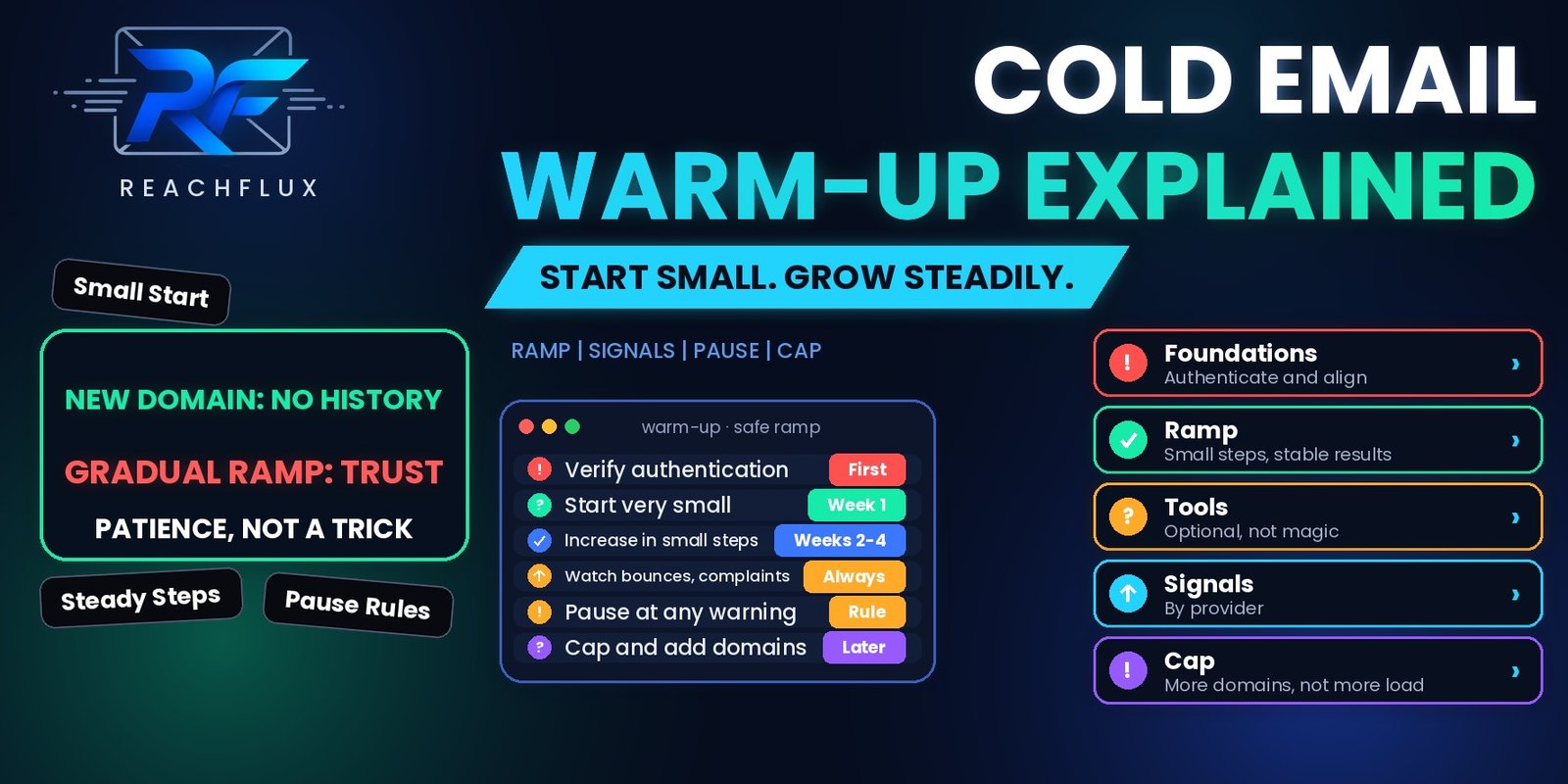
What is cold email warm-up, and do you need it?
Warm-up is the practice of increasing a new domain’s or mailbox’s sending volume gradually so that mailbox providers see steady, believable growth instead of a sudden surge. A brand-new domain has no history, and a sudden jump to full volume looks like abuse, so some form of gradual ramp is sensible for every new sender.
What is less clear is the value of automated warm-up tools that exchange artificial messages between accounts to simulate engagement. Their claims are hard to verify, and mailbox providers may view artificial engagement as manipulation. The safest, best-understood approach is to ramp volume gradually with real, relevant messages to validated contacts, and to let results guide the pace.
Why new senders need a gradual ramp
Mailbox providers decide how much to trust a sender using its history. A domain registered last week with no record, suddenly sending hundreds of messages a day, looks very like a freshly created spam operation. A domain that starts small and grows steadily, with low bounces and few complaints, builds a record that supports higher volume.
The principle is the same for a new mailbox on an established domain. It has no track record of its own, so it should also start small. Gradual growth is how you earn the headroom to send more.
Three approaches to warming up
| Approach | How it works | Considerations |
|---|---|---|
| Gradual real sending | Begin with small sends to validated, relevant contacts and increase steadily | The best understood and the least risky, but slower and needs a good list |
| Warming with known contacts | Exchange genuine messages with colleagues and friendly contacts who reply | Authentic, but limited in scale and easy to overdo |
| Automated warm-up tools | Software exchanges artificial messages between accounts to simulate engagement | Claims are hard to verify, and providers may treat artificial engagement as manipulation |
What to make of automated warm-up tools
Warm-up tools are popular, and some people report good experiences. But the claims are difficult to test independently, the mechanisms rely on artificial interactions, and mailbox providers have their own views on manipulated engagement and can change how they treat it at any time. A tool cannot fix poor authentication, bad lists or weak targeting, and it cannot guarantee inbox placement.
If you choose to use one, treat it as an optional supplement to a careful ramp, not as a replacement. Check the provider’s current rules, watch your results closely, and be ready to stop if you see unexpected effects.
A safe, step-by-step ramp
Publish and verify SPF, DKIM and DMARC and confirm they align on a delivered message. See How to Set Up Cold Email Inboxes and Domains: A Step-by-Step Guide.
Send a handful of messages a day per mailbox to your best-fit, validated contacts.
Raise volume gradually, and only after several days of low bounces and normal replies.
Check bounces, complaints and replies by provider. A rise in any of them means pause and diagnose, not push on.
Let results settle at each level so you can see the effect of the change.
Reach a conservative daily volume per mailbox and add capacity with more mailboxes and domains instead of pushing further.
What a cautious ramp can look like
The shape matters more than the numbers. This illustration expresses volume as a share of the conservative daily cap you eventually want to reach, and the percentages are examples, not rules.
| Phase | Volume as a share of your final cap | What must be true before the next step |
|---|---|---|
| First week | A small fraction, perhaps a tenth | Authentication passes, bounces near zero, replies look normal |
| Second week | Roughly a quarter to a third | Stable bounces and no complaints at any provider |
| Weeks three and four | About half, in small steps | Replies from several providers and no rising deferrals |
| After that | Approaching the cap gradually | Several clean weeks at the current level |
If a step goes badly, do not push on. Hold at the previous level or step back, work out what changed, and resume once results are stable again.
There is no universal schedule
People often ask for an exact day-by-day plan. There is not one, because the right pace depends on your provider, the age and history of the domain, the quality of your list and the kind of recipient. A schedule that suits one sender can be too aggressive for another. What you can rely on is the principle: small first, steady increases, and a willingness to pause.
Use your own data to set the pace. If bounces and complaints stay low and replies look normal, you can step up. If anything wobbles, hold or step back. The planning maths for how much capacity you need is in the capacity calculator, and the limits discussion is in Cold Email Sending Limits: How Many Emails Should You Send Per Day?.
Warming a new mailbox on an established domain
Adding a mailbox to a domain that already sends well is easier than starting a domain from scratch, but the mailbox still has no history of its own. Start it at a low volume, even if the domain’s other mailboxes send much more, and raise it gradually. Do not use the new mailbox to carry a sudden share of the domain’s existing volume.
Keep an eye on the domain as a whole. If the new mailbox generates unusual bounces or complaints, it can affect the domain that other mailboxes depend on. This is another reason to keep the number of mailboxes per domain modest and to add domains as you grow, as explained in How Many Domains and Inboxes Do You Need for Cold Email Outreach?.
What to watch during warm-up
| Signal | Healthy sign | Warning sign |
|---|---|---|
| Authentication on delivered mail | SPF, DKIM and DMARC pass and align | Any failure |
| Bounce rate | Low and stable | A rise, especially of invalid-address errors. See SMTP Bounce Codes for Cold Email: What 4xx and 5xx Errors Mean and What to Do About Them |
| Complaints and opt-outs | Rare and handled promptly | Any noticeable increase |
| Replies by provider | Normal replies from several providers | Replies from one provider fading |
| Deferrals | Few and brief | Repeated deferrals at one provider |
Real engagement matters more than volume tricks
Mailbox providers care about how recipients treat your mail. Replies, messages moved out of spam, and the absence of complaints all signal that people want what you send. No ramp schedule can substitute for relevance. A sender who writes to the right people with something useful builds a record much faster than one who sends generic mail on a perfect schedule.
This is why list quality and targeting belong in any warm-up conversation. Start with your best-fit contacts, whose engagement will be strongest, and widen later. The broader picture of how these pieces fit together is in the Cold Email Deliverability: The Complete Guide to Inbox Placement, Reputation and Fixes.
Warm-up mistakes that undo careful work
Jumping to full volume after a short warm-up
Early comfort can be misleading. Keep increasing gradually.
Warming up with a bad list
A ramp built on invalid addresses produces bounces that teach providers to distrust you.
Relying on a tool and skipping the basics
Authentication, list quality and relevance still decide results.
Warming many mailboxes on one domain at once
Concentrated volume stresses the domain. Spread mailboxes across domains.
Never stopping the ramp at a cap
Without a conservative ceiling, volume keeps climbing until something breaks.
When to pause, and how to restart
Pausing is a skill. If bounces rise, complaints appear, replies from a provider fade or authentication fails, stop increasing volume. Hold at the current level, or step back to the last level that was clean, and find the cause. Common causes are a new list segment, a change in message or an authentication slip.
Restart gently. Return to the last level that produced healthy results, confirm the problem is fixed, and then continue in smaller steps than before. A short pause costs days. Ignoring the signs can cost a domain.
Warm-up looks different across providers
Gmail, Microsoft 365 and smaller providers do not treat new senders identically, and business tenants add their own policies on top. A ramp that is comfortable at one provider can draw deferrals at another. That is why you watch results by provider, not just in total, and why a slow, steady ramp is safer than a schedule borrowed from someone else’s experience.
Keep a simple log of the volume you sent to each provider each day and what happened. When something shifts, the log shows whether it followed a volume change. Compare providers using the guidance in Gmail vs Outlook Cold Email Deliverability: Why the Same Campaign Lands Differently, and remember that company recipients behind gateways can behave differently again, as described in How to Get Cold Emails Past Corporate Spam Filters and Secure Email Gateways.
Warm-up checklist
- Authentication passes and aligns on a delivered message before any ramp begins.
- The ramp starts with very small sends to validated, relevant contacts.
- Volume increases in small steps only after stable results.
- Bounces, complaints, replies and deferrals are watched by provider.
- The ramp pauses at the first sign of trouble.
- Any warm-up tool is treated as optional and monitored, not trusted blindly.
- A conservative daily cap is set, and extra capacity comes from more mailboxes and domains.
Questions about cold email warm-up
What is cold email warm-up?
It is the practice of gradually increasing a new domain’s or mailbox’s sending volume so mailbox providers see steady, believable growth instead of a sudden surge.
Do I need to warm up a new domain for cold email?
Some form of gradual ramp is sensible, because a new domain has no history and a sudden jump to full volume looks like abuse. The safest approach is small, real sends to validated contacts, increased steadily.
How long should I warm up a domain?
There is no fixed schedule. It depends on your provider, domain history, list quality and recipients. Start small, increase in steps and pause if bounces or complaints rise.
Do automated email warm-up tools work?
Their claims are hard to verify, and mailbox providers may treat artificial engagement as manipulation. If used at all, treat them as an optional supplement to a careful ramp.
Can warm-up guarantee inbox placement?
No. Placement depends on authentication, list quality, content and recipient filters as well as on sending history.
What should I watch during warm-up?
Authentication results on delivered mail, bounce rate, complaints, replies by provider and deferrals. Any rise means pause and diagnose.
Warm-up is patience plus good behaviour.
There is no magic switch and no shortcut that replaces good foundations. Verify authentication, start small, send relevant messages to validated contacts and increase only while the signals stay healthy.
Add capacity with more mailboxes and domains rather than pushing any single one, and keep watching the numbers.
Control pacing and distribute sending across connected accounts.
ReachFlux distributes recipients across connected sender accounts and lets you set randomised delay ranges.