How many domains and inboxes do you need for cold email?
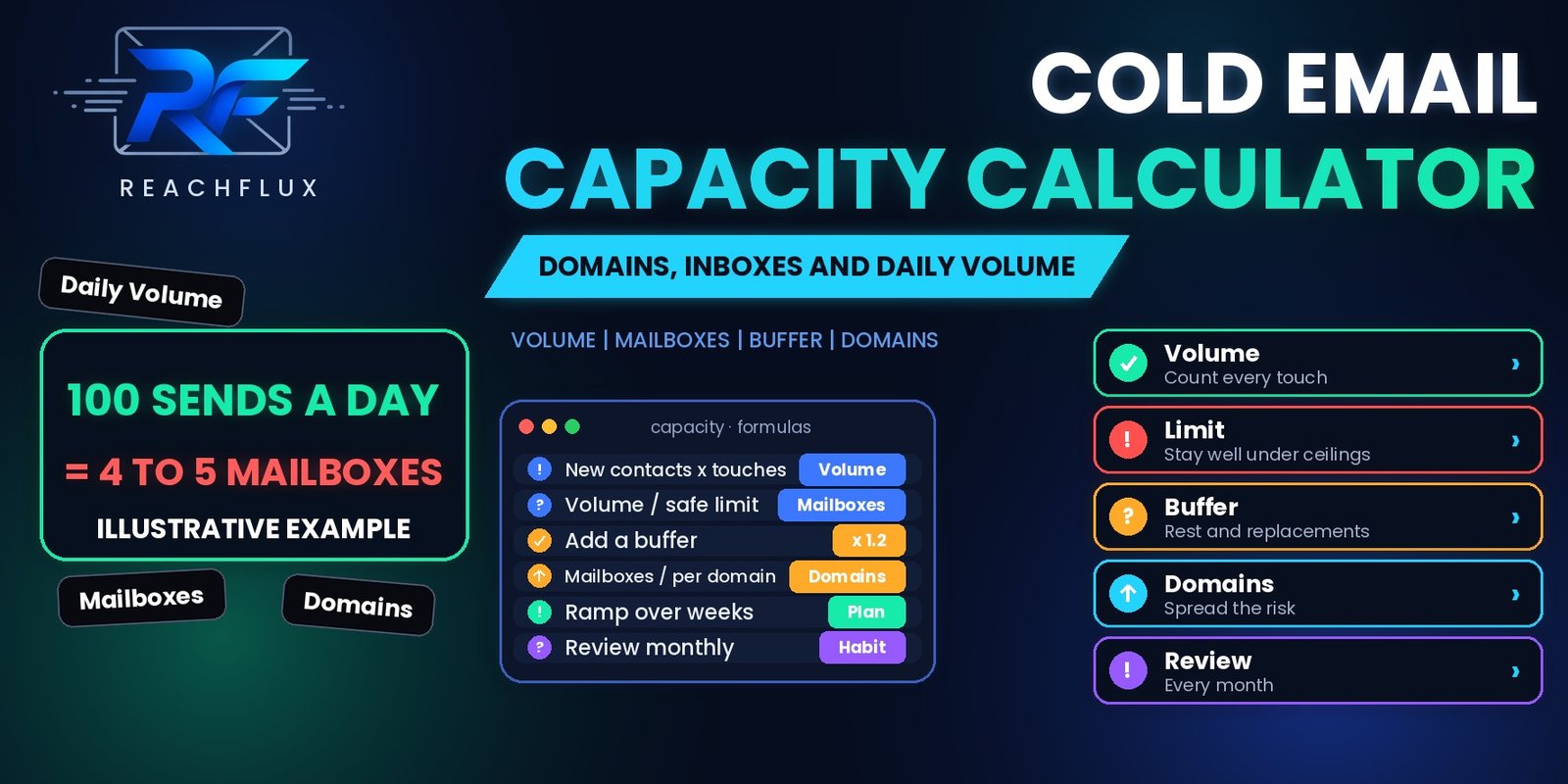
Work it out with three steps. First, find your steady daily volume: new contacts per day multiplied by the number of emails in each sequence. Second, divide that by a safe per-mailbox daily limit to get the number of mailboxes, and add a small buffer. Third, divide the mailboxes by how many you are comfortable running on one domain to get the number of domains.
The formulas are simple. The judgement is in the inputs, because the right per-mailbox limit depends on your provider, your reputation and your list quality. This guide gives you the formulas, worked examples with clearly stated assumptions, and the questions that help you choose safer inputs.
Four formulas that give you the answer
Keep the maths in a spreadsheet so you can change the inputs as you learn.
| Step | Formula | What it tells you |
|---|---|---|
| 1. Steady daily volume | New contacts per day × emails per sequence | How many messages go out on a typical day once the sequence is full |
| 2. Mailboxes needed | Steady daily volume ÷ safe daily limit per mailbox | The minimum number of mailboxes, rounded up |
| 3. Add a buffer | Mailboxes × 1.2 (or your chosen margin) | Room for rest days, replacements and failures |
| 4. Domains needed | Mailboxes ÷ mailboxes per domain, rounded up | How many domains to spread risk across |
Step one deserves a comment. When a sequence has several touches, each new contact keeps generating emails for days. After the first full cycle, your daily volume is the number of new contacts each day multiplied by the touches per sequence, not just the new contacts. People who forget this under-plan their capacity and overload their mailboxes.
How to choose the three inputs sensibly
Safe daily limit per mailbox
Start from your mailbox provider’s published limits, then stay far below them, because reputation, not the provider’s ceiling, decides what is safe. New mailboxes should send much less than established ones. The detail is in Cold Email Sending Limits: How Many Emails Should You Send Per Day?.
Mailboxes per domain
A modest number per domain limits the damage if one domain has a bad week. Many teams keep it low and add domains as they grow. The trade-offs are in How Many Domains and Inboxes Do You Need for Cold Email Outreach?.
Emails per sequence
Count every touch you intend to send, including follow-ups. Use the real number, not the optimistic one.
The buffer
Mailboxes need rest, get disconnected and sometimes get damaged. A margin of around a fifth is a common starting point, and you can adjust it with experience.
Three worked examples
These examples use illustrative assumptions, not recommendations: a safe limit of 30 messages per mailbox per day, three mailboxes per domain, a four-email sequence and a 20% buffer. Your real numbers will differ, so replace them with your own.
| Scenario | New contacts per day | Steady daily volume | Mailboxes (with buffer) | Domains |
|---|---|---|---|---|
| Small team | 25 | 100 | 4, plus buffer rounds to 5 | 2 |
| Growing team | 60 | 240 | 8, plus buffer rounds to 10 | 4 |
| Larger programme | 100 | 400 | 14, plus buffer rounds to 17 | 6 |
In the first row: 25 contacts a day times four emails gives 100 messages. A limit of 30 per mailbox needs 3.3 mailboxes, so four, and a 20% buffer rounds that to five. Three mailboxes per domain means two domains. The other rows follow the same method.
Notice how fast the infrastructure grows with volume. That is the real lesson of the calculation: more volume means more mailboxes and domains, not harder-working ones.
Why published provider limits are only a starting point
Mailbox providers publish sending limits, and it is tempting to treat them as the number to plan around. They are better understood as outer boundaries. Staying under them does not make your volume safe, because filters judge you on reputation, bounce rates, complaints and engagement, none of which a published limit takes into account.
Limits can also change, and they may apply per recipient count as well as per message, so read the provider’s current documentation rather than relying on a figure you remember. A sensible habit is to pick your own conservative working limit well below the published one, record it, and review it monthly. New mailboxes should run lower still, and established, healthy ones can earn a little more headroom over time, never the other way round.
Capacity is not available on day one
The numbers above describe where you want to be, not where you can start. New domains and mailboxes need a gradual ramp. Plan to reach full volume over weeks, and use the early weeks to confirm that bounces and complaints stay low. The ramp approach is covered in How to Set Up Cold Email Inboxes and Domains: A Step-by-Step Guide and How to Scale Cold Email From 250 to 1,000 Emails a Day Without Landing in Spam.
In practice, this means buying and setting up domains before you need them, so they have time to build history while you run a smaller programme.
How much the answer moves when your assumptions move
The result of the calculation is only as good as its inputs, so it helps to see how sensitive it is. Take the growing-team example, 240 messages a day, with three mailboxes per domain and a 20% buffer, and change only the per-mailbox limit.
| Safe limit per mailbox | Mailboxes before buffer | Mailboxes with buffer | Domains |
|---|---|---|---|
| 20 per day | 12 | 15 | 5 |
| 30 per day | 8 | 10 | 4 |
| 40 per day | 6 | 8 | 3 |
A more conservative limit means more mailboxes and domains for the same volume. That is the right direction to err in. If the number looks uncomfortably large, the answer is to reduce volume or lengthen the timeline, not to raise the limit. The figures here are illustrative, not recommendations.
What to do if the answer is more than you can run
Sometimes the calculation produces a number that is bigger than your budget or your appetite for infrastructure. Resist the urge to squeeze volume through fewer mailboxes, because that is exactly how accounts get damaged. Better options are available.
Send to fewer, better-fit contacts
Cutting the list to the best-fit accounts reduces volume without reducing the number of conversations you can win. See Cold Email List vs Copy: How to Find What’s Hurting Results.
Shorten the sequence
Fewer touches per contact cut steady volume directly. Review which follow-ups actually produce replies.
Stretch the timeline
Contact the same number of people over a longer period. The pipeline arrives later but your domains stay healthy.
Improve conversion instead of volume
Better targeting and messaging increase replies per email. See Cold Outreach Conversion Rates Dropping? How to Diagnose the Funnel From Sent to Booked.
Calculation mistakes that cause real damage
Counting only first emails
Follow-ups are real volume. Include every touch.
Using the provider’s maximum as the target
A ceiling is not a recommendation. Stay well below it.
Ignoring per-company limits
Daily volume per inbox is only one limit. How many people at one company you contact matters too. See How to Prevent Campaign Collisions: Stop Prospects Getting Conflicting Emails From Multiple Sequences.
Putting everything on one domain
Risk concentrates. Spread mailboxes across domains.
Forgetting the buffer
A single disconnected mailbox then forces the rest to overshoot their limits.
Planning once and never revisiting
Volume, reputation and lists change. Review the calculation monthly. See Cold Email Operating Rhythm: Daily, Weekly and Monthly Routines for Managing Outreach at Scale.
Turning the numbers into a setup
Once you have the numbers, build in the right order: choose plain, dedicated domains, create mailboxes with real sender identities, publish and verify SPF, DKIM and DMARC, connect them to your sending tool, and ramp gradually. If you want naming ideas, read Cold Email Domain Name Ideas: Safe Naming Patterns and What to Avoid, and for the broader map of what can go wrong, the Cold Email Deliverability: The Complete Guide to Inbox Placement, Reputation and Fixes is the place to start.
Thinking about cost and time honestly
Every extra mailbox and domain has a cost, in money and in attention, and both multiply with scale. Prices vary by provider and change often, so this is about method rather than numbers. Add up the monthly cost of your mailboxes, domains and any tools, divide by the number of conversations you expect, and compare it with what a conversation is worth to you.
Time matters just as much. Setting up, ramping and monitoring many domains takes ongoing work. If maintaining the infrastructure would consume more effort than the outreach itself, reduce the programme to a size you can run well, and grow it as the results justify it.
A spreadsheet layout you can copy
You can build the whole calculator in a few minutes. Put the inputs in one block and the results in another, so changing an assumption updates everything at once.
| Cell label | What goes in it | Example (illustrative) |
|---|---|---|
| New contacts per day | The number of new contacts you start daily | 60 |
| Emails per sequence | Every touch, including follow-ups | 4 |
| Safe limit per mailbox | Your own conservative daily limit | 30 |
| Mailboxes per domain | How many you are comfortable running on one domain | 3 |
| Buffer | Extra capacity as a multiplier | 1.2 |
| Steady daily volume | New contacts × emails per sequence | 240 |
| Mailboxes needed | Round up (volume ÷ limit × buffer) | 10 |
| Domains needed | Round up (mailboxes ÷ mailboxes per domain) | 4 |
Add a second tab for the ramp, with a row per week and a planned volume per mailbox, so the target and the path to it are visible together. Review both monthly, and update the inputs whenever your reputation, list quality or provider rules change.
Capacity planning checklist
- You know how many new contacts you want to start each day.
- You counted every email in the sequence, including follow-ups.
- You chose a conservative safe limit per mailbox and checked your provider’s rules.
- You added a buffer for rest days and failures.
- You spread mailboxes across several domains.
- Per-company daily limits are set as well as per-inbox limits.
- You planned a gradual ramp and set up domains early.
- You will review the calculation every month.
Questions about cold email capacity
How many domains and inboxes do I need for cold email?
Multiply new contacts per day by the emails in your sequence to get steady daily volume, divide by a conservative per-mailbox limit to get mailboxes, add a buffer, then divide by how many mailboxes you run per domain to get domains.
How many cold emails can one inbox send per day?
It depends on the provider, the age and reputation of the mailbox and your list quality. Treat published provider limits as ceilings, stay well below them, and send even less from new mailboxes.
How many inboxes should I put on one domain?
A modest number. Fewer inboxes per domain limits the damage if one domain has problems, and you add domains as volume grows.
Should I add more inboxes or send more from each inbox?
Add inboxes and domains. Pushing existing mailboxes harder is a common way to damage them.
How far ahead should I set up domains?
Weeks. New domains and mailboxes need time to build history, so set them up before you need the capacity.
Does ReachFlux calculate capacity for me?
No. ReachFlux helps you distribute sending across connected accounts and control pacing, but you decide your domains, mailboxes and limits.
Plan the capacity, then stay under it.
Capacity planning removes guesswork. Count your real volume, choose conservative limits, add a buffer, and spread mailboxes across domains. The result is a setup that can carry your programme without being pushed.
Revisit the numbers monthly as your volume, lists and reputation change.
Distribute campaigns across connected accounts with pacing controls.
ReachFlux distributes sending across the sender accounts you connect and lets you control delays, while you keep control of domains and limits.