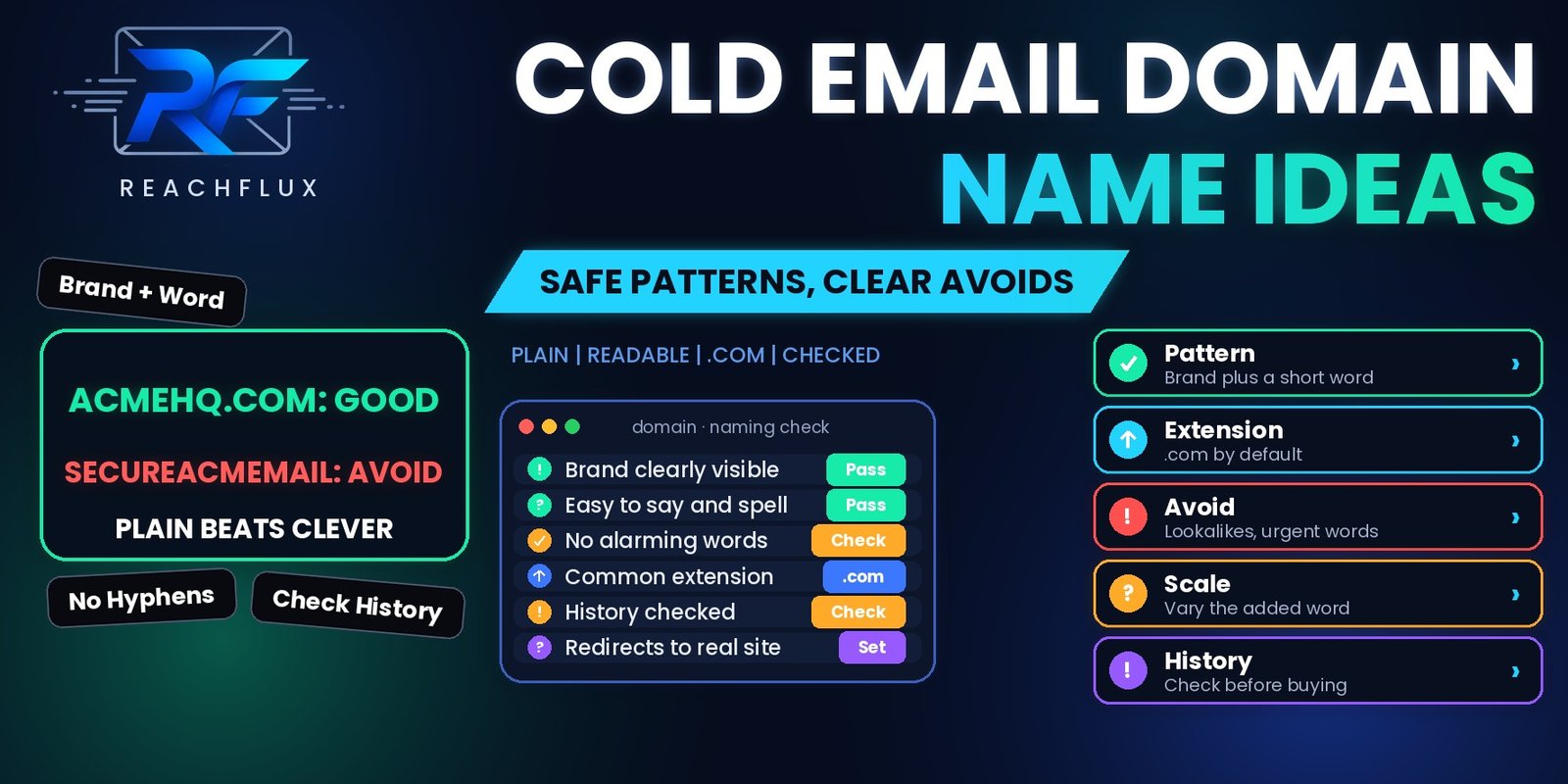
What makes a good cold email domain name?
A good cold email domain name is plain, readable and obviously connected to your brand, without imitating anyone else. The safest pattern is your brand name plus one short, ordinary word, registered on a common extension such as .com, with a simple redirect to your real website. It should be easy to spell aloud, free of hyphens and odd characters, and unrelated to words that scream bulk mail or fraud.
The word “outreach” and its relatives are fine to use, but they are not magic and they are very common, so they do not make a domain trustworthy on their own. What builds trust is the same thing that builds trust everywhere: authentication that passes, a clean history and sensible volume.
Patterns that work, with placeholder examples
The examples below use a made-up brand called Acme. Substitute your own name and check availability before you fall in love with anything.
| Pattern | Example | Why it works | Watch out for |
|---|---|---|---|
| Brand plus a short word | acmehq.com | Clearly yours and easy to say | Very common, so check that it is not already in use or looks like another company |
| Brand plus team or group | acmeteam.com | Reads like a real team address | Avoid if it clashes with an existing property |
| A friendly prefix and the brand | tryacme.com or getacme.com | Common, readable and plainly related | Overused, so combine with good reputation practices |
| Brand plus a function word | acmemail.com | Signals email purpose | Do not imply an official or service address you are not |
| Brand plus outreach | acmeoutreach.com | Describes the activity | Common among senders, so it is no trust signal by itself |
| Brand plus a region or market | acmeuk.com | Natural when you sell by market | Make sure it matches your actual presence |
Names that cause trouble
Lookalikes of other brands
Anything that resembles a bank, a card network, a large platform or a regulator invites suspicion and can be treated as impersonation.
Alarming or urgent words
Words such as secure, verify, alert, urgent, official or account suggest phishing, especially in sensitive industries. See Why Do My Finance Cold Emails Keep Landing in Spam? 9 Causes and Fixes for Financial Services Outreach.
Deal-style words
Promotional words such as offer, deals, promo and free read like bulk marketing.
Hyphens, numbers and odd spellings
They look improvised and are harder to say, spell and trust.
Very long or confusing names
If a person cannot read it aloud easily, it will not look credible in a sender line.
Typosquatting your own brand
Misspellings of your brand can look like a trick even when your intentions are good.
Which extension to choose
The extension, or top-level domain, matters less than people think, but it is not irrelevant. A .com is the safe default because it is familiar to recipients and rarely draws suspicion by itself. Country-code extensions suit senders with a real presence in that country. Some cheap or new extensions have been heavily abused by spammers, so a domain on one of them can start with a weaker reputation and attract more scrutiny.
You do not need to agonise over this. If a sensible .com variation exists, use it. If you must use another extension, make sure the rest of your setup is exemplary, and monitor results closely in the first weeks.
Should you use a subdomain instead?
A subdomain of your main domain, such as an outreach prefix, is easy to set up, but it can share reputation signals with the main domain, and a serious problem may affect more than you want. A separate domain isolates the risk better. For a small, low-volume programme a subdomain can be acceptable, but for anything serious, a separate, plainly related domain is the safer choice. The reasoning is covered in Primary Domain vs Cold Email Domain: Which Should You Use for Outreach?.
Naming several domains without looking like a farm
If you need many domains, your names will start to look alike, and that can itself look suspicious. Keep a consistent, brand-based core and vary the added word in an ordinary way. Avoid obvious sequences such as numbered variants, and avoid registering dozens of near-identical names in one go. Spread registrations over time and let each domain build its own history.
How many domains you actually need is a calculation, not a guess. Use the capacity calculator to find out, and the guide to Cold Email Domain Variations: How to Choose Sending Domains Without Putting Your Brand at Risk for further naming approaches.
Naming examples for different kinds of business
Here are illustrative patterns for four invented brands. Check availability and history for anything you consider, because real domains may be taken or carry baggage.
| Business | Brand | Sample patterns |
|---|---|---|
| Software company | Nimbus | nimbushq.com, trynimbus.com |
| Agency | Brightline | brightlineteam.com, getbrightline.com |
| Ecommerce brand | Wildroot | wildrootco.com, wildrootwholesale.com |
| Advisory firm | Harrow | harrowadvisory.com, harrowgroup.com |
Notice that each keeps the brand intact, adds a short and ordinary word and avoids anything urgent, official or deal-like. The ecommerce example uses “wholesale” because it describes the activity, but descriptive words are optional, not required.
Check a domain’s history before you buy it
A domain that has existed before may carry baggage. Before registering one that is not brand new, or buying one on the aftermarket, check whether it appeared on reputation lists, what it was used for, and how it looks in public records. A freshly registered domain has no history at all, which is neutral rather than bad, while a previously abused one can be worse than starting from nothing.
Look for any website, social presence or complaints connected to it.
Use common blocklist checkers to see whether it has been flagged.
Check when it was registered and whether it changed hands repeatedly.
When in doubt, register a clean new domain rather than inheriting someone else’s problems.
A simple process for choosing a name
Use the patterns above and keep the brand in every one.
If it is awkward to say or spell, drop it.
Search for similar names and make sure none resembles another company or authority.
Look for blocklist or abuse history, especially for anything that has been registered before.
Early registration lets the domain build history before it carries real volume.
What to do once you have picked the name
Register the domain, point it at a simple page or a redirect to your main site, create mailboxes with real sender identities, publish SPF, DKIM and DMARC, and ramp up gradually. The step-by-step order is in How to Set Up Cold Email Inboxes and Domains: A Step-by-Step Guide, and the broader picture is in Cold Email Infrastructure: Domains, Inboxes, DNS and Sending Limits and the Cold Email Deliverability: The Complete Guide to Inbox Placement, Reputation and Fixes.
What the domain should show when someone visits it
Recipients and security teams sometimes visit the domain in an email. An empty or parked page looks suspicious. Point the domain to a simple, honest page, or redirect it to your main website, so that anyone checking sees a real company. Keep the branding consistent with your emails, and where appropriate make it easy to find who you are and how to be removed from contact.
This costs almost nothing and removes an easy reason for doubt. It also reinforces the identity you build in your signatures, which is part of looking established rather than improvised.
Choosing between four candidates
Here is how the reasoning works in practice, using the invented brand Acme. Four candidates are on the table, and each is judged against the principles above.
| Candidate | Verdict | Why |
|---|---|---|
| acmeteam.com | Good | Plain, readable, clearly the brand, common extension |
| acmehq.com | Good | Short and conventional; check it does not clash with an existing business |
| acme-outreach.net | Weaker | Hyphen and a less familiar extension make it look improvised |
| secureacmemail.com | Avoid | The word secure and the mail suffix sound like a security or service notice |
The decision is rarely agonising. The good options are almost boring, which is the goal. Once you have a shortlist, run the history check and register early.
Brand and trademark considerations
Naming a domain after your own brand is sensible, but make sure you are not stepping on someone else’s. Check that the name you use does not infringe another company’s trademark, and avoid adding words that imply an official relationship you do not have. This is not legal advice, so if there is any doubt, ask a qualified adviser before registering a batch of domains.
It is also worth securing the obvious defensive variations of your main brand if the budget allows, so no one else can register a convincing lookalike. That protects your customers as well as your reputation.
Domain naming checklist
- The name is plainly connected to your brand and does not imitate anyone else.
- It is easy to read aloud and spell, with no hyphens or odd characters.
- It avoids alarming words, deal-style words and anything fraud-adjacent.
- The extension is a common one, ideally .com.
- A separate domain is used for anything beyond very low volume.
- Several domains share a brand-based core without looking like a numbered series.
- The domain has been checked for prior abuse or blocklist history.
- It redirects to a real website and is ready for authentication and gradual ramp-up.
Questions about cold email domain names
What is a good domain name for cold email?
A plain name that is clearly connected to your brand, such as your brand plus one short ordinary word, on a common extension like .com, easy to say and spell, and free of hyphens and suspicious words.
Should I put “outreach” in my cold email domain?
You can, and it describes the activity, but the word is common among senders and does not build trust by itself. Authentication, clean history and sensible volume matter far more.
Is .com better than other extensions for cold email?
A .com is the safest default because recipients know it. Some cheap or new extensions have been heavily abused, so domains on them can start with weaker reputation and more scrutiny.
Should I use a subdomain or a separate domain for cold email?
A separate, plainly related domain isolates risk better. A subdomain is easier but can share reputation signals with your main domain, so it suits only small, low-volume programmes.
Can I use a lookalike of my own domain?
Choose plain variations that are clearly yours, not deliberate misspellings or imitations. Lookalikes of other brands are especially risky.
How many domain names do I need?
It depends on your daily volume and safe limits. Work it out with a capacity calculation rather than guessing.
Be plain, be yours, be patient.
The best cold email domain names are unglamorous. They look like your company, they are easy to say, and they avoid anything that resembles someone else or sounds like a scam. The rest is earned through setup and behaviour.
Choose carefully, register early so the domain can build history, and let good authentication and steady volume do the real work.
Connect the accounts you control and manage sending in one workflow.
ReachFlux works with the SMTP and IMAP accounts you connect, so your domains and authentication stay under your control.