Why do so many prospect emails bounce?
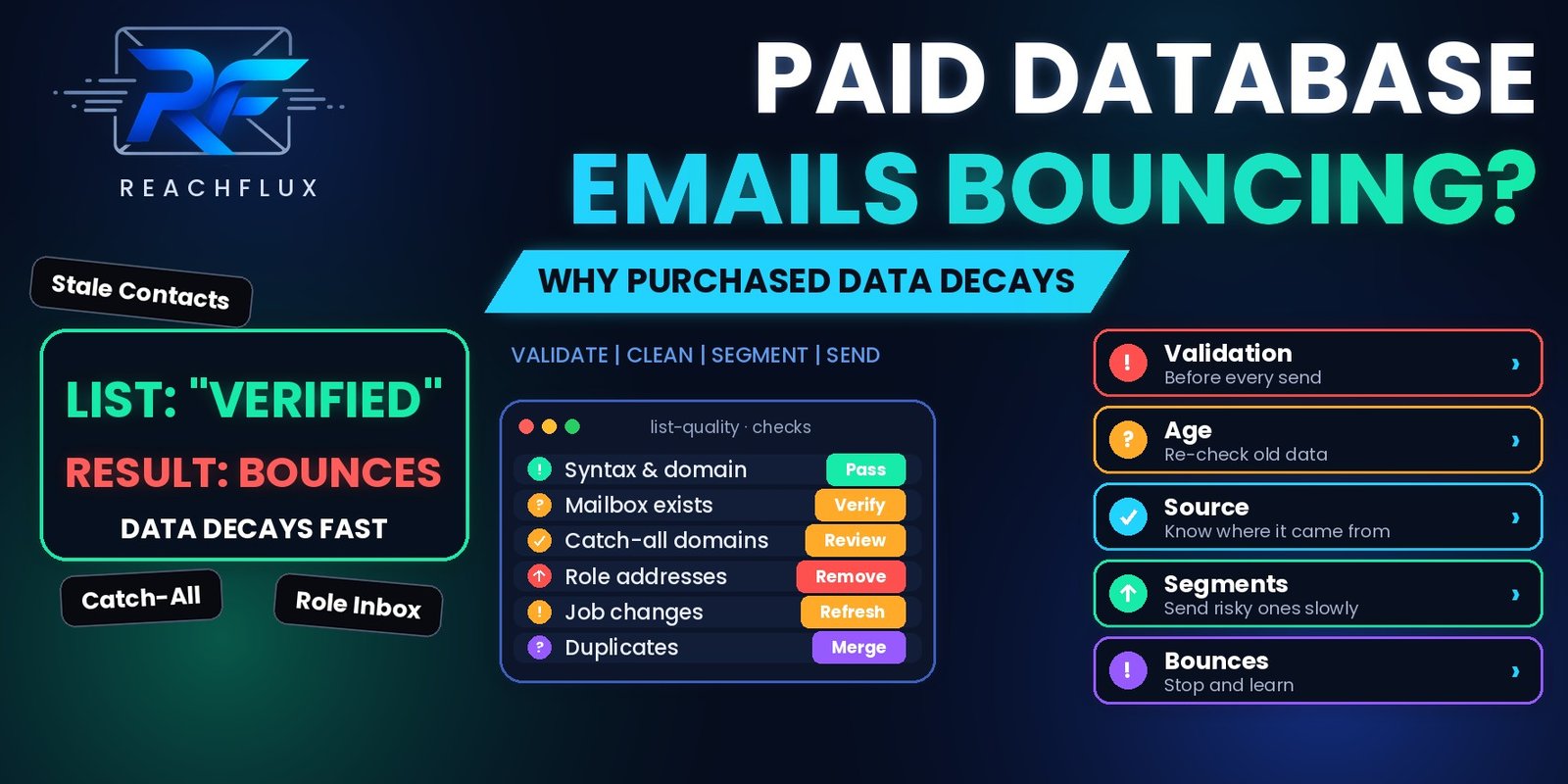
Prospect emails bounce because the address was wrong, stale or only guessed. Paid databases mix confirmed addresses with inferred ones and refresh on a schedule that cannot keep up with job changes. Contacts found on LinkedIn rarely come with a real email address, so tools infer them from naming patterns. Add catch-all domains, role mailboxes and mailboxes that are full or disabled, and a double-digit bounce rate stops being surprising.
The fix starts with treating data as a set of sources with different reliability, not as one pool. Score each source by how its addresses actually perform, send small batches before large ones, and stop sending to anything that fails. Over time your own results tell you which vendors and methods to trust.
Where prospect email addresses really come from
Most people think of an email address as either right or wrong. In practice, addresses vary in how much evidence stands behind them, and that evidence has a source.
| Source | How reliable it usually is | Main risk |
|---|---|---|
| Provided directly by the person (forms, replies, referrals) | Highest, if recent | Becomes stale as people move |
| Published on a company website or in public material | Good for the named person, often a role address | May be a shared mailbox |
| Paid database | Mixed, depends on vendor and refresh cycle | Aged records and inferred addresses |
| Pattern-based guess from a name and company | Lowest confidence | Wrong pattern, especially at larger companies |
| Social profile enrichment | Varies widely | Usually inferred, not confirmed |
| Purchased or shared lists | Often poor | Unknown history, stale records, traps |
The table shows why two lists of the same size can behave completely differently. A list made mostly of confirmed addresses and a list made mostly of guesses will diverge on bounce rate immediately, even if both were cleaned by the same verifier.
Ask the question of every list you import: how did this address get here? If nobody can answer, assume the lowest confidence tier and treat it accordingly.
Eight reasons prospect emails bounce
1. Contact data decays
People change employers, get promoted into different roles and leave. A record that was accurate at collection can be wrong a few months later. The older the database snapshot, the more records have drifted, and vendors that refresh slowly pass that drift straight into your campaigns.
2. The address was guessed from a pattern
Many tools build an address from a first name, last name and company domain using the most common format at that company. If the real format differs, or a particular employee has an alias, the guess fails. On a catch-all domain the guess may even look valid until the message is processed.
3. LinkedIn does not hand over addresses
LinkedIn is a source of names, roles and companies, not of verified email addresses. Anything that turns a profile into an address is inferring it. That is why LinkedIn-sourced lists often bounce more than lists built from addresses people actually used.
4. Catch-all domains hide failures
A catch-all domain accepts mail for any address, so verification cannot confirm that a specific mailbox exists. The message may be accepted and later dropped, bounced from an internal system or routed to a shared inbox.
The mechanics are explained in Why Do Verified Emails Still Bounce? 11 Reasons Verification Misses Bad Addresses.
5. Role addresses behave unpredictably
Info, sales, hello and support addresses often forward to groups, ticket queues or shared mailboxes with their own rules. Some reject outside senders, some are monitored by people who never asked for outreach, and many generate complaints.
6. Mailboxes are full, disabled or moved
An address can exist and still reject new mail because it is over quota, suspended or being migrated. These show up as mailbox-full or account-disabled responses and are worth separating from invalid addresses.
7. The vendor re-labels old data as new
Refresh dates can be generous. A record updated for one field, such as a job title, may still carry an email address that has not been checked for a long time. Ask how and when emails specifically were verified.
8. Your own sending setup contributes
Not every bounce is about the address. Authentication failures, policy rejections and reputation problems also come back as failures. Group bounces by response and by sender before concluding the data is to blame.
To classify failures properly, use Cold Email Bounce Rate: What's Too High, Why It Happens & How to Reduce It.
How to tell whether your data is bad: a source scorecard
You can answer this with your own results in a few hours. Build a simple scorecard and keep it updated as you send.
Record where each address came from at import: vendor, enrichment method, event, referral, website.
Use a modest sample from each source so a bad one cannot do much damage before you see it.
Capture the raw response, not just the category, and note which sender sent it.
Rank them by hard bounce share and by reply quality. The difference is usually obvious.
Scale the sources that perform, restrict the ones that do not and drop the worst.
- Every contact has a recorded source.
- Hard bounces and temporary failures are tracked separately.
- Bounces are grouped by source, sender and recipient domain.
- Catch-all and unknown addresses are in their own segment.
- Role addresses are excluded or limited to specific cases.
- Vendor claims are compared with real results.
- Hard-bounced addresses are suppressed immediately.
- List age is tracked and re-checked before reuse.
A good outcome is not zero bounces. It is knowing which source produced which failures, so the same mistake does not repeat.
How to prevent bounces when prospecting new leads
Preventing bounces on leads you have never contacted comes down to a short sequence of habits.
Validate before you send, and read the uncertain results
Run validation, then handle the middle categories deliberately. Addresses flagged as risky, unknown or catch-all should not be mixed into your main volume by default.
Start small with new data
Send a modest batch first. If bounces and early replies look healthy, scale up. If not, you have lost very little.
Prefer confirmed sources
Addresses from referrals, replies, events and the person's own communication are stronger than anything inferred. Build more of your list from them.
Avoid role addresses for one-to-one outreach
Aim at a named person in a relevant role. It improves deliverability, reply quality and the experience for the recipient.
Suppress and learn from every failure
A confirmed bad address should never get another message. Use each failure to update the source scorecard.
For the wider picture of keeping failures low across campaigns, see How to Improve Cold Email Deliverability: 17 Fixes That Actually Matter.
ReachFlux includes recipient validation, delivery tracking and suppression handling in one workflow, so failures feed straight back into what you send next. It cannot repair data that was wrong at the source, but it makes the lesson easier to see and apply.
How to clean a list you already have
If a list is already sitting in your system with an unknown history, treat it as unverified until it earns trust. This sequence works for lists of almost any size.
Delete duplicates, malformed addresses, known disposable domains and addresses that have already bounced or opted out.
Create segments for addresses with a recorded source, addresses that are guessed, role addresses and catch-all domains.
Run validation and keep only results you would be comfortable sending to, handling uncertain ones separately.
Send to a small portion and read the responses by recipient domain before releasing the rest.
Increase volume as bounce responses stay low, and pause the moment a pattern appears.
Be willing to throw data away. A smaller list that delivers is more valuable than a larger one that damages the sender behind it.
Role-based emails: when they make sense and when they do not
Role-based addresses such as info, sales, support, admin or contact are the most common reason teams argue about list quality.
They are not forbidden, and they are not always bad. Some small businesses genuinely route purchasing decisions through a general inbox, and for a few audiences it is the only visible address. The problems are practical. They often go to people who did not ask to be contacted, they tend to produce weaker replies and they can generate complaints that hurt your sender reputation.
A reasonable rule is to exclude role addresses from one-to-one outreach by default, and to include them only for specific segments where you have evidence they work, in small batches and with close monitoring. If a named person at the company can be reached, that is nearly always the better route.
| Situation | Role address? | Reasoning |
|---|---|---|
| Targeting a specific decision-maker | Avoid | A named person gives a real conversation |
| Very small business with no named contact | Possible, in small tests | May be the only route; measure results |
| Large company | Avoid | Likely routed to a team or ticket system |
| Address from a direct reply or referral | Fine | It came from the person themselves |
Questions to ask a data vendor before you buy
A little skepticism up front saves a lot of bounce management later. These questions are fair for any provider.
- How and when are email addresses verified specifically, not just company or title fields?
- What share of addresses are confirmed versus inferred from patterns?
- How often is each record refreshed, and can I see a last-verified date?
- What happens if a meaningful share of addresses bounce: credits, replacements or nothing?
- How do you handle catch-all domains and role addresses in the export?
- Where does the data come from, and how do you handle opt-outs and data protection requests?
Vendors that answer clearly usually have a process. Vendors that deflect usually do not. Either way, your own test batches are the final word.
Questions about prospect emails that bounce
Why do prospect emails bounce even from paid databases?
Paid databases collect addresses from many sources and some of them are inferred, scraped or out of date. People change jobs, companies change systems, and databases refresh on a schedule that cannot keep up. A paid label tells you about the price, not about when each address was last confirmed.
Does LinkedIn provide email addresses?
Not directly for most contacts. Tools and services build addresses from names and company patterns, or from other data, so many LinkedIn-sourced emails are educated guesses. That is why they can bounce at higher rates than addresses confirmed by the person or by an actual reply.
Do role-based emails bounce more?
Not always, but they behave less predictably. Addresses like info or sales may route to shared inboxes, distribution lists or ticketing systems with strict rules, and they tend to produce weaker engagement and more complaints. They are rarely the right target for a one-to-one conversation.
How do I know if my contact data is bad?
Send a small batch from each source and compare hard bounces, temporary failures and replies by source. A source with a noticeably higher failure rate is the problem, regardless of what the vendor promised.
How can I prevent bounces when prospecting new leads?
Validate before sending, keep uncertain addresses in separate segments, send in small batches first, suppress hard bounces immediately and track results by source so you learn which data to trust.
Should I ask a data vendor for a refund when emails bounce?
Check their terms. Many vendors state how recently addresses are verified and whether they offer credits for invalid results. Keep the bounce responses as evidence, since the raw failure message is stronger than a summary percentage.
Bounces are a data problem with a paper trail.
When half your prospect emails fail, it feels like a disaster. It is more useful to see it as information. Each failure carries a response, a source and a sender, and together they tell you which data to trust.
Score your sources, test small, prefer confirmed addresses and suppress what fails. Within a few campaigns you will know your own data better than any vendor claims, and your bounce rate will fall because of it.
Validate recipients and track delivery by sender and source.
ReachFlux helps teams validate recipients and see what happened to every send.