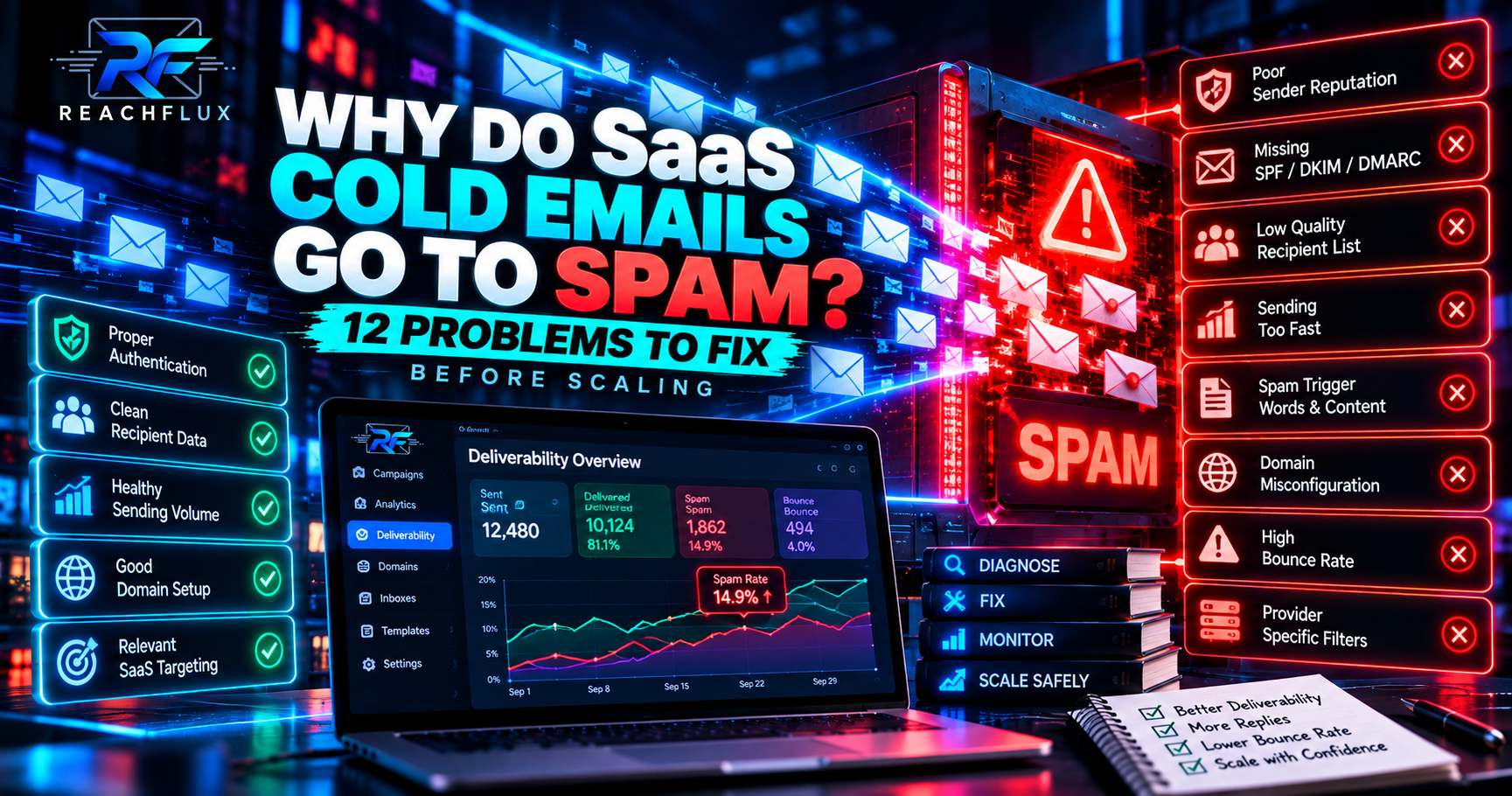
If your SaaS cold emails keep going to spam, do not begin by rewriting the opening line. First check whether your sending domains authenticate correctly, whether recipient quality changed, whether sending volume increased, whether bounces or complaints appeared, and whether specific providers are rejecting or filtering your traffic. Copy matters, but it sits downstream from the health of the sending system.
Why are SaaS cold emails going to spam?
SaaS cold emails can land in spam when receiving providers see weak or negative signals around the sender. Common causes include poor domain or IP reputation, missing or misaligned authentication, sudden sending spikes, complaint-prone targeting, invalid recipients, repetitive campaigns, provider-specific filtering and a history of low-quality traffic. The right fix depends on which part of that system is failing.
That means the question:
“Why is this email going to spam?”
is usually too narrow.
A better question is:
“What signals is this entire sending system producing?”
Why SaaS cold outbound is especially easy to get wrong
SaaS companies have a strong reason to use outbound.
You can define an ICP, identify companies that fit it, reach decision-makers directly and create pipeline without waiting for every prospect to discover you through search or ads.
But SaaS teams also tend to automate quickly.
One campaign becomes five.
One mailbox becomes ten.
A few hundred prospects become thousands.
Follow-ups multiply the traffic again.
And a system that worked at a small scale can behave very differently after that expansion.
Spam placement can be the visible symptom of a problem anywhere along that chain.
12 reasons SaaS cold emails go to spam
I would investigate these before making large changes to the campaign.
Your sending domain has weak reputation
A technically valid domain can still have poor sending reputation.
Authentication answers questions about identity. Reputation reflects how receiving systems have learned to treat traffic associated with that sender.
SPF, DKIM or DMARC is missing or broken
Authentication is one of the first things I would verify on every sending domain.
Do not assume it works simply because DNS records exist.
Verify that the actual messages authenticate and align as expected.
You increased outbound volume too quickly
Yesterday a mailbox sent a small, predictable workload.
Today it is part of a large automated sequence.
That change matters.
Google explicitly recommends gradually increasing sending volume and avoiding bursty sending patterns.
Your lead source changed
This is one of the easiest causes to overlook.
The sending infrastructure may be unchanged while the audience has changed completely.
A weaker dataset can introduce more invalid addresses, irrelevant prospects and people who are more likely to treat the message as unwanted.
Your ICP became too broad
SaaS teams often scale by relaxing targeting.
A campaign begins with one specific industry, company size and use case.
Then growth pressure turns the targeting into:
“Anyone who could possibly use our software.”
That is not scale.
It is dilution.
Your follow-ups quietly multiplied your volume
Teams often calculate sending load from new prospects only.
But your mailbox does not care whether a message is touch one or touch four.
They all contribute to the workload.
Too many messages follow the same pattern
Automation itself is not a spam verdict.
But highly repetitive campaigns can create a sending pattern that deserves attention—especially when the same campaign also generates weak recipient feedback.
Do not try to “beat” spam filters with random words or formatting tricks.
Fix relevance and sending quality first.
Your messages are generating complaints
A delivered message can still damage future delivery if recipients repeatedly report it as spam.
Google currently recommends keeping user-reported spam below 0.1% and avoiding 0.3% or higher.
Yahoo requires senders to keep spam complaint rates below 0.3%.
You are sending to addresses that should not be mailed
Verification helps reduce obvious invalid addresses.
It does not prove that a person wants the message, fits your offer or will respond positively.
Deliverability and targeting overlap here.
You are treating every provider the same
Your overall campaign average can hide provider-specific problems.
Gmail traffic might behave differently from Microsoft or Yahoo traffic.
Segmenting outcomes by recipient provider can expose patterns that disappear inside a blended metric.
Your primary domain and outbound risk are too tightly coupled
If your main company domain handles customers, employees, support and prospecting, outbound problems can become a broader operational concern.
Separate sending infrastructure can create a useful boundary, although it does not make bad outreach safe.
You changed several things at once
New list.
New copy.
New sending accounts.
Higher volume.
New domain.
Then performance falls.
Which change caused it?
You have made the answer unnecessarily difficult to find.
How can SaaS cold emails look less automated?
This question appears frequently because senders assume there must be a hidden collection of words that spam filters dislike.
That leads to strange tactics:
- Randomly changing words
- Adding unnecessary spelling variations
- Trying to disguise links
- Inserting meaningless text
- Obsessing over individual “spam words”
That is the wrong direction.
Make the campaign less automated from the recipient's perspective by making it more relevant—not by trying to hide the fact that software helps send it.
Segment more narrowly
A cybersecurity founder and an e-commerce operations manager should not receive the same SaaS pitch merely because both companies have 50 employees.
Use one clear reason for contacting them
The email should make the targeting logic understandable.
Keep the offer specific
“We help businesses grow” says almost nothing.
Explain the concrete problem the product solves.
Do not manufacture personalization
Fake familiarity can make an automated message feel more automated, not less.
Use natural follow-ups
A follow-up should move the conversation forward rather than repeatedly asking whether the prospect saw the previous email.
Authentication: check this before touching the copy
For current Gmail requirements, all senders to personal Gmail accounts need SPF or DKIM.
Senders Google classifies as bulk senders need SPF, DKIM and DMARC, along with additional requirements.
Yahoo also requires SPF or DKIM for all senders and stronger authentication for bulk senders.
Does the domain authorize the infrastructure sending the message?
Does the message carry a valid cryptographic signature?
Does the visible sender identity align with authenticated domains as expected?
Your SaaS sender reputation matters more than a perfect subject line
Suppose two senders use the exact same email.
One has stable authenticated infrastructure and a history of acceptable traffic.
The other has recent complaint problems, abrupt volume changes and weak recipient quality.
The text is identical.
The surrounding sending context is not.
That is why changing:
“Quick question”
to:
“Thought this might be relevant”
is not a serious recovery strategy for a reputation problem.
A deliverability problem can actually be a targeting problem
This is especially important for SaaS.
Teams often separate:
In reality, they interact.
Poor targeting creates recipients who are less interested in the message.
Irrelevant recipients are more likely to ignore, delete or complain.
Recipient feedback then becomes part of the sender's broader reputation picture.
So when a campaign begins failing, inspect the list as seriously as the infrastructure.
Can sending too many SaaS cold emails cause spam problems?
Volume is not useful as an isolated number.
You need to consider:
- Volume per sender
- Volume per domain
- Traffic history
- How quickly volume changed
- Recipient providers
- Follow-up volume
- Bounces and deferrals
- Recipient feedback
Google explicitly recommends consistent sending rather than bursts and gradual volume increases while monitoring delivery, spam rate and domain reputation.
That is a better operating principle than searching for one universal “safe” number.
Do links and HTML automatically send SaaS cold email to spam?
No single formatting choice should be treated as an automatic explanation for spam placement.
A better diagnostic question is whether your message became unnecessarily complex.
For example:
- Several tracking URLs
- Multiple calls to action
- Large image-heavy templates
- Unnecessary attachments
- Complicated HTML
- Redirect chains
For first-touch B2B outreach, simplicity also makes the message easier for a human to process.
Why “sent” is the wrong SaaS outbound metric
A sending platform can truthfully report that it handed a message to another mail server.
That does not mean:
- The address was good
- The message reached the inbox
- The recipient read it
- The prospect was relevant
- The prospect wanted the offer
When SaaS outbound fails, identify where the funnel actually deteriorated.
How I would diagnose a SaaS campaign going to spam
Do this in order.
Establish a before-and-after period instead of diagnosing from memory.
Determine whether every sender declined or only particular accounts.
Check whether Gmail, Microsoft, Yahoo or another destination shows a distinct pattern.
Inspect actual authentication results rather than assuming DNS configuration is correct.
Include new emails, follow-ups and overlapping campaigns.
Provider responses can reveal authentication, reputation, policy or recipient problems.
Determine whether the dataset or ICP changed around the same time performance changed.
Use provider tools where available and look for complaints or reputation deterioration.
Only after infrastructure and audience checks should you isolate copy, links and formatting changes.
The diagnostic rule
Otherwise you can improve the campaign without learning what was actually wrong—or make it worse without knowing why.
How to recover when SaaS cold emails start going to spam
Recovery should begin with reducing uncertainty.
Do not respond to declining delivery by pushing more traffic through the same system.
Resolve SPF, DKIM, DMARC, DNS or alignment problems before testing more campaigns.
Tighten recipient quality and eliminate addresses that should not be mailed.
Prioritize prospects with a clear reason to care about the offer.
Stabilize domains, senders, volume and campaign structure while diagnosing.
Increase traffic from evidence rather than immediately returning to the previous workload.
Should SaaS companies use separate cold email domains?
This depends on the operating model.
For repeatable outbound, separating prospecting from a domain that handles critical company communication can be a sensible risk-management decision.
But the secondary domain still needs:
- Correct authentication
- Professional sender identity
- Clean recipient data
- Controlled traffic
- Monitoring
- Responsible campaign practices
Where ReachFlux fits into SaaS outbound
Deliverability becomes harder to reason about as campaigns spread across multiple sender accounts, sequences and prospects.
ReachFlux brings multi-account campaign distribution, recipient validation, sending controls, activity tracking, replies and lead workflows into one outbound system.
It does not promise that every message reaches the inbox.
No legitimate outbound platform can guarantee that.
The value is having a clearer operating system around the campaign so sending behavior and outcomes are easier to control.
SaaS cold email spam FAQ
Why do my SaaS cold emails go to spam?
Common causes include sender reputation, authentication problems, weak recipient quality, complaint-heavy targeting, sudden volume changes, bounces, repetitive campaign behavior and provider-specific filtering. Diagnose the infrastructure and audience before blaming one line of copy.
How do I improve SaaS cold email deliverability?
Verify authentication, inspect bounces and provider responses, tighten recipient quality, control sending volume, monitor reputation and keep campaigns relevant to a narrow audience.
How can SaaS cold emails look less automated?
Focus on relevance rather than tricks. Use narrower segments, a clear reason for contacting the prospect, specific offers, natural copy and useful follow-ups. Do not try to disguise automation with meaningless text changes.
Does SPF stop cold emails from going to spam?
SPF is one part of authentication. Passing SPF alone does not guarantee inbox placement because providers also consider other authentication, reputation, traffic and recipient signals.
Do I need DKIM and DMARC for SaaS cold email?
Strong authentication is recommended for sending domains. Gmail currently requires SPF or DKIM for all senders to personal Gmail accounts, while bulk senders need SPF, DKIM and DMARC. Yahoo also applies stronger authentication requirements to bulk senders.
Can high cold email volume hurt deliverability?
Volume and the way it changes can matter. Large sudden increases and bursty sending can create delivery problems. Scale gradually and monitor server responses, reputation and recipient feedback.
Should I rewrite my SaaS cold email if it goes to spam?
Not first. Check authentication, reputation, recipient quality, bounces, volume and provider-specific responses. Rewrite copy when evidence suggests the message itself is part of the problem.
Should SaaS cold email use a separate domain?
Separate infrastructure can reduce operational coupling between prospecting and critical company email. It does not make poor targeting or aggressive sending safe.
Why are verified SaaS leads still bouncing?
Verification is a point-in-time signal, not a delivery guarantee. Addresses can change, recipient servers can reject messages for policy reasons, mailboxes can become unavailable and providers can temporarily defer traffic.
Your SaaS cold email is not just a message. It is traffic from a system.
When that system produces weak authentication, poor recipient quality, complaints, unstable volume or deteriorating reputation, rewriting the subject line will not solve the underlying problem. Diagnose the sender, domain, audience, traffic and provider responses first. Then improve the copy from a healthy foundation.
Scaling outbound should give you more pipeline—not more deliverability mysteries.
Manage sender accounts, campaigns, recipient validation, activity, replies and lead workflows from one outbound system.