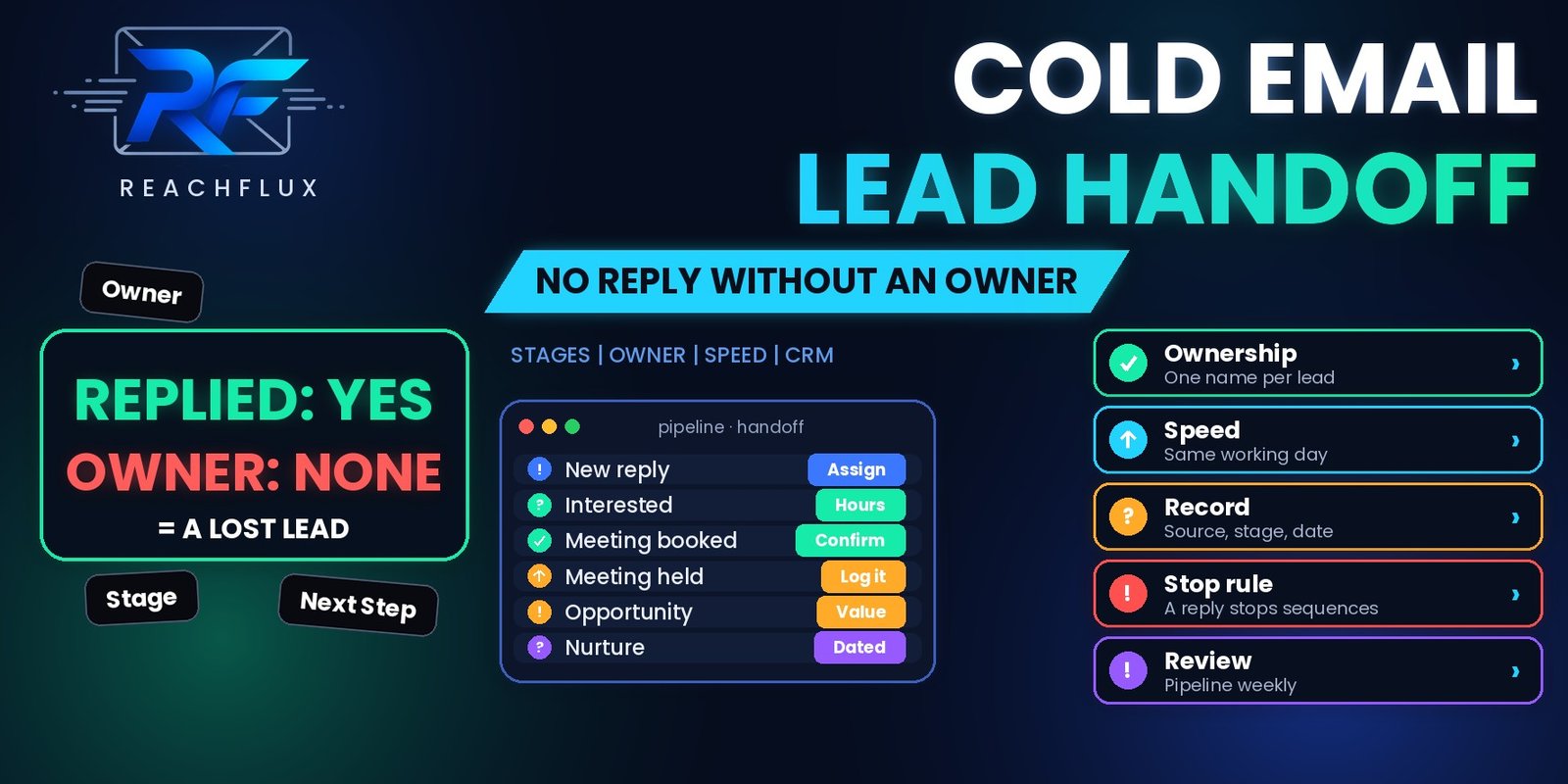
How do you hand off cold email replies without dropping leads?
Give every interested reply an owner, a stage and a next step within hours, and record it in one place. Replies are the most perishable asset in outreach, and most lost opportunities are lost after the prospect said yes, not before. A simple pipeline, a clear definition of each stage and a rule about response speed prevent the majority of them.
This guide covers how to define lead stages, who should own what, how fast to respond, what to record, how to connect cold email with your CRM and the common ways leads fall through the gaps.
A simple set of stages that works
| Stage | Meaning | Exit condition |
|---|---|---|
| New reply | A human has responded | Classified and assigned an owner |
| Interested | They want to know more or to talk | A meeting is booked or details are sent |
| Meeting booked | A time is agreed | The meeting takes place |
| Meeting held | The conversation happened | An opportunity is created, or the lead is closed |
| Opportunity | There is a real chance of a deal | Won or lost |
| Nurture | Not now, but possible later | A dated follow-up arrives |
| Closed | Not interested, wrong fit or opted out | Recorded with a reason; suppressed where needed |
Every lead needs one owner
Shared inboxes breed duplication and dropped threads. Assign one person to each conversation, with a named backup for absences. Decide in advance how replies are routed, for example by segment or by account, so that nobody has to guess. In small teams the same person may own everything, but the role should still be explicit.
Ownership rules also prevent collisions, where two people write to the same prospect, as explained in How to Prevent Campaign Collisions: Stop Prospects Getting Conflicting Emails From Multiple Sequences.
Respond fast, especially to interest
Interest cools quickly. A reply answered within hours feels attentive. One answered after several days feels forgotten. Set a clear service level for positive replies, such as the same working day, and check replies at fixed times so nothing waits.
Speed alone is not enough. The reply should be short, helpful and specific, with a small next step. Templates and principles are in Cold Email Reply Templates: How to Answer Interested, Not Now, Wrong Person and Objection Replies.
The data worth capturing for every lead
| Field | Why it matters |
|---|---|
| Source campaign and segment | Shows which outreach produces leads |
| Original message and reply | Gives context for the next conversation |
| Stage and owner | Makes accountability visible |
| Next step and date | Prevents leads from stalling |
| Reason for any loss | Teaches you what to change |
| Value estimate | Helps prioritise and calculate return |
| Opt-out status | Keeps suppression accurate |
One reply, from first email to opportunity
A prospect replies to the second follow-up of a campaign: “this looks interesting, can you send details?” At 9:40 the reply is classified as interested, the sequence is stopped and the owner, who checks replies at set times, is assigned automatically. By 10:15 the owner has answered with a short summary and two time options, and logged the stage as Interested with a next step dated for the following day.
The prospect books a call, which moves the stage to Meeting booked. After the call, the owner records the outcome, creates an opportunity with a value estimate and notes the campaign source. Six weeks later the deal is won, and the source campaign, the segment and the days from first email to close are all visible. Nothing in this story is clever. It simply never lets the lead sit without an owner or a next step.
Connecting cold email to your CRM
If you already use a CRM, decide how leads move into it. The simplest approach is a manual or lightly automated step when a reply becomes interested: create or update the contact, record the campaign source and assign the owner. Keep one source of truth for stage and avoid keeping two competing records.
If you do not yet have a CRM, a pipeline inside your outreach tool or a simple spreadsheet is enough to start. The aim is not sophisticated software. It is that no lead can sit without an owner. ReachFlux includes reply management and lead stages for email outreach, as described on the how it works page.
The common ways leads fall through the gaps
Nobody owns the reply
Replies sit in a shared inbox because everyone assumes someone else has them.
Slow first response
The prospect moves on, or goes cold, while you wait.
A friction-heavy booking path
Long forms or unclear availability lose people who said yes.
No next step recorded
The conversation ends politely and is never revived.
Sequences continue after a reply
Automated follow-ups embarrass you and confuse the prospect.
Not-now replies are forgotten
Soft refusals are worth following up on a date you promised.
A daily handoff routine
Look at fixed points in the day so nothing waits.
Tag each reply and stop automated follow-ups for that contact.
Make sure every interested reply has a named person.
Offer a concrete, small next step.
Log the stage, next step and date so the pipeline stays truthful.
Simple service levels for every stage
| Stage | Service level | Why it matters |
|---|---|---|
| New reply | Classified and assigned the same working day | Nothing sits unowned |
| Interested | First response within hours | Interest cools quickly |
| Meeting booked | Confirmation sent immediately, reminder before the call | Reduces no-shows |
| Meeting held | Outcome logged the same day | Keeps data fresh and next steps clear |
| Nurture | Follow-up on the promised date | Honours what you said |
Review the pipeline weekly
Once a week, look at every open lead. Which stages are stuck? Which leads have no next step? Which not-now contacts are due? Count the leads that dropped and ask why. These reviews catch problems quickly and feed the numbers you need to calculate return, as described in Cold Email ROI: How to Calculate Cost per Reply, Cost per Meeting and Payback. They also connect to the funnel diagnosis in Cold Outreach Conversion Rates Dropping? How to Diagnose the Funnel From Sent to Booked.
What to measure about the handoff itself
Track a few numbers about the handoff, not just the campaign. How long does it take from a positive reply to a first response? What share of interested replies become booked meetings? How many leads are stuck in one stage for more than a week? How many not-now contacts were followed up on the promised date? These numbers show where the process leaks, and they often reveal more than reply rates do. They also feed the return calculation in Cold Email ROI: How to Calculate Cost per Reply, Cost per Meeting and Payback.
Lead handoff checklist
- Every interested reply has an owner within hours.
- Stages are defined and used the same way by everyone.
- Positive replies are answered the same working day.
- A reply stops all sequences for that contact.
- Source, stage, next step and date are recorded for every lead.
- Not-now replies get a dated follow-up that is honoured.
- There is one source of truth for stage and status.
- The pipeline is reviewed every week.
Questions about lead handoff
How do I hand off cold email replies to sales?
Give every interested reply an owner, a stage and a next step within hours, and record it in one place. Define the stages clearly and set a response-speed rule so nothing sits unanswered.
How fast should I reply to a positive cold email response?
As quickly as you can, ideally the same working day. Interest cools fast, and slow handling is one of the most common ways opportunities are lost.
Do I need a CRM for cold email leads?
You need somewhere to track leads from reply to outcome. A simple pipeline in your outreach tool or a spreadsheet is enough to start, as long as every lead has an owner and next step.
What lead stages should I use for cold email?
A simple set works: new reply, interested, meeting booked, meeting held, opportunity, nurture and closed, each with a clear exit condition.
What should I record about each cold email lead?
The source campaign and segment, the original message and reply, stage, owner, next step and date, the reason for any loss, a value estimate and opt-out status.
Why do cold email leads get dropped?
Common causes are no owner, slow response, booking friction, no recorded next step, sequences that continue after a reply and not-now replies that are never followed up.
A reply without an owner is a lost lead.
Define the stages, assign every interested reply an owner, respond quickly and record the next step. Connect cold email to your CRM or a simple pipeline, and review it every week.
Do that, and the effort that went into getting replies is not wasted afterwards.
Handle replies in context and move interested prospects through lead stages.
ReachFlux brings replies, conversation history and lead stages into one workflow so nothing sits unanswered.