What tools do you need for cold email?
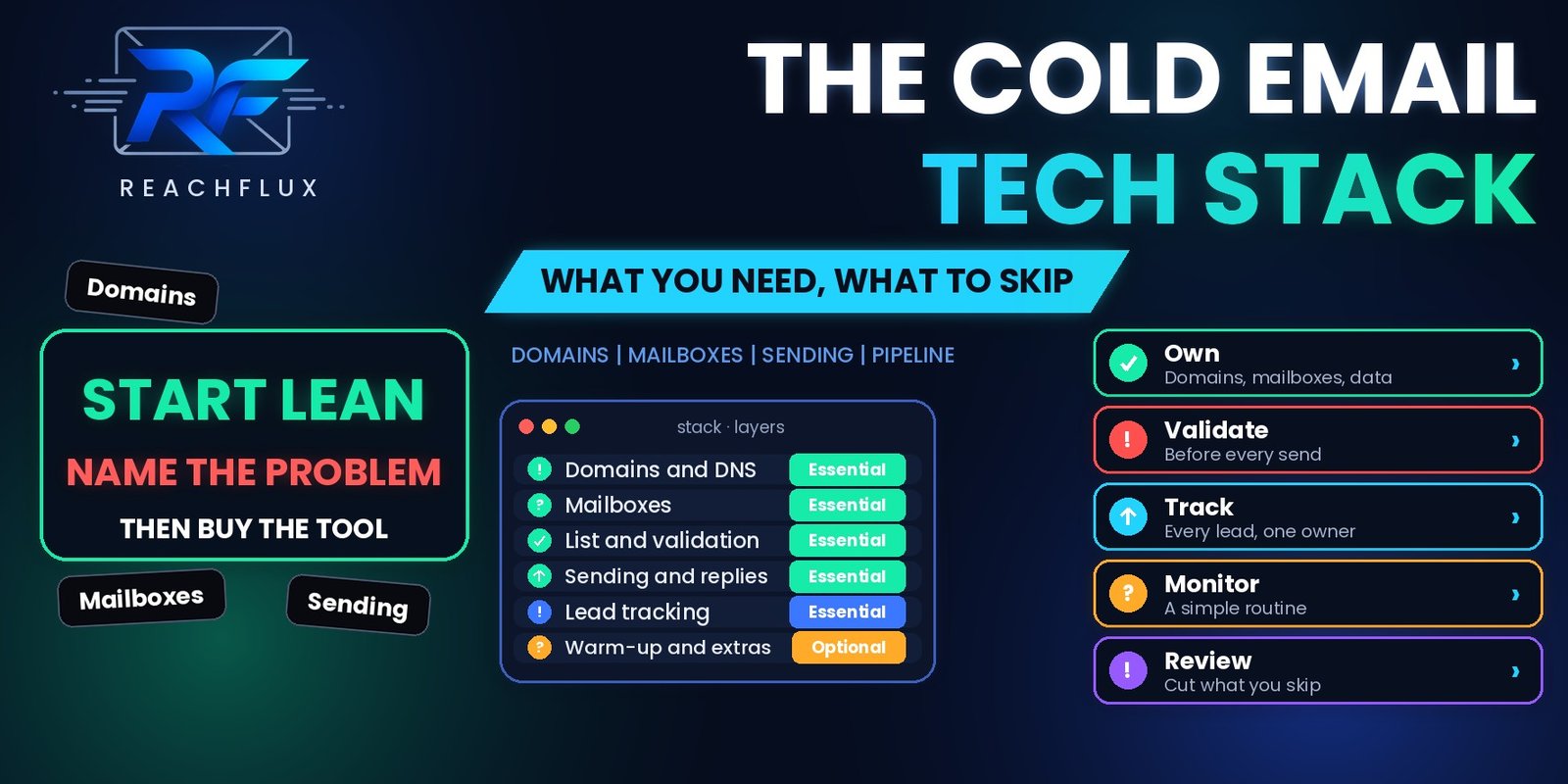
You need fewer tools than vendors suggest. The essentials are a domain registrar and DNS for your outreach domains, mailboxes that support SMTP and IMAP, a way to build and validate a prospect list, a sending and reply-management tool, and somewhere to track leads. Everything else, from tracking software to warm-up services, is optional, and some of it adds risk.
This guide explains each layer of the stack, what to look for, what you can skip at the start and how to avoid buying capacity you do not need. It describes categories rather than recommending specific products, because the right choice depends on your volume, budget and how much control you want.
The layers of a cold email stack
| Layer | What it does | Essential? |
|---|---|---|
| Domains and DNS | Hosts your sending identity and authentication records | Yes |
| Mailboxes | Send and receive mail for each sender identity | Yes |
| Prospecting and research | Finds and organises the people you will contact | Yes, though it can be manual |
| Email validation | Checks addresses before sending | Strongly recommended |
| Sending and sequencing | Runs campaigns, pacing and follow-ups | Yes |
| Reply management | Brings replies together and stops sequences | Yes, often part of the sending tool |
| Lead tracking or CRM | Records leads, stages and outcomes | Yes, even if simple |
| Monitoring | Watches sending health, DNS and blocklists | Recommended |
| Warm-up and extras | Optional services around volume and tracking | Optional, evaluate carefully |
Domains, DNS and mailboxes
These are your foundation. Choose dedicated outreach domains, a mailbox provider that supports SMTP and IMAP with administrative control, and DNS you can manage easily. Authentication records, SPF, DKIM and DMARC, live here, and they must pass and align on a delivered message.
The planning questions are covered in Cold Email Capacity Calculator: How Many Domains and Inboxes You Need for Your Daily Volume, the order of setup in How to Set Up Cold Email Inboxes and Domains: A Step-by-Step Guide and naming in Cold Email Domain Name Ideas: Safe Naming Patterns and What to Avoid.
Prospecting and validation
You can start with a spreadsheet. As volume grows, you may want tools that help you research contacts and keep data organised, but the principle is the same: know your source, prefer named people and validate every address. Validation is the one tool in this layer worth having early, because bounces damage reputation quickly.
The process is described in How to Build a Cold Email Prospect List: Sources, Research and Validation, and the limits of validation in Why Do Verified Emails Still Bounce? 11 Reasons Verification Misses Bad Addresses.
Sending, sequencing and replies
This is the engine. Look for a tool that connects the mailboxes you own, distributes sending across them, lets you control pacing and variation, runs follow-ups that stop on reply and brings replies into one place. Be wary of tools that promise inbox placement, because no tool can guarantee it.
- Connects your own SMTP and IMAP mailboxes.
- Lets you set limits and randomised delays.
- Supports follow-ups that stop on any reply.
- Handles opt-outs and a shared suppression list.
- Brings replies and conversation history into one place.
- Is honest about what it cannot guarantee.
Lead tracking and CRM
Replies are worthless if they are not tracked to an outcome. A simple pipeline with a handful of stages is enough to start, whether it lives in your sending tool or in a separate CRM. What matters is that every interested reply has an owner and a next step. The handoff is covered in Cold Email Lead Handoff: How to Move Replies Into Your CRM and Pipeline Without Dropping Leads.
Monitoring
You need visibility into whether campaigns are running and whether your infrastructure is healthy. That can be a simple routine with a spreadsheet, a DNS lookup and a blocklist checker, as described in Cold Email Monitoring and Alerts: What to Watch So Campaigns Never Stop Silently. Add tooling only if the routine becomes too heavy to maintain by hand.
Things to evaluate carefully
Warm-up services
Their claims are hard to verify, and providers may treat artificial engagement as manipulation. See Cold Email Warm-Up Explained: What It Is, Whether You Need It and How to Do It Safely.
Open and click tracking
Unreliable numbers and added risk. Consider whether you need them. See Custom Tracking Domain for Cold Email: What It Is, How to Set It Up and When to Skip It.
Placement testing tools
Useful as one input, not an authority. See How to Run a Cold Email Inbox Placement Test: A Step-by-Step Method That Does Not Fool You.
Data enrichment
Can help, but verify accuracy and check how the data is sourced.
Extra dashboards
Only if they shorten a routine you actually run.
A lean starting stack
Dedicated outreach domains and a few mailboxes with proper authentication.
A small, well-matched list, validated before sending.
Connected to your mailboxes, with pacing and stop-on-reply.
Even a short list of stages and owners.
Numbers on one page, reviewed on a schedule.
Where ReachFlux fits in the stack
ReachFlux covers the sending, list-preparation, reply and pipeline layers for email outreach. You connect SMTP and IMAP accounts you own, import your own lead data, validate addresses, distribute sending across accounts with randomised delays, manage replies and track leads. It does not provide domains, mailboxes or a contact database, and it does not guarantee inbox placement. See the how it works page for the workflow.
A sensible way to budget for the stack
Budget in layers, and add the next only when the previous is working. Start with the cost of domains and mailboxes, which scale with volume. Add validation and a sending tool, which are the other essentials. Treat your own time as a cost too, because research and replies are usually the largest expense for small teams.
A useful discipline is to calculate cost per meeting for the whole stack, as in Cold Email ROI: How to Calculate Cost per Reply, Cost per Meeting and Payback, and to cut any tool whose cost you cannot connect to a result. Cheap tools that you never use cost more than they appear to.
Stack mistakes that waste money or cause damage
Buying capacity before you need it
Large numbers of mailboxes and domains you cannot manage well add risk, not results.
Layering tools that overlap
Several tools doing the same job create confusion and gaps.
Relying on a tool to fix fundamentals
No tool repairs a poor list, weak authentication or irrelevant targeting.
Ignoring ownership and access
Make sure you own your domains, mailboxes and data.
Skipping the pipeline
Without tracking, you cannot calculate return. See Cold Email ROI: How to Calculate Cost per Reply, Cost per Meeting and Payback.
Review the stack every quarter
Stacks accumulate. Once a quarter, list every tool, what it does, who uses it, what it costs and which metric it improves. Cancel tools that nobody has opened in a month, merge those that overlap and check that you still own your domains, mailboxes and data. Update the documentation of how everything connects, so that a new team member can understand it quickly.
Tech stack checklist
- You own your domains, mailboxes and data.
- Authentication passes and aligns on a delivered message.
- Lists are validated before sending.
- Your sending tool connects your own accounts and stops sequences on reply.
- Every interested reply has an owner and a next step.
- A simple routine monitors sending health.
- Optional extras are justified by a named problem and metric.
- You review the stack regularly and drop what you do not use.
Questions about the cold email stack
What tools do I need for cold email?
Domains and DNS for outreach, mailboxes with SMTP and IMAP, a way to build and validate a prospect list, a sending and reply-management tool and somewhere to track leads. Everything else is optional.
Do I need a CRM for cold email?
You need somewhere to track leads from reply to outcome. A simple pipeline with a few stages is enough to start, whether in your sending tool or a separate CRM.
Do I need a warm-up tool?
Not necessarily. A gradual ramp with real messages to validated contacts is the best-understood approach. Treat warm-up tools as optional and evaluate their claims carefully.
Do I need email validation software?
It is strongly recommended. Validation reduces bounces, which protect your sender reputation, though it cannot catch everything.
How many tools is too many?
If a tool does not solve a named problem or move a specific metric, it is overhead. A lean stack that you actually use beats a large one you cannot manage.
Does ReachFlux provide mailboxes or leads?
No. You connect mailboxes you own and import your own lead data. ReachFlux provides list preparation, validation, sending, reply management and lead tracking.
Start lean, and buy tools to solve named problems.
A lean stack of good domains, authenticated mailboxes, a validated list, one sending and reply tool and a simple pipeline is enough to learn from. Add tools only when a named problem and a metric justify them.
Keep ownership of your assets, and review the stack regularly.
Connect the accounts you own and run campaigns in one workflow.
ReachFlux covers list preparation, validation, multi-account sending, replies and lead tracking for email outreach.